

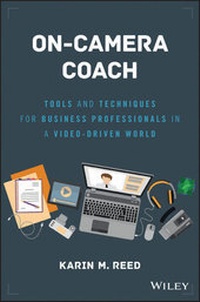
On-Camera Coach
Description

More details
Other editions
Additional editions
Person
Content
- Intro
- On-Camera Coach
- Wiley & SAS Business Series
- Contents
- Preface
- Acknowledgments
- Section One The Inescapable Reality-We All Have to Communicate through a Camera
- Chapter 1 Why You Need to Read This Book
- The Power and Pervasiveness of Video
- The Decline of the Professional Spokesperson
- The Global Communication Tool of Choice
- Hiring by Skype
- The Perils of Video
- How Reading This Book Can Improve Your On-Camera Performance
- What You Will Need
- Topics to Be Discussed
- Chapter Takeaways
- Notes
- Chapter 2 Why the Camera Changes Everything
- My "Aha!" Moment
- A Camera Changes Everything
- No Immediate Feedback
- Your Own Worst Critic
- Recorded for Posterity
- Unfamiliar Territory
- The Archenemy of Performance Success: You
- The Key to On-Camera Success: Authenticity
- Chapter Takeaways
- Section Two The MVPs of Performance Success
- Chapter 3 M-Mental Mind-set: The Prep before the Performance
- Reaching the Real Audience
- Visualize the Viewer
- Video Chat: Now You See Me, Now You Don't
- Embrace Your Nervousness
- Passion Play
- Beware of Brain Cramps
- The Bottom Line: It's Not about You
- Chapter Takeaways
- Note
- Chapter 4 V-Vocal Variety: Pacing and Pausing with Purpose
- The Musicality of Your Delivery-What's Your Range?
- What Is Vocal Variety?
- Natural versus On-Camera Inflection
- Setting Your Pace with the Viewer in Mind
- Finishing Your Thoughts
- Using the Power of the Pause
- Pause for You
- Filler Words as Placeholders
- Pause for Them
- The Lowdown on Uptalk
- The Most Common Uptalk Trouble Spot
- Chapter Takeaways
- Note
- Chapter 5 P-Physical Factors: On-Camera Movement with Meaning
- On-Camera Gesturing: An Out-of-Body Experience
- Getting Familiar with Frame Size
- Gestures for a Tight Shot
- Gestures for a Medium Shot
- Gestures for a Wide Shot
- Gestures as a Retention Tool
- The Role of Off-Camera Movement
- Posture Pointers
- Standing While on Camera
- The Metronome Effect
- Going for a Walk
- Sitting While on Camera
- Crossed Legs
- Leaning In or Out
- Step In to Start
- Making Eye Contact When You Can't See Your Audience
- Look Away
- Performance Pitfalls: Eye Contact Errors
- Vary Your Angle
- Look Up
- Chapter Takeaways
- Notes
- Section Three Ready to Wear . . . or Not
- Chapter 6 Looking the Part-Wardrobe 101
- Match Audience Expectations
- Boring Is Best
- Spin the Color Wheel
- Special Consideration: Green-Screen Shoots
- Solids: A Solid Choice
- Putting on the Pounds
- Dress Right for the Mic
- Pack Placement
- Microphone Placement
- Jewelry Jukebox and Light Show
- Your Fifth Appendage: A Smartphone
- Additional Considerations for Men
- Sock Style
- The Uniform Look
- To Button or Not to Button?
- Chapter Takeaways
- Notes
- Chapter 7 Hair and Makeup
- Hair Hassles
- On-Camera Makeup Musts for Women
- What You Need in Your Kit
- Moisturizer
- Foundation
- Powder
- Eye Makeup
- Cheeks
- Lip Color
- Makeup for Men
- Glasses or No Glasses
- Chapter Takeaways
- Section Four Best Practices for Creating Your On-Camera Message
- Chapter 8 Organizing for the Ear
- The Rule of Three
- Applying the Rule of Three On Camera
- Rule of Three via Skype
- Your Core Message
- The Rule of Three Expanded
- Repetition, Repetition, Repetition
- Chapter Takeaways
- Note
- Chapter 9 Writing for the Spoken Word
- The Challenges of Reading Written Prose Aloud
- Why the Whisper Test Won't Work
- Writing Tip 1: Keep It Short
- Writing Tip 2: Don't Fear the Grammar Police
- Writing Tip 3: See Spot . . . Be Bored
- Exercises for Writing the Way You Speak
- Chapter Takeaways
- Note
- Section five How to Read without Sounding Like You Are
- Chapter 10 Marking Your Script
- Step One: Smooth Out the Script
- Step Two: Add Phonetics Where Appropriate
- Step Three: Mark with Meaning
- New vs. Old
- The Name Stress Principle
- How to Mark Your Copy for Emphasis
- Emphasis Obstacles
- Beware of Connotations
- Too Much Stress
- Step Four: Place Your Pauses
- The Short Pause
- The Power Pause
- Marking Your Pauses
- Pause Practice Example
- Pause Pitfalls
- It All Comes Down to This . . .
- Chapter Takeaways
- Script Marking Exercises Answer Key
- Notes
- Chapter 11 Tackling the Teleprompter
- Lessons Learned from Michael Bay's Implosion
- Lesson 1: Know Your Content
- Lesson 2: Know Your Script
- Lesson 3: Stay in the Moment
- Teleprompter-Friendly Copy: Best Practices
- Read Your Script in the Prompter before Your Performance
- Effective Visual Cues in Teleprompter Copy
- Options for Marking Emphasis
- Options for Marking Pauses
- Visual Cues Are Guides, Not Absolutes
- The Role of the Teleprompter Operator
- A Second Set of Eyes
- Adjusting Font Size
- Following the Leader
- Editing on the Fly
- No Mind Reading
- Adjusting the Read Line
- Prompter Practice Made Possible
- The Proliferation of Prompter Software
- Control the Scroll
- Watch Yourself
- Lost in the Teleprompter
- Chapter Takeaways
- Note
- Section Six The Most Common On-Camera Performance Scenarios
- Chapter 12 Presenting Directly to the Camera in a Studio Setting
- Considerations for Corporate Video
- A Lesson from TV News
- Does Length Matter?
- How Much Face Time Is Too Much?
- Preparing for the Shoot
- Creating Your Content
- Identifying Your Viewer
- Writing the Way You Speak
- Marking for Meaning
- Practice, Practice, Practice
- Looking the Part
- Microphone Matters
- Hair Issues
- Getting Rid of Your Fifth Appendage
- Orienting Yourself to the Studio
- Meet the Crew
- The Floor Director
- The Audio Technician
- The Camera Operator
- The Teleprompter Operator
- The Crew's Mission
- Give Yourself the Once-Over
- Getting Familiar with Your Performance Space
- The Crew's Final Prep
- Pulling Off a Great Performance
- Stay Focused Despite Distractions
- The Most Dangerous Part of Your Performance
- The Runaway Train Ramble
- Mentally Moving On
- Stopping the Performance before the Real End
- Reviewing Your Performance
- Chapter Takeaways
- Chapter 13 Videoconferencing and Interviews via Video Chat
- Changes in Where and How You Work
- Hiring by Skype
- Travel Cost Savings
- Fewer Scheduling Headaches
- Why You Want to Turn on Your Webcam
- Best Practices for VC
- Technical Considerations
- Setting Considerations
- Performance Considerations
- Recording a Videoconference
- Chapter Takeaways
- Notes
- Chapter 14 Webcasts-Best Practices for Panelists and Moderators
- Why a Webcast Is Easier to Master
- Best Practices for Panelists
- Prepare Your Points
- Plan Your Wardrobe
- Take Advantage of Rehearsal Time
- Focus on the Action
- Where You Should Look
- When Someone Asks You a Question
- When Presenting Uninterrupted to Viewers
- When Others Are Speaking
- Opting Out of Using a Teleprompter
- Handling the Unexpected Question
- Best Practices for Moderators
- Directing the Conversation
- Preparing to Be a Moderator
- Encouraging the Conversation
- Being the Ultimate Editor
- Staying Hydrated
- Chapter Takeaways
- Notes
- Chapter 15 Broadcast Interview Basics
- Before the TV Interview
- Find Out the Focus
- Simplify Your Talking Points
- Seek to Speak in Sound Bites
- Practice with a Peer
- During the TV Interview
- Establishing a Friendly Rapport
- Checking Yourself in the Mirror
- Realizing When the Camera Is On
- Orally Editing Your Sound Bite
- Controlling the Controllables
- Pause to Ponder
- Press Your Own Reset Button
- Keep Your Cool
- Answer Every Question as Best You Can
- After the TV Interview
- Interviews by Satellite
- Introducing the IFB
- Managing the Monitor
- Waiting for the All-Clear
- Chapter Takeaways
- Notes
- Conclusion: Embrace Communicating through the Camera
- About the Author
- Index
- EULA
CHAPTER 1
Why You Need to Read This Book
Gladys and her girls
Don't let the sunshine yellow suit fool you. This is the unapologetically unhappy face of a woman who does not like cameras.
The unfortunate circumstance for my nana, Gladys Mason: her beloved husband was what we'd now call "an early adopter." The movements of my mother's side of the family were well documented on film, and the Martin Scorsese behind the movie camera was my grandfather, Harry.
Gladys was a frequent if unwilling participant in his 8mm films, so consequently, we all became intimately familiar with certain angles and parts of her body-the back of her head, perhaps a quick glimpse of the side of her face as she pivoted away from the offending lens before running rabbit to a faraway glen. If she couldn't dash away, she would try to hide in plain sight by extending her palm toward the camera, precursor to the paparazzi pose seen on the covers of tabloids the world over.
The good news for Gladys? For the most part, she only had to juke out my movie-making Papa to maintain her credentials as a Professional Camera Avoider. For the most part, Papa brought his camera out only for special occasions: family reunions, the first day of school, holidays. (On Christmas morning, no one was allowed to come downstairs to see what Santa brought until the room was properly illuminated by his own massive bank of lights. True.)
But today, avoiding Papa's lens would be the least of Gladys's concerns. Cameras are everywhere. I shudder when I imagine the levels of panic she would hit today.
The Power and Pervasiveness of Video
Video cameras are no longer just in a studio or pulled out of the closet for dance recitals; they're on your laptop, your webcam, your phone. They invade your personal space through apps like Skype, FaceTime, and Google Hangouts, and they've become as ubiquitous in the workplace as Excel spreadsheets and leftover birthday cake.
So what's driving this video proliferation? The medium itself is powerful and personal.
Consider how much time you spend viewing videos today versus even five years ago. The Age of YouTube has created an expectation that you can always watch rather than read. Need to know how to install a garbage disposal? Well, you could follow the directions enclosed in the Home Depot box-but why do that, when you can watch Bob the Plumber show you step by step in his DIY video?
Millennials have upped the ante even more with a penchant for Snapchat selfies and conversations conducted at length through the ever-growing list of video chat apps. For that generation, communicating through a camera is almost second nature.
But even the stodgiest of corporate cultures are making room for video. Corporate YouTube and Vimeo channels, Twitter accounts, and myriad social media opportunities vie with webinars, videoconferences, and Ted Talks for content. If a corporate web site doesn't have a video component, it looks outdated and downright boring. For the marketing department, it's a virtual video smorgasbord with unprecedented avenues to get your message out there.
But what happens if your messenger is about as dynamic on camera as a ham sandwich?
The Decline of the Professional Spokesperson
After a successful 15-year career in television news, I left the business after one too many "team coverage" snow-mageddon events, holidays spent on set and middle-of-the-night phone calls to cover whatever news was breaking. I moved to what I called "The Dark Side"-doing on-camera and voice-over work for any corporation interested in hiring me to serve as its professional spokesperson. I quickly realized how transferable and in demand my skills would be. Video is pervasive throughout the corporate landscape.
However, over the past decade of doing this kind of work, I have noticed a trend. More and more companies are forgoing the "professional spokesperson/actor" and are instead opting to put their "real" employees on camera, people who usually have had no prior experience or training in how to communicate through a camera. To me, that's unequivocally unfair.
I have spent more than 20 years honing my skills in front of the camera and have discovered what works and what doesn't, often through trial and error. My first stint in TV news was at a CBS affiliate in Youngstown, Ohio. Who knows why the news director hired me to be the weekend reporter and weather anchor? Perhaps it had something to do with the fact that I said I would do this for free. (They did pay me, and as a senior in college, I considered it more than adequate. Heck, I lived on Taco Bell.) I was awful on camera initially, but I learned my craft and eventually became a well-respected, award-winning journalist and anchor.
The only training most of these corporate execs have had is a quick reminder to smile right before the red light goes on. And yet hiring someone like me to be the mouthpiece for the enterprise is becoming less and less common.
Blame it on Steve Jobs for helping to create this age of the celebrity CEO, but be aware that the days of sending out the professional spokesperson are numbered. Your customers, your employees, and just about anyone else who is watching your video will want to hear from the decision makers, the doers, the C-suite executives-and more and more often, that means speaking on camera.
The Global Communication Tool of Choice
Video is a vital communication link for a workforce that is often not corralled within the bricks and mortar of the corporate monolith. It's immediate and impactful, and it can save you a ton of money.
Important enterprise-wide announcements are regularly taped and uploaded to an organization's intranet. Training that once was held at the home office is now delivered through video portals. Colleagues can now collaborate across continents with greater ease, albeit with less sleep for those whose time zone received short shrift.
Videoconferencing is not new. It's been around for decades, but for the majority of those years, the technology was siloed in specific rooms, which were hard to book, and usually reserved for the C-suite and senior-level executives. Today, videoconferencing has come to the masses, whenever and wherever they are.
While the teleconference still holds a firm majority, videoconferencing is growing in popularity at a rapid rate. According to a Wainhouse Research survey in 2015, respondents indicated an average of 42 percent of their Web conferences involved video.1
Additional insight from Wainhouse Research indicates that those who are already active users of videoconferencing are deepening their commitment to it. Of the roughly 170 respondents, 97 percent said they use videoconferencing more now than they did two years ago, and nearly the same high percentage of respondents pointed to improvements in reliability (95 percent) and ease of use (92 percent). According to that Wainhouse report, "Companies around the world are depending on video-enabled meetings to empower their people, serve clients better, and compete on a global basis."2
The advantages of videoconferencing are both tangible and intangible. For employees who are far-flung, virtual video meetings provide an acceptable and often preferred alternative to traveling to a meeting on site. It saves on costs and downtime due to travel, increasing productivity.
Introducing a visual element also has the effect of turning a virtual meeting into one where etiquette mimics that of an in-room meeting. Remember the YouTube video that went viral, showing what really happens during conference calls? (If you haven't, search "Conference Call in Real Life" on YouTube.) Turning webcams on minimizes multitasking. Checking e-mail, playing solitaire, or grabbing a latte at your favorite coffeehouse becomes much more difficult to pull off if your face is constantly visible to all parties. The result? Everyone is forced to focus but rewarded by a meeting that is often shorter.
Video meetings can be more meaningful, too. It's easier to build rapport with colleagues and "read the room" when you can see your audience. Body language speaks volumes but is silent on a teleconference call. Videoconferencing allows participants to pick up on nonverbal cues that would have been missed. In addition, research has shown that the majority of us are visual learners, so teleconferencing as a communication tool puts everyone at a disadvantage by forcing us to be primarily auditory learners.
Hiring by Skype
Video chat applications have completely revamped the hiring process across all verticals.
Corporations can cast a much wider net for applicants now that interviewing over the Web is possible. Apps such as Skype, ooVOO, Tango, and Google Hangouts offer an opportunity to connect with potential candidates who may have been eliminated purely based on geography. If someone hits it out of the park during an interview on Google Hangouts, for example, the decision to bring that person in for a face-to-face meeting becomes a much easier one to make. And if there are still reservations, hiring managers can go back and "review the tape," so to speak. Many video chat apps are capable of recording calls or have plug-ins created by other vendors that give users the opportunity to preserve those...
