

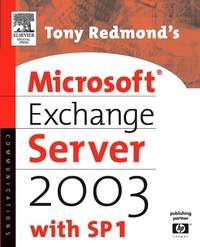
Tony Redmond's Microsoft Exchange Server 2003
with SP1
Published on 22. October 2004
1008 pages
978-0-08-051931-9 (ISBN)
Description

With over 40% new and revised material throughout the book, this updated version provides thorough coverage of implementation, migration and management issues for Exchange 2000 and 2003, all backed up by best practices developed by HP, Microsoft's only world-wide Prime Integrator for Exchange. The best and most comprehensive coverage of Exchange from the Chief Technology Officer of HP Services, Microsoft's only worldwide Prime Integrator for Windows and Exchange.- With over 40% new and revised material throughout the book, this updated version provides thorough coverage of implementation, migration and management issues for Exchange 2000 and 2003, all backed up by best practices developed by HP, Microsoft's only world-wide Prime Integrator for Exchange. - New coverage of Exchange Intelligent Message Filter- Revised and updated coverage of best practices for the design, deployment, and operation of Exchange 2003 - Comprehensive treatment of major issues facing email deployments, including anti-virus and anti-spam techniques - Review of Microsoft's future strategy for Exchange since dropping the Kodiak approach
More details
Other editions
Additional editions
Book
10/2004
Digital Press
€86.84
Article exhausted; check different version
Person
Tony Redmond is the Vice President and Chief Technology Officer of HP Services, the largest consulting company for enterprise-scale deployments of Microsoft technology in the world. He is one of the world's leading authorities on Exchange Server. In his position at HP, Tony works alongside many skilled professionals who work with Fortune 1000 companies to plan, deploy, and manage technology integration to achieve business success and so lay the foundation for the best practice explained in his books. Tony writes regularly in Windows IT Pro magazine (windowsitpro.com) and has written ten other books for Digital Press.
Content
- Front Cover
- Tony Redmond's Microsoft® Exchange Server 2003 with SP1
- Copyright Page
- Contents
- Foreword
- Preface
- Acknowledgments
- Chapter 1. A Brief History of Exchange
- 1.1 Exchange first generation
- 1.2 Exchange second generation
- 1.3 Exchange 2003 SP1
- 1.4 Exchange third generation
- 1.5 Simple steps to prepare for the move
- 1.6 Deploying Exchange 2003
- 1.7 Some things that Microsoft still has to do
- 1.8 Moving on
- Chapter 2. Exchange and the Active Directory
- 2.1 The Active Directory
- 2.2 Preparing the Active Directory for Exchange
- 2.3 Active Directory replication
- 2.4 The Active Directory Connector
- 2.5 The LegacyExchangeDN attribute
- 2.6 DSAccess-Exchange's directory access component
- 2.7 Interaction between Global Catalogs and clients
- 2.8 Exchange and the Active Directory schema
- 2.9 Running Exchange in multiple forests
- 2.10 Active Directory tools
- Chapter 3. Exchange Basics
- 3.1 The organization
- 3.2 Access control
- 3.3 Administrative and routing groups
- 3.4 Mailboxes and user accounts
- 3.5 Distribution groups
- 3.6 Query-based distribution groups
- 3.7 Summarizing Exchange basics
- Chapter 4. Outlook-The Client
- 4.1 MAPI-Messaging Application Protocol
- 4.2 Making Outlook a better network client for Exchange
- 4.3 How many clients can I support at the end of a pipe?
- 4.4 Blocking client access
- 4.5 New mail notifications
- 4.6 Junk mail processing
- 4.7 The Offline Address Book (OAB)
- 4.8 Free/busy information
- 4.9 Personal folders and offline folder files
- 4.10 Offline folder files
- 4.11 SCANPST-first aid for PSTs and OSTs
- 4.12 Working offline or online
- 4.13 Outlook command-line switches
- Chapter 5. Outlook Web Access
- 5.1 Second-generation OWA
- 5.2 The OWA architecture
- 5.3 Functionality: rich versus reach or premium and basic
- 5.4 Suppressing Web beacons and attachment handling
- 5.5 OWA administration
- 5.6 Exchange's URL namespace
- 5.7 Customizing OWA
- 5.8 OWA firewall access
- 5.9 OWA for all
- Chapter 6. Internet and Other Clients
- 6.1 IMAP4 clients
- 6.2 POP3 clients
- 6.3 LDAP directory access for IMAP4 and POP3 clients
- 6.4 Supporting Apple Macintosh
- 6.5 Supporting UNIX and Linux clients
- 6.6 Exchange Mobile Services
- 6.7 Pocket PC clients
- 6.8 Palm Pilots
- 6.9 Mobile BlackBerries
- 6.10 Sending messages without clients
- 6.11 Client licenses
- Chapter 7. The Store
- 7.1 Structure of the Store
- 7.2 Exchange ACID
- 7.3 EDB database structure
- 7.4 The streaming file
- 7.5 Transaction logs
- 7.6 Store partitioning
- 7.7 Managing storage groups
- 7.8 ESE database errors
- 7.9 Background maintenance
- 7.10 Database utilities
- 7.11 The epoxy layer
- 7.12 The Public Store
- 7.13 Laying out a public folder design
- 7.14 Public folder replication
- 7.15 ExIFS-the Exchange Installable File System
- Chapter 8. Performance and Clusters
- 8.1 Aspects of Exchange performance
- 8.2 Measuring performance
- 8.3 Cloning, snapshots, and lies
- 8.4 Virtual Exchange servers
- 8.5 A brief history of clustering Exchange
- 8.6 Second-generation Exchange clusters
- 8.7 Microsoft cluster basics
- Chapter 9. Getting the Mail through-Routing and Message Delivery
- 9.1 SMTP and X.400
- 9.2 The evolution of SMTP
- 9.3 The transport core
- 9.4 Processing incoming messages
- 9.5 Categorization and routing
- 9.6 Routing groups
- 9.7 Link state routing
- 9.8 Connecting routing groups
- 9.9 Creating an SMTP connector
- 9.10 Creating an X.400 connector
- 9.11 Understanding routing
- 9.12 SMTP logging
- 9.13 SMTP archiving
- 9.14 Global messaging settings
- 9.15 Combating the menace of spam
- 9.16 Exchange Intelligent Message Filter (IMF)
- Chapter 10. Managing Exchange: Users
- 10.1 ESM and other consoles
- 10.2 User access
- 10.3 User authentication
- 10.4 Defining a document retention policy
- 10.5 The Exchange Mailbox Manager
- 10.6 Archiving messages
- 10.7 Exploring the deleted items cache
- 10.8 Decommissioning mailboxes
- 10.9 Helping users to do a better job
- 10.10 Email and viruses
- 10.11 Exchange antivirus tools
- Chapter 11. Managing Exchange: Servers
- 11.1 System policies
- 11.2 Recipient policies
- 11.3 Recipient update services
- 11.4 Backups
- 11.5 Recovering deleted mailboxes
- 11.6 The Recovery Storage Group
- 11.7 The ExMerge utility
- 11.8 Risk management
- 11.9 The message tracking center
- 11.10 ExchDump
- 11.11 Monitoring Exchange
- 11.12 Standard diagnostics
- 11.13 Management frameworks
- 11.14 Exchange and WMI
- Appendix A. Recommended Books for Further Reading
- Appendix B. Message Tracking Log Codes
- Appendix C. TCP/IP Ports Used by Exchange
- Glossary
- Index
