

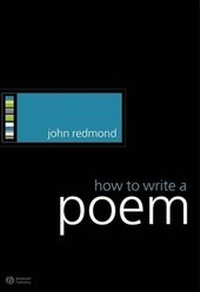
How to Write a Poem
Published on 9. February 2009
168 pages
978-1-4051-4875-7 (ISBN)
Description

An innovative introduction to writing poetry designed for studentsof creative writing and budding poets alike.
* Challenges the reader's sense of what is possible in apoem.
* Traces the history and highlights the potential ofpoetry.
* Focuses on the fundamental principles of poetic construction,such as: Who is speaking? Who are they speaking to? Why does theirspeaking take this form?
* Considers both experimental and mainstream approaches tocontemporary poetry.
* Consists of fourteen chapters, making it suitable for use overone semester.
* Encourages readers to experiment with their poetry.
Reviews / Votes
"John Redmond's "How to Write a Poem" contains no falsenotes. He does not patronise his reader with easy examples orworkshop games, but lights on his subject with elegant pragmatismand humility. His overall argument arises from a very personal yetwholly professional sense of poetry as an art form in practice, andhis examples are informed by deep reading and writerly intuition. Iconsider the book a small masterpiece of clarity, economy andexperience. It brings light to poetry as something made: somethingreal and realised." David Morley, Warwick University "The examples throughout the book are contemporary andprovocative in the most helpful sense. ... [Redmond] clearly lovespoems, enough to show you in detail how they work." PoetryNewsMore details
Other editions
Additional editions

Person
John Redmond is the author of one collection of poems, Thumb's Width (2001), which was longlisted for the Guardian First Book Award, and he features as one of 'The New Irish Poets' in a Bloodaxe anthology of that name. He was previously Assistant Editor of the long-running poetry magazine Thumbscrew, and writes reviews on a regular basis for the London Review of Books, the Times Literary Supplement, the Guardian and Poetry Review. He is Lecturer in Creative Writing at the University of Liverpool and, previously, was Visiting Assistant Professor at Macalester College in St Paul, Minnesota.
Content
Acknowledgements.
Introduction.
1. The Question of Address.
2. Viewpoint.
3. The Question of Voices.
4. The Question of Scale.
5. Uses of Repetition.
6. Image.
7. Short Lines.
8. Long Lines.
9. Diction.
10. Uses of Syntax.
11. Tone.
12. Traditional Forms: Ode.
13. Traditional Forms: Epistle.
14. The Question of Background.
15. Conclusion: The Question of Variety.
Index
