

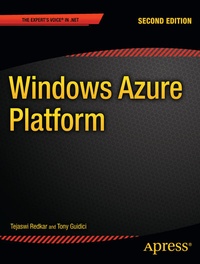
Windows Azure Platform
Description

The Windows Azure Platform has rapidly established itself as one of the most sophisticated cloud computing platforms available. With Microsoft working to continually update their product and keep it at the cutting edge, the future looks bright-if you have the skills to harness it. In particular, new features such as remote desktop access, dynamic content caching and secure content delivery using SSL make the latest version of Azure a more powerful solution than ever before.
It's widely agreed that cloud computing has produced a paradigm shift in traditional architectural concepts by providing new ways to both store and process data. The basic concepts of the cloud are now well understood throughout the industry.
What is much less well understood, and the primary focus of this book, is how the the Windows Azure technology can be applied in real-world scenarios and made to work for you. This book answers those questions, demonstrating how all the features of Windows Azure-both old and new-can be put to work.
By the time you're done reading, you will be comfortable building high-quality end-to-end Windows Azure services of your own. The book, like the Azure platform itself, is divided into three key parts-Windows Azure, SQL Azure, and Windows Azure AppFabric. Each of these plays a unique role in the functioning of your cloud service. It is the goal of this book to show you how to use these components, both separately and together, to build flawless cloud applications as well as hybrid architectures that fit in alongside your business' existing systems.
Pro Windows Azure Platform, Second Edition is a down-to-earth, code-centric book that shows precisely how the all the components of Windows Azure are employed, and demonstrates the techniques and best practices you'll need to put them to work.
More details
Other editions
Additional editions
Previous edition
Persons
Content
- Windows Azure Platform Overview
- Windows Azure Compute
- Windows Azure Storage, Part I: Blobs and Drives
- Windows Azure Storage, Part II: Queues
- Windows Azure Storage, Part III: Tables
- VMRole and Windows Azure Connect
- AppFabric: Access Control Service
- AppFabric: Service Bus
- AppFabric: Caching
- SQLAzure
