

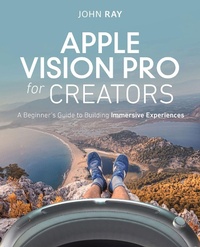
Apple Vision Pro for Creators
A Beginner's Guide to Building Immersive Experiences
Published on 25. July 2024
448 pages
978-0-13-836035-1 (ISBN)
Description

For those who want to explore, imagine, and truly "Think different," welcome to a journey of creation through the Apple Vision Pro.
Apple Vision Pro for Creators: A Beginner's Guide to Building Immersive Experiences introduces the Apple Vision Pro headset to creative enthusiasts, offering a guide to crafting experiences that leverage its unique features. Not a developer? No worries-code and concepts are introduced and explained in easy-to-understand terms. You'll learn how to code 2D/3D applications, create immersive spaces, design procedural materials, use photogrammetry to build detailed 3D models, track user gestures, play spatial audio, and deliver your creations through the App Store or TestFlight. Cut through complexity and jargon using this guide and the accompanying exercises that make the most of Apple's latest software.
Readers will learn to leverage cutting-edge development tools and techniques as they
Learn Apple Vision Pro core concepts and AR/VR terminology
Master Apple development tools and languages while building interactive projects
Explore how to scale experiences from simple windows to fully immersive spaces
Build interactive 3D scenes with your own objects and materials
Add lighting and spatial audio effects to enhance realism
Seamlessly mix the real and virtual worlds with advanced object behaviors
Implement assistive technologies to bring your work to a diverse audience
Apple Vision Pro for Creators: A Beginner's Guide to Building Immersive Experiences introduces the Apple Vision Pro headset to creative enthusiasts, offering a guide to crafting experiences that leverage its unique features. Not a developer? No worries-code and concepts are introduced and explained in easy-to-understand terms. You'll learn how to code 2D/3D applications, create immersive spaces, design procedural materials, use photogrammetry to build detailed 3D models, track user gestures, play spatial audio, and deliver your creations through the App Store or TestFlight. Cut through complexity and jargon using this guide and the accompanying exercises that make the most of Apple's latest software.
Readers will learn to leverage cutting-edge development tools and techniques as they
Learn Apple Vision Pro core concepts and AR/VR terminology
Master Apple development tools and languages while building interactive projects
Explore how to scale experiences from simple windows to fully immersive spaces
Build interactive 3D scenes with your own objects and materials
Add lighting and spatial audio effects to enhance realism
Seamlessly mix the real and virtual worlds with advanced object behaviors
Implement assistive technologies to bring your work to a diverse audience
More details
Language
English
Place of publication
United States
Publishing group
Pearson Education (US)
Target group
Professional and scholarly
File size
59,82 MB
ISBN-13
978-0-13-836035-1 (9780138360351)
Copyright in bibliographic data and cover images is held by Nielsen Book Services Limited or by the publishers or by their respective licensors: all rights reserved.
Schweitzer Classification
Other editions
Additional editions
Book
09/2024
New Riders
€47.00
Shipment within 15-20 days
Person
John Ray is a lifelong Apple enthusiast and developer. He created a handwriting recognition engine at 15, published his first commercial application at 16, and continues contributing to development projects today. Over the past 25 years, John has written books on macOS, iOS, and iPadOS development, Linux, web development, networking, and computer security. He currently serves as the Senior Director of the Office of Research Information Systems at The Ohio State University. When John isn't writing, editing, or directing he is either re-creating a marine disaster in his living room or over-engineering apps and embedded systems for home automation and device integration.
Content
CHAPTER 1 Understanding the visionOS Toolkit
CHAPTER 2 From Traditional Applications to Spatial Workspaces with SwiftUI
CHAPTER 3 Getting Started with Reality Composer Pro
CHAPTER 4 Creating and Customizing Models and Materials
CHAPTER 5 Object Interaction and Transformation
CHAPTER 6 Spaces, Direct Gestures, and a Touch of Physics
CHAPTER 7 Anchors and Planes
CHAPTER 8 Reconstructing Reality
CHAPTER 9 Lights, Sounds, and Skyboxes
CHAPTER 10 Components, Systems, and the Kitchen Sink
ONLINE-ONLY
CHAPTER 11 Thoughtful Design
CHAPTER 12 Sharing Your Creations
APPENDIX A Introducing Swift
APPENDIX B Chapter Q&A
APPENDIX C Rebuilding Reality Composer Object Capture Materials
APPENDIX D Hands-On Activities
CHAPTER 2 From Traditional Applications to Spatial Workspaces with SwiftUI
CHAPTER 3 Getting Started with Reality Composer Pro
CHAPTER 4 Creating and Customizing Models and Materials
CHAPTER 5 Object Interaction and Transformation
CHAPTER 6 Spaces, Direct Gestures, and a Touch of Physics
CHAPTER 7 Anchors and Planes
CHAPTER 8 Reconstructing Reality
CHAPTER 9 Lights, Sounds, and Skyboxes
CHAPTER 10 Components, Systems, and the Kitchen Sink
ONLINE-ONLY
CHAPTER 11 Thoughtful Design
CHAPTER 12 Sharing Your Creations
APPENDIX A Introducing Swift
APPENDIX B Chapter Q&A
APPENDIX C Rebuilding Reality Composer Object Capture Materials
APPENDIX D Hands-On Activities
