

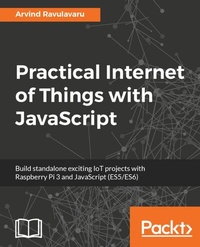
Practical Internet of Things with JavaScript
Build standalone exciting IoT projects with Raspberry Pi 3 and JavaScript (ES5/ES6)
Published on 22. December 2017
296 pages
978-1-78829-559-8 (ISBN)
Description

End to end solutions for IoT enthusiasts and web developers
Key Features
Leverage the capability of IoT with the combination of Raspberry Pi 3 and JavaScript (ES5/ES6)
Develop a health monitoring device along with some cool projects like Smart Agriculture & Raspberry Pi 3 based surveillance
A practical book which will help you build Mobile/Web/Desktop apps that will show how to manage and monitor data from sensors and actuators in real time
Book DescriptionIn this world of technology upgrades, IoT is currently leading with its promise to make the world a more smarter and efficient place. This book will show you how to build simple IoT solutions that will help you to understand how this technology works. We would not only explore the IoT solution stack, but we will also see how to do it with the world's most misunderstood programming language - JavaScript. Using Raspberry Pi 3 and JavaScript (ES5/ES6) as the base to build all the projects, you will begin with learning about the fundamentals of IoT and then build a standard framework for developing all the applications covered in this book. You will then move on to build a weather station with temperature, humidity and moisture sensors and further integrate Alexa with it. Further, you will build a smart wearable for understanding the concept of fall detection. You will then extend it with the 'If This Then That' (IFTTT) rules engine to send an email on fall detection. Finally, you will be working with the Raspberry Pi 3 camera module and surveillance with a bit of facial detection using Amazon Rekognition platform. At the end of the book, you will not only be able to build standalone exciting IoT applications but also learn how you can extend your projects to another level.What you will learn
Integrate sensors and actuators with the cloud and control them for your Smart Weather Station
Develop your very own Amazon Alexa integrating with your IoT solution
Define custom rules and execute jobs on certain data events using IFTTT
Build a simple surveillance solutions using Amazon Recognition & Raspberry Pi 3
Design a fall detection system and build a notification system for it
Use Amazon Rekognition for face detection and face recognition in your Surveillance project
Who this book is forThis book targets IoT enthusiasts and web developers who would like to build IoT-based applications with Raspberry Pi, Arduino and JavaScript. Some knowledge about electronics and familiarity with programming concepts (JavaScript - ES5/ES6) is expected.
Key Features
Leverage the capability of IoT with the combination of Raspberry Pi 3 and JavaScript (ES5/ES6)
Develop a health monitoring device along with some cool projects like Smart Agriculture & Raspberry Pi 3 based surveillance
A practical book which will help you build Mobile/Web/Desktop apps that will show how to manage and monitor data from sensors and actuators in real time
Book DescriptionIn this world of technology upgrades, IoT is currently leading with its promise to make the world a more smarter and efficient place. This book will show you how to build simple IoT solutions that will help you to understand how this technology works. We would not only explore the IoT solution stack, but we will also see how to do it with the world's most misunderstood programming language - JavaScript. Using Raspberry Pi 3 and JavaScript (ES5/ES6) as the base to build all the projects, you will begin with learning about the fundamentals of IoT and then build a standard framework for developing all the applications covered in this book. You will then move on to build a weather station with temperature, humidity and moisture sensors and further integrate Alexa with it. Further, you will build a smart wearable for understanding the concept of fall detection. You will then extend it with the 'If This Then That' (IFTTT) rules engine to send an email on fall detection. Finally, you will be working with the Raspberry Pi 3 camera module and surveillance with a bit of facial detection using Amazon Rekognition platform. At the end of the book, you will not only be able to build standalone exciting IoT applications but also learn how you can extend your projects to another level.What you will learn
Integrate sensors and actuators with the cloud and control them for your Smart Weather Station
Develop your very own Amazon Alexa integrating with your IoT solution
Define custom rules and execute jobs on certain data events using IFTTT
Build a simple surveillance solutions using Amazon Recognition & Raspberry Pi 3
Design a fall detection system and build a notification system for it
Use Amazon Rekognition for face detection and face recognition in your Surveillance project
Who this book is forThis book targets IoT enthusiasts and web developers who would like to build IoT-based applications with Raspberry Pi, Arduino and JavaScript. Some knowledge about electronics and familiarity with programming concepts (JavaScript - ES5/ES6) is expected.
More details
Edition
Digital original
Language
English
Place of publication
Birmingham
United Kingdom
Target group
Professional and scholarly
US School Grade: College Graduate Student
Edition type
Digital original
File size
21,45 MB
ISBN-13
978-1-78829-559-8 (9781788295598)
Copyright in bibliographic data and cover images is held by Nielsen Book Services Limited or by the publishers or by their respective licensors: all rights reserved.
Schweitzer Classification
Other editions
Additional editions
Arvind Ravulavaru
Practical Internet of Things with JavaScript
Build standalone exciting IoT projects with Raspberry Pi 3 and JavaScript (ES5/ES6)
Book
12/2017
Packt Publishing
€39.00
Shipment within 3-4 weeks
Person
Ravulavaru Arvind :
Arvind Ravulavaru is a platform architect at Ubiconn IoT Solutions, with over 9 years of experience in software development and 2 years in hardware & product development. For the last 5 years, he has been working extensively on JavaScript, both on the server side and the client side. And for the last couple of years in IoT, building a platform for rapidly developing IoT solutions, named The IoT Suitcase. Prior to that, Arvind worked on big data, cloud computing, and orchestration.
Arvind Ravulavaru is a platform architect at Ubiconn IoT Solutions, with over 9 years of experience in software development and 2 years in hardware & product development. For the last 5 years, he has been working extensively on JavaScript, both on the server side and the client side. And for the last couple of years in IoT, building a platform for rapidly developing IoT solutions, named The IoT Suitcase. Prior to that, Arvind worked on big data, cloud computing, and orchestration.
Content
Table of Contents
The World of IoT
IoTFW.js - I
IoTFW.js - II
Smart Agriculture
Smart Agriculture & Voice AI
Smart Wearable
Smart Wearable & IFTTT
Raspberry Pi Image Streaming
Smart Surveillance
The World of IoT
IoTFW.js - I
IoTFW.js - II
Smart Agriculture
Smart Agriculture & Voice AI
Smart Wearable
Smart Wearable & IFTTT
Raspberry Pi Image Streaming
Smart Surveillance
