

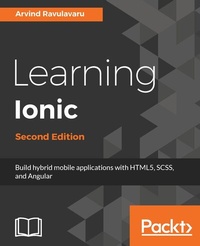
Learning Ionic
Hybrid mobile apps with HTML5, CSS3, and Angular
2nd Edition
Published on 8. July 2025
378 pages
978-1-78646-457-6 (ISBN)
Description

Create real-time hybrid applications with the leader of HTML5 frameworks: Ionic Framework
Key Features
[*] Step into the world of amazingly interactive and real-time app development using Ionic 2
[*] Leverage the powerful Angular 2 along with Ionic to develop cutting edge apps
[*] Detailed code examples and explanations will help you get up and running with Ionic quickly and easily
Book DescriptionIonic makes it incredibly easy to build beautiful and interactive mobile apps using HTML5, SCSS, and Angular. Ionic also makes app development easier, faster, and more fun. This hands-on guide will help you understand the Ionic framework and how you can leverage it to create amazing real-time applications. We begin by covering the essential features of Angular 2, and then dive straight into how Ionic fits in today's world of hybrid app development and give you a better understanding of the mobile hybrid architecture along the way. Further on, you will learn how to work with Ionic decorators, services, and components, which will allow you to build complex apps using the Ionic framework. We will take a look at theming Ionic apps using the built-in SCSS setup. After that, we will explore Ionic Native, and you will learn how to integrate device-specific features, such as notifications, with the Ionic app. To complete our learning, we will be building a Rider app, using Ionic and Uber API, to book a ride. Next, you will learn how to unit test, end-to-end test, monkey test, and execute device testing on AWS Device farm. Then, we will take a look at migrating the existing Ionic 1 apps to Ionic 2 and deploy them to the App Store. The final chapter on Ionic 3 wraps up this book by explaining the new features of Ionic 3 at the time of writing this book. By the end of this book, you will be able to develop, deploy, and manage hybrid mobile applications built with Cordova, Ionic, and Angular. All the examples in this book are valid for both Ionic 2 and Ionic 3.What you will learn
[*] Understanding the world of the mobile hybrid architecture
[*] Scaffolding and working with Ionic templates
[*] Transforming a single page app to a multi-page app using Navigation Controller
[*] Integrating Ionic components, decorators, and services and rapidly developing complex applications
[*] Theming Ionic apps as well as customizing components using SCSS
[*] Working with Ionic Native to interface with device features, such as camera, notifications, and battery
[*] Building a production grade app using Ionic and Uber API to let users book a ride
[*] Migrating an Ionic 1 app to Ionic 2 or Ionic 3
[*] Performing unit testing, end-to-end testing, and device testing on your apps
[*] Deploying Ionic apps to store and manage their subsequent releases
Who this book is forThis book is for JavaScript developers with basic skills. No previous knowledge of Ionic is required for this book.
Key Features
[*] Step into the world of amazingly interactive and real-time app development using Ionic 2
[*] Leverage the powerful Angular 2 along with Ionic to develop cutting edge apps
[*] Detailed code examples and explanations will help you get up and running with Ionic quickly and easily
Book DescriptionIonic makes it incredibly easy to build beautiful and interactive mobile apps using HTML5, SCSS, and Angular. Ionic also makes app development easier, faster, and more fun. This hands-on guide will help you understand the Ionic framework and how you can leverage it to create amazing real-time applications. We begin by covering the essential features of Angular 2, and then dive straight into how Ionic fits in today's world of hybrid app development and give you a better understanding of the mobile hybrid architecture along the way. Further on, you will learn how to work with Ionic decorators, services, and components, which will allow you to build complex apps using the Ionic framework. We will take a look at theming Ionic apps using the built-in SCSS setup. After that, we will explore Ionic Native, and you will learn how to integrate device-specific features, such as notifications, with the Ionic app. To complete our learning, we will be building a Rider app, using Ionic and Uber API, to book a ride. Next, you will learn how to unit test, end-to-end test, monkey test, and execute device testing on AWS Device farm. Then, we will take a look at migrating the existing Ionic 1 apps to Ionic 2 and deploy them to the App Store. The final chapter on Ionic 3 wraps up this book by explaining the new features of Ionic 3 at the time of writing this book. By the end of this book, you will be able to develop, deploy, and manage hybrid mobile applications built with Cordova, Ionic, and Angular. All the examples in this book are valid for both Ionic 2 and Ionic 3.What you will learn
[*] Understanding the world of the mobile hybrid architecture
[*] Scaffolding and working with Ionic templates
[*] Transforming a single page app to a multi-page app using Navigation Controller
[*] Integrating Ionic components, decorators, and services and rapidly developing complex applications
[*] Theming Ionic apps as well as customizing components using SCSS
[*] Working with Ionic Native to interface with device features, such as camera, notifications, and battery
[*] Building a production grade app using Ionic and Uber API to let users book a ride
[*] Migrating an Ionic 1 app to Ionic 2 or Ionic 3
[*] Performing unit testing, end-to-end testing, and device testing on your apps
[*] Deploying Ionic apps to store and manage their subsequent releases
Who this book is forThis book is for JavaScript developers with basic skills. No previous knowledge of Ionic is required for this book.
All prices
More details
Edition
2nd Revised edition
Language
English
Place of publication
Birmingham
United Kingdom
Target group
US School Grade: College Graduate Student
Edition type
Revised edition
File size
22,43 MB
ISBN-13
978-1-78646-457-6 (9781786464576)
Copyright in bibliographic data and cover images is held by Nielsen Book Services Limited or by the publishers or by their respective licensors: all rights reserved.
Schweitzer Classification
Other editions
Additional editions
Arvind Ravulavaru
Learning Ionic 2, Second Edition
Book
04/2017
Packt Publishing
€56.70
Shipment within 3-4 weeks
Person
Ravulavaru Arvind :
Arvind Ravulavaru is a platform architect at Ubiconn IoT Solutions, with over 9 years of experience in software development and 2 years in hardware & product development. For the last 5 years, he has been working extensively on JavaScript, both on the server side and the client side. And for the last couple of years in IoT, building a platform for rapidly developing IoT solutions, named The IoT Suitcase. Prior to that, Arvind worked on big data, cloud computing, and orchestration.
Arvind Ravulavaru is a platform architect at Ubiconn IoT Solutions, with over 9 years of experience in software development and 2 years in hardware & product development. For the last 5 years, he has been working extensively on JavaScript, both on the server side and the client side. And for the last couple of years in IoT, building a platform for rapidly developing IoT solutions, named The IoT Suitcase. Prior to that, Arvind worked on big data, cloud computing, and orchestration.
Content
Table of Contents
Angular 2
Welcome to Ionic 2
Ionic Components
Ionic Decorators & Services
Ionic and Theming
Ionic Native
Building a
Build an app with Ionic & Device features
Testing Ionic app
Releasing and Managing the Ionic App
Ionic 3
Angular 2
Welcome to Ionic 2
Ionic Components
Ionic Decorators & Services
Ionic and Theming
Ionic Native
Building a
Build an app with Ionic & Device features
Testing Ionic app
Releasing and Managing the Ionic App
Ionic 3

