

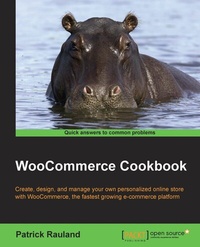
WooCommerce Cookbook
WooCommerce makes it easy to create, design, and manage your own personalized eCommerce store - this WooCommerce tutorial eBook will show you how to get started
Published on 7. October 2025
248 pages
978-1-78439-854-5 (ISBN)
Description

Key Features
Book DescriptionIf you have ever built or managed a WordPress site and want to add e-commerce functionality into your site, WooCommerce and this book are perfect for you. Learning how to use WooCommerce through this series of recipes will give you a solid platform to add any future e-commerce needs.What you will learn
Install WooCommerce and get it up and running
Configure your products no matter how complex they are
Customize the look and feel of your WooCommerce store
Learn to put all of your extra code in a plugin
Measure your conversion rate by integrating with Google Analytics
Add customers to your newsletters automatically so that you can keep in touch with them
Use the WooCommerce dashboard to manage your orders
Who this book is forIf you have ever built or managed a WordPress site and want to add e-commerce functionality into your site, WooCommerce and this book are perfect for you. Learning how to use WooCommerce through this series of recipes will give you a solid platform to add any future e-commerce needs.
Book DescriptionIf you have ever built or managed a WordPress site and want to add e-commerce functionality into your site, WooCommerce and this book are perfect for you. Learning how to use WooCommerce through this series of recipes will give you a solid platform to add any future e-commerce needs.What you will learn
Install WooCommerce and get it up and running
Configure your products no matter how complex they are
Customize the look and feel of your WooCommerce store
Learn to put all of your extra code in a plugin
Measure your conversion rate by integrating with Google Analytics
Add customers to your newsletters automatically so that you can keep in touch with them
Use the WooCommerce dashboard to manage your orders
Who this book is forIf you have ever built or managed a WordPress site and want to add e-commerce functionality into your site, WooCommerce and this book are perfect for you. Learning how to use WooCommerce through this series of recipes will give you a solid platform to add any future e-commerce needs.
All prices
More details
Edition
Digital original
Language
English
Place of publication
Birmingham
United Kingdom
Target group
Professional and scholarly
US School Grade: College Graduate Student
Edition type
Digital original
File size
6,20 MB
ISBN-13
978-1-78439-854-5 (9781784398545)
Copyright in bibliographic data and cover images is held by Nielsen Book Services Limited or by the publishers or by their respective licensors: all rights reserved.
Schweitzer Classification
Other editions
Additional editions
Person
Rauland Patrick :
Patrick Rauland is obsessed with WooCommerce. He has used it as a customer, worked for WooCommerce support, developed core functionality in WooCommerce itself, led three releases, and helped plan their yearly conference (WooConf). He now helps people by writing his blog, creating courses for LinkedIn Learning/Lynda, and writing books. Patrick is also the co-founder of WooSesh, an online conference for WooCommerce developers and store owners. Patrick lives in Denver, Colorado, where you can probably find him at a local coffee shop, typing away
Patrick Rauland is obsessed with WooCommerce. He has used it as a customer, worked for WooCommerce support, developed core functionality in WooCommerce itself, led three releases, and helped plan their yearly conference (WooConf). He now helps people by writing his blog, creating courses for LinkedIn Learning/Lynda, and writing books. Patrick is also the co-founder of WooSesh, an online conference for WooCommerce developers and store owners. Patrick lives in Denver, Colorado, where you can probably find him at a local coffee shop, typing away
Content
Table of Contents
WooCommerce Basics
Adding Products
Changing the Product Organization
Running a Membership Site
Setting up Shipping Methods
Getting Paid
Modifying the Checkout Process
Managing Orders and Taxes
WooCommerce Theming
Exploring More with WooCommerce
WooCommerce Basics
Adding Products
Changing the Product Organization
Running a Membership Site
Setting up Shipping Methods
Getting Paid
Modifying the Checkout Process
Managing Orders and Taxes
WooCommerce Theming
Exploring More with WooCommerce

