

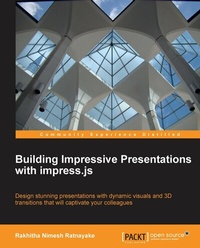
Building Impressive Presentations with impress.js
Design stunning presentations with dynamic visuals and 3D transitions that will captivate your colleagues.
Published on 13. January 2025
124 pages
978-1-84969-649-4 (ISBN)
Description

Design stunning presentations with dynamic visuals and 3D transitions that will captivate your colleagues.
Key Features
Create presentations inside the infinite canvas of modern web browsers
Build presentations that work anywhere, any time, and on any device
Build dynamic presentations with rotation, scaling, transforms, and 3D effects
Book DescriptionEveryone has had to present during their lifetime. We've all spent agonizing hours trying to make those PowerPoint presentations engaging. Well now there is a tool that will make those presentations look like child's play. Impress.js is a powerful library that eases the task of creating presentations with smooth animations without depending on a software tool. You are no longer limited to desktop tools as these presentations run on any supported browser anywhere on the Internet. "Building Impressive Presentations with impress.js" is a quick guide to creating professional presentations using the best aspects of CSS3. It will also guide you through several practical examples which go beyond the conventional slide-based presentations, covering each aspect of the Impress library. From simple presentations to your own personal website this handy practical guide will ensure you get the most out of Impress.JS as quickly as you can. Starting with a simple slide-based presentation we move quickly on adding in sliders, galleries and portfolios to utilize this amazing tool. 3D transitions, rotations, scaling, and transforms are also covered to give your presentations that something extra. The final step is bringing all this together to create a personal website that is viewable on all impress supported browsers. "Building Impressive Presentations with impress.js" gives you the chance to stand out from the competition and engage with audiences in a way you never have before.What you will learn
Create advanced presentations with Impress.js effects
Understand Impress effects such as rotations, scaling, transformations, and 3D effects
Extract the power of impress core API events and configurations to modify existing functionalities
Integrate impress presentations on different browsers, viewports, and devices
Extend the core library to create custom functionalities for different types of applications such as sliders, portfolios, and galleries
Handle issues in designing and running presentations
Use Impress tools to automate the slide creation process
Who this book is forIf you want to engage your audience on a level not previously possible on software such as PowerPoint or Prezi, then this book is for you. With basic knowledge of HTML, CSS, and JavaScript you can start making presentations that truly Impress.
Key Features
Create presentations inside the infinite canvas of modern web browsers
Build presentations that work anywhere, any time, and on any device
Build dynamic presentations with rotation, scaling, transforms, and 3D effects
Book DescriptionEveryone has had to present during their lifetime. We've all spent agonizing hours trying to make those PowerPoint presentations engaging. Well now there is a tool that will make those presentations look like child's play. Impress.js is a powerful library that eases the task of creating presentations with smooth animations without depending on a software tool. You are no longer limited to desktop tools as these presentations run on any supported browser anywhere on the Internet. "Building Impressive Presentations with impress.js" is a quick guide to creating professional presentations using the best aspects of CSS3. It will also guide you through several practical examples which go beyond the conventional slide-based presentations, covering each aspect of the Impress library. From simple presentations to your own personal website this handy practical guide will ensure you get the most out of Impress.JS as quickly as you can. Starting with a simple slide-based presentation we move quickly on adding in sliders, galleries and portfolios to utilize this amazing tool. 3D transitions, rotations, scaling, and transforms are also covered to give your presentations that something extra. The final step is bringing all this together to create a personal website that is viewable on all impress supported browsers. "Building Impressive Presentations with impress.js" gives you the chance to stand out from the competition and engage with audiences in a way you never have before.What you will learn
Create advanced presentations with Impress.js effects
Understand Impress effects such as rotations, scaling, transformations, and 3D effects
Extract the power of impress core API events and configurations to modify existing functionalities
Integrate impress presentations on different browsers, viewports, and devices
Extend the core library to create custom functionalities for different types of applications such as sliders, portfolios, and galleries
Handle issues in designing and running presentations
Use Impress tools to automate the slide creation process
Who this book is forIf you want to engage your audience on a level not previously possible on software such as PowerPoint or Prezi, then this book is for you. With basic knowledge of HTML, CSS, and JavaScript you can start making presentations that truly Impress.
All prices
More details
Edition
Digital original
Language
English
Place of publication
Birmingham
United Kingdom
Target group
Professional and scholarly
US School Grade: College Graduate Student
Edition type
Digital original
File size
2,06 MB
ISBN-13
978-1-84969-649-4 (9781849696494)
Copyright in bibliographic data and cover images is held by Nielsen Book Services Limited or by the publishers or by their respective licensors: all rights reserved.
Schweitzer Classification
Other editions
Additional editions
Rakhitha Nimesh Ratnayake
Building Impressive Presentations with Impress.Js
Book
03/2013
Packt Publishing
€38.70
Shipment within 3-4 weeks
Person
Rakhitha Nimesh Ratnayake is a freelance web developer, writer, and open source enthusiast. He has over 9 years of experience in developing WordPress applications and plugins. He develops premium WordPress plugins for individual clients and the CodeCanyon marketplace. User Profiles Made Easy and WP Private Content Pro are the most popular plugins developed by him. Building Impressive Presentations with impress.js was his first book, which was published by Packt Publishing. He is also the author of the first three editions of WordPress Web Application Development. In his spare time, he likes to read books and spend time with his family
Content
Table of Contents

