

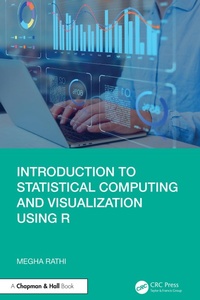
Introduction to Statistical Computing and Visualization Using R
Published on 1. May 2025
420 pages
978-1-040-33487-4 (ISBN)
Description

The book provides a foundational guide to statistical computing and visualisation Using R programming with an emphasis on practical data analysis skills that are directly applicable to diverse fields like finance, defence, health, and education. It uniquely combines a thorough explanation of basic constructs with advanced topics such as data visualisation, statistical modeling, and probability, making it accessible yet comprehensive for learners across disciplines. This approach allows readers not only to build essential R skills but also to apply them to real-world scenarios, equipping students and professionals from various disciplines with versatile analytical tools. It offers a comprehensive yet approachable introduction for students and scholars from various disciplines using R.
Includes practical and interactive elements such as quizzes, coding exercises, and hands-on projects can provide an engaging and effective learning experience for readers
Provides complete code solutions to every problem presented, including detailed answers to even the most complex questions
Presents case studies that can help contextualize the concepts covered in the book by showing how they are used in specific industries, fields, or contexts
Offers application-based practical data analysis with cases in various fields and sectors, such as finance, healthcare, and marketing
Focuses on best practices and efficient coding techniques, improving productivity and maintainability of R code
Includes practical and interactive elements such as quizzes, coding exercises, and hands-on projects can provide an engaging and effective learning experience for readers
Provides complete code solutions to every problem presented, including detailed answers to even the most complex questions
Presents case studies that can help contextualize the concepts covered in the book by showing how they are used in specific industries, fields, or contexts
Offers application-based practical data analysis with cases in various fields and sectors, such as finance, healthcare, and marketing
Focuses on best practices and efficient coding techniques, improving productivity and maintainability of R code
More details
Language
English
Place of publication
London
United Kingdom
Publishing group
Taylor & Francis Ltd
Target group
College/higher education
Professional and scholarly
Illustrations
34 Tables, black and white; 146 Line drawings, black and white; 146 Illustrations, black and white
File size
14,88 MB
ISBN-13
978-1-040-33487-4 (9781040334874)
Copyright in bibliographic data and cover images is held by Nielsen Book Services Limited or by the publishers or by their respective licensors: all rights reserved.
Schweitzer Classification
Other editions
Additional editions
Book
approx. 07/2026
1st Edition
Chapman & Hall/CRC
€64.50
Not yet published

Book
07/2025
CRC Press
Unfortunately, price unknown
Available (delivery time upon request)
Book
04/2025
1st Edition
Chapman & Hall/CRC
€177.20
Shipment within 10-20 days
Person
Dr. Megha Rathi is currently serving as an Assistant Professor (senior grade) in the Department of Computer Science at Jaypee Institute of Information Technology (JIIT), Noida, India. She holds a Ph.D. in Computer Science from Banasthali University and has over fifteen years of experience in teaching and research. Throughout her career, Dr. Rathi has contributed significantly to various research areas, including sustainable computing, data mining, data science analytics, health science, and machine learning. She has worked on key projects, such as the Xform generator at the National Informatics Centre (NIC), Delhi, and has experience in software development through her role as a Project Associate at the Indian Institute of Technology (IIT), Delhi. She has been actively involved in organizing special sessions at international conferences and has delivered invited talks. Additionally, she has organized numerous FDP's and workshops also guided numerous B.Tech/M.Tech/PhD students, playing a pivotal role in shaping their research and academic development.
Content
1. Introduction to R 2. R Programming Concepts 3. Data Structures in R 4. String Handling in R 5. Data Import and Export 6. Data Visualization 7. Real-World Applications
