

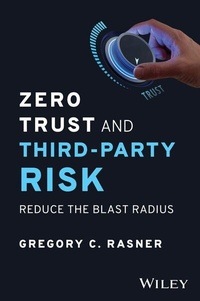
Zero Trust and Third-Party Risk
Reduce the Blast Radius
1st Edition
Published on 24. August 2023
240 pages
978-1-394-20318-5 (ISBN)
Description

Dramatically lower the cyber risk posed by third-party software and vendors in your organization
In Zero Trust and Third-Party Risk, veteran cybersecurity leader Gregory Rasner delivers an accessible and authoritative walkthrough of the fundamentals and finer points of the zero trust philosophy and its application to the mitigation of third-party cyber risk. In this book, you'll explore how to build a zero trust program and nurture it to maturity. You will also learn how and why zero trust is so effective in reducing third-party cybersecurity risk.
The author uses the story of a fictional organization--KC Enterprises--to illustrate the real-world application of zero trust principles. He takes you through a full zero trust implementation cycle, from initial breach to cybersecurity program maintenance and upkeep. You'll also find:
* Explanations of the processes, controls, and programs that make up the zero trust doctrine
* Descriptions of the five pillars of implementing zero trust with third-party vendors
* Numerous examples, use-cases, and stories that highlight the real-world utility of zero trust
An essential resource for board members, executives, managers, and other business leaders, Zero Trust and Third-Party Risk will also earn a place on the bookshelves of technical and cybersecurity practitioners, as well as compliance professionals seeking effective strategies to dramatically lower cyber risk.
In Zero Trust and Third-Party Risk, veteran cybersecurity leader Gregory Rasner delivers an accessible and authoritative walkthrough of the fundamentals and finer points of the zero trust philosophy and its application to the mitigation of third-party cyber risk. In this book, you'll explore how to build a zero trust program and nurture it to maturity. You will also learn how and why zero trust is so effective in reducing third-party cybersecurity risk.
The author uses the story of a fictional organization--KC Enterprises--to illustrate the real-world application of zero trust principles. He takes you through a full zero trust implementation cycle, from initial breach to cybersecurity program maintenance and upkeep. You'll also find:
* Explanations of the processes, controls, and programs that make up the zero trust doctrine
* Descriptions of the five pillars of implementing zero trust with third-party vendors
* Numerous examples, use-cases, and stories that highlight the real-world utility of zero trust
An essential resource for board members, executives, managers, and other business leaders, Zero Trust and Third-Party Risk will also earn a place on the bookshelves of technical and cybersecurity practitioners, as well as compliance professionals seeking effective strategies to dramatically lower cyber risk.
More details
Other editions
Additional editions
Book
10/2023
Wiley
€30.50
Article not available at the moment
Person
GREGORY C. RASNER is the author of the previous book Cybersecurity & Third-Party Risk: Third-Party Threat Hunting and the content creator of training and certification program "Third-Party Cyber Risk Assessor" (Third Party Risk Association, 2023). Greg is the co-chair for ISC² Third-Party Risk Task Force and is an advisor to local colleges on technology and cybersecurity.
Content
- Cover
- Title Page
- Copyright Page
- Contents
- Foreword
- INTRODUCTION: Reduce the Blast Radius
- Part I Zero Trust and Third-Party Risk Explained
- Chapter 1 Overview of Zero Trust and Third-Party Risk
- Zero Trust
- What Is Zero Trust?
- The Importance of Strategy
- Concepts of Zero Trust
- 1. Secure Resources
- 2. Least Privilege and Access Control
- 3. Ongoing Monitoring and Validation
- Zero Trust Concepts and Definitions
- Multifactor Authentication
- Microsegmentation
- Protect Surface
- Data, Applications, Assets, Services (DAAS)
- The Five Steps to Deploying Zero Trust
- Step 1: Define the Protect Surface
- Step 2: Map the Transaction Flows
- Step 3: Build the Zero Trust Architecture
- Step 4: Create the Zero Trust Policy
- Step 5: Monitor and Maintain the Network
- Zero Trust Frameworks and Guidance
- Zero Trust Enables Business
- Cybersecurity and Third-Party Risk
- What Is Cybersecurity and Third-Party Risk?
- Overview of How to Start or Mature a Program
- Start Here
- Intake, Questions, and Risk-BasedApproach
- Remote Questionnaires
- Contract Controls
- Physical Validation
- Continuous Monitoring
- Disengagement and Cybersecurity
- Reporting and Analytics
- ZT with CTPR
- Why Zero Trust and Third-Party Risk?
- How to Approach Zero Trust and Third-Party Risk
- ZT/CTPR OSI Model
- Chapter 2 Zero Trust and Third-Party Risk Model
- Zero Trust and Third-Party Users
- Access Control Process
- Identity: Validate Third-Party Users with Strong Authentication
- Five Types of Strong Authentication
- Identity and Access Management
- Privileged Access Management
- Device/Workload: Verify Third-Party User Device Integrity
- Access: Enforce Least-Privilege Access for Third-Party Users to Data and Apps
- Groups
- Work Hours
- Geo-Location
- Device-BasedRestrictions
- Auditing
- Transaction: Scan All Content for Third-Party Malicious Activity
- IDS/IPS
- DLP
- SIEM
- UBAD
- Governance
- Zero Trust and Third-Party Users Summary
- Zero Trust and Third-Party Applications
- Identity: Validate Third-Party Developers, DevOps, and Admins with Strong Auth
- Privileged User Groups
- Multifactor Authentication
- Just-in-TimeAccess
- Privileged Access Management
- Audit and Logging
- Device/Workload: Verify Third-Party Workload Integrity
- Access: Enforce Least-Privilege Access for Third-Party Workloads Accessing Other Workloads
- Transaction: Scan All Content for Third-Party Malicious Activity and Data Theft
- Zero Trust and Third-Party Applications Summary
- Zero Trust and Third-Party Infrastructure
- Identity: Validate Third-Party Users with Access to Infrastructure
- Device/Workload: Identify All Third-Party Devices (Including IoT)
- Software-DefinedPerimeter
- Encryption
- Updates
- Enforce Strong Passwords
- Vulnerability and Secure Development Management
- Logging and Monitoring
- Access: Enforce Least-Privilege Access Segmentation for Third-Party Infrastructure
- Transaction: Scan All Content Within the Infra for Third-Party Malicious Activity and Data Theft
- Zero Trust and Third-Party Infrastructure Summary
- Chapter 3 Zero Trust and Fourth-Party Cloud (SaaS)
- Cloud Service Providers and Zero Trust
- Zero Trust in Amazon Web Services
- Zero Trust in Azure
- Zero Trust in Azure Storage
- Zero Trust on Azure Virtual Machines
- Zero Trust on an Azure Spoke VNet
- Zero Trust on an Azure Hub VNet
- Zero Trust in Azure Summary
- Zero Trust in Google Cloud
- Identity-AwareProxy
- Access Context Manager
- Zero Trust in Google Cloud Summary
- Vendors and Zero Trust Strategy
- Zero Trust at Third Parties as a Requirement
- A Starter Zero Trust Security Assessment
- A Zero Trust Maturity Assessment
- Pillar 1: Identity
- Pillar 2: Device
- Pillar 3: Network/Environment
- Pillar 4: Application/Workload
- Pillar 5: Data
- Cross-cuttingCapabilities
- Zero Trust Maturity Assessment for Critical Vendors
- Part I: Zero Trust and Third-Party Risk Explained Summary
- Part II Apply the Lessons from Part I
- Chapter 4 KC Enterprises: Lessons Learned in ZT and CTPR
- Kristina Conglomerate Enterprises
- KC Enterprises' Cyber Third-Party Risk Program
- KC Enterprises' Cybersecurity Policy
- Scope
- Policy Statement and Objectives
- Cybersecurity Program
- Classification of Information Assets
- A Really Bad Day
- Then the Other Shoe Dropped
- Chapter 5 Plan for a Plan
- KC's ZT and CTPR Journey
- Define the Protect Surface
- Map Transaction Flows
- Architecture Environment
- Deploy Zero Trust Policies
- Logical Policies and Environmental Changes
- Zero Trust for Third-Party Users at KC Enterprises
- Third-PartyUser and Device Integrity
- Third-PartyLeast-PrivilegedAccess
- Third-PartyUser and Device Scanning
- Zero Trust for Third-Party Applications at KC Enterprises
- Third-PartyApplication Development and Workload Integrity
- Third-PartyApplication Least-PrivilegedAccess Workload to Workload
- Third-PartyApplication Scanning
- Zero Trust for Third-Party Infrastructure at KC Enterprises
- Third-PartyUser Access to Infrastructure
- Third-PartyDevice Integrity
- Third-PartyInfrastructure Segmentation
- Third-PartyInfrastructure Scanning
- Written Policy Changes
- Identity and Access Management Program
- Vulnerability Management Program
- Cybersecurity Incident Management Program
- Cybersecurity Program
- Cybersecurity Third-Party Risk Program
- Third-Party Security Standard
- Information Security Addendum
- Assessment Alignment and Due Diligence
- Third-Party Risk Management Program
- Legal Policies
- Monitor and Maintain
- Part II: Apply the Lessons from Summary
- Acknowledgments
- About the Author
- About the Technical Editor
- Index
- EULA
