

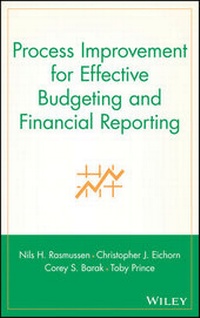
Process Improvement for Effective Budgeting and Financial Reporting
Description

More details
Other editions
Additional editions
Persons
Content
Part One: Introduction to Business Process Improvement.
1. About Business Process Improvement.
Introduction.
Why Focus on Budgeting and Reporting Processes?
Positive Effects of BPI.
Implementing Change.
Phases of a BPI Project.
Core Budgeting and Reporting Processes.
Closing Remarks.
2. When BPI Is Valuable.
Preconditions for BPI.
What BPI Can Do for a Company.
BPI Overview.
3. Small and Large Projects and Associated Resources.
4. Return on Investment of BPI Projects.
5. Best Practices, Trends, and Technology.
Technology Trends.
Analytics and Balanced Scorecard.
Impact of the Internet.
6. Selling Change to Your Organization.
How to Sell a BPI Project.
Part Two: Business Process Improvement Project.
7. Getting Started.
Budgeting and Reporting Overview: So You Want Perfect Analytics Processes?
Preparing for the BPI Project.
Summary of Current Issues: Simplified Example.
Using Diagrams to Visualize Processes.
8. Due Diligence.
Company Values.
Risks.
Strengths and Weaknesses.
9. Improving the Budgeting Process.
Establish a Timeline.
Improve Data Entry.
Do Forecasting.
Report on Budgets.
Complete Analysis.
Enforce Accountability.
Support Enablers.
10. Revenue Budgeting.
Objectives.
Customer Needs.
Dimensions and Chart of Account Considerations.
Drivers.
Top-Down or Bottom-Up Budgeting Approach.
Assumptions.
Special Considerations.
Users.
Best Practices.
11. Employee Budgeting.
Objectives.
Customer Needs.
Dimensions and Chart of Account Considerations.
Top-Down or Bottom-Up Approach.
Drivers.
Assumptions.
Special Considerations.
Users.
Best Practices.
12. Cost of Sales and Operating Expenses.
Objectives.
Customer Needs.
Dimensions and Chart of Account Considerations.
Top-Down or Bottom-Up Approach.
Drivers.
Assumptions.
Special Considerations.
Users.
Best Practices.
13. Capital Expenses.
Objectives.
Customer Needs.
Dimensions and Chart of Account Considerations.
Top-Down or Bottom-Up Approach.
Drivers.
Assumptions.
Special Considerations.
Users.
Best Practices.
14. Balance Sheet and Cash Flow Statements.
Objectives.
Customer Needs.
Dimensions and Chart of Account Considerations.
Top-Down or Bottom-Up Approach.
Drivers.
Assumptions.
Special Considerations.
Users.
Best Practices.
15. Alternative Budgeting Approaches.
Zero-Based Budgeting.
Activity-Based Budgeting.
Balanced Scorecard.
Beyond Budgeting Round Table.
16. Improving Financial Reporting Processes.
Ethical Concerns.
Financial Reporting as a Business Process.
What's Wrong with This Picture?
Looking for Improvement Opportunities.
Evaluating Reporting Process Enablers.
17. Human Resources, Training, Strategy, and Workflow.
Human Resources.
Training.
Strategy.
Workflow.
18. Best Practices.
Closing.
Reporting.
19. Technology.
Analytics Applications and the Financial Data Warehouse.
Extract, Transform, and Load: Combining Data from Diverse Systems.
Using XBRL for External Reporting.
Intranets, Extranets, and Browsers: Using the Web to Distribute Operating and Financial Data.
20. BPI Makeover.
Summary.
Part Three: Designing the Ultimate Chart of Accounts.
21. Chart of Accounts Redesign.
Purpose.
When to Redesign.
22. Creating a New COA.
General Design Considerations.
Segment and Value Considerations.
Design Factors.
Other Considerations.
Features of a Basic Chart of Accounts.
Ideal Number and Use of Segments.
Ideal Length of Segments.
23. COA Development Plan.
Development Process.
International Considerations.
Sample COA Project Plan.
Recommendations and Other Considerations.
Summary.
Part Four: Interviews.
24. Robert Blake, Microsoft Corporation.
25. Dean Sorensen, Bywater Management Consulting.
26. Bill Ellenback, Software User.
Part Five: Software Tools and Resources.
27. Selecting Analytics Software.
Devise a Plan.
Using a Software Selection Company.
28. Software Evaluation: Factors to Consider.
Current and Future Use Requirements.
Winning Company Buy-in.
Cost/Benefit Analysis.
Return on Investment Analysis for New Software.
Features and Flexibility.
Compatibility with Existing Software.
Ease of Use.
Software Stability.
Vendor-Related Items.
Working with an Implementation Partner.
How to Select: Summary.
29. Software Buyer's Guide.
Query and Reporting Systems.
Decision Support Systems.
Budgeting and Planning Solutions.
Enterprise Information Portals.
Data Warehouse Software.
ETL Software Vendors.
e-Learning Software Vendors.
Appendix A: Sample Confidentiality and Nondisclosure Agreement (Sales/Demo Process).
Appendix B: Sample Consulting Agreement.
Appendix C: Software Vendor Listing.
Appendix D: Sample Chart of Accounts.
Glossary.
Index.
