

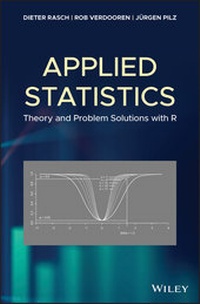
Applied Statistics
Description

Applied statistics covers both the theory and the application of modern statistical and mathematical modelling techniques to applied problems in industry, public services, commerce, and research. It proceeds from a strong theoretical background, but it is practically oriented to develop one's ability to tackle new and non-standard problems confidently. Taking a practical approach to applied statistics, this user-friendly guide teaches readers how to use methods of statistics and experimental design without going deep into the theory.
Applied Statistics: Theory and Problem Solutions with R includes chapters that cover R package sampling procedures, analysis of variance, point estimation, and more. It follows on the heels of Rasch and Schott's Mathematical Statistics via that book's theoretical background--taking the lessons learned from there to another level with this book's addition of instructions on how to employ the methods using R. But there are two important chapters not mentioned in the theoretical back ground as Generalised Linear Models and Spatial Statistics.
* Offers a practical over theoretical approach to the subject of applied statistics
* Provides a pre-experimental as well as post-experimental approach to applied statistics
* Features classroom tested material
* Applicable to a wide range of people working in experimental design and all empirical sciences
* Includes 300 different procedures with R and examples with R-programs for the analysis and for determining minimal experimental sizes
Applied Statistics: Theory and Problem Solutions with R will appeal to experimenters, statisticians, mathematicians, and all scientists using statistical procedures in the natural sciences, medicine, and psychology amongst others.
More details
Other editions
Additional editions
Persons
DIETER RASCH, PHD, is scientific advisor at the Center for Design of Experiments at the University of Natural Resources and Life Sciences, Vienna, Austria. He is also an elected member of the International Statistical Institute (ISI) and the Institute of Mathematical Statistics (IMS).
ROB VERDOOREN, PHD, is a Consultant Statistician at Danone Nutricia Research, Utrecht, The Netherlands.
JÜRGEN PILZ, PHD, is the Head of the Department of Applied Statistics at AAU Klagenfurt, Austria. He is also an elected member of the International Statistical Institute (ISI) and the Institute of Mathematical Statistics (IMS).
Content
Preface xi
1 The R-Package, Sampling Procedures, and Random Variables 1
1.1 Introduction 1
1.2 The Statistical Software Package R 1
1.3 Sampling Procedures and Random Variables 4
References 10
2 Point Estimation 11
2.1 Introduction 11
2.2 Estimating Location Parameters 12
2.2.1 Maximum Likelihood Estimation of Location Parameters 17
2.2.2 Estimating Expectations from Censored Samples and Truncated Distributions 20
2.2.3 Estimating Location Parameters of Finite Populations 23
2.3 Estimating Scale Parameters 24
2.4 Estimating Higher Moments 27
2.5 Contingency Tables 29
2.5.1 Models of Two-Dimensional Contingency Tables 29
2.5.1.1 Model I 29
2.5.1.2 Model II 29
2.5.1.3 Model III 30
2.5.2 Association Coefficients for 2 ×2 Tables 30
References 38
3 Testing Hypotheses - One- and Two-Sample Problems 39
3.1 Introduction 39
3.2 The One-Sample Problem 41
3.2.1 Tests on an Expectation 41
3.2.1.1 Testing the Hypothesis on the Expectation of a Normal Distribution with Known Variance 41
3.2.1.2 Testing the Hypothesis on the Expectation of a Normal Distribution with Unknown Variance 47
3.2.2 Test on the Median 51
3.2.3 Test on the Variance of a Normal Distribution 54
3.2.4 Test on a Probability 56
3.2.5 Paired Comparisons 57
3.2.6 Sequential Tests 59
3.3 The Two-Sample Problem 63
3.3.1 Tests on Two Expectations 63
3.3.1.1 The Two-Sample t-Test 63
3.3.1.2 The Welch Test 66
3.3.1.3 The Wilcoxon Rank Sum Test 70
3.3.1.4 Definition of Robustness and Results of Comparing Tests by Simulation 72
3.3.1.5 Sequential Two-Sample Tests 74
3.3.2 Test on Two Medians 76
3.3.2.1 Rationale 77
3.3.3 Test on Two Probabilities 78
3.3.4 Tests on Two Variances 79
References 81
4 Confidence Estimations - One- and Two-Sample Problems 83
4.1 Introduction 83
4.2 The One-Sample Case 84
4.2.1 A Confidence Interval for the Expectation of a Normal Distribution 84
4.2.2 A Confidence Interval for the Variance of a Normal Distribution 91
4.2.3 A Confidence Interval for a Probability 93
4.3 The Two-Sample Case 96
4.3.1 A Confidence Interval for the Difference of Two Expectations - Equal Variances 96
4.3.2 A Confidence Interval for the Difference of Two Expectations - Unequal Variances 98
4.3.3 A Confidence Interval for the Difference of Two Probabilities 100
References 104
5 Analysis of Variance (ANOVA) - Fixed Effects Models 105
5.1 Introduction 105
5.1.1 Remarks about Program Packages 106
5.2 Planning the Size of an Experiment 106
5.3 One-Way Analysis of Variance 108
5.3.1 Analysing Observations 109
5.3.2 Determination of the Size of an Experiment 112
5.4 Two-Way Analysis of Variance 115
5.4.1 Cross-Classification (A× B) 115
5.4.1.1 Parameter Estimation 117
5.4.1.2 Testing Hypotheses 119
5.4.2 Nested Classification (A¿B) 131
5.5 Three-Way Classification 134
5.5.1 Complete Cross-Classification (A×B ×C) 135
5.5.2 Nested Classification (C ¿B¿A) 144
5.5.3 Mixed Classifications 147
5.5.3.1 Cross-Classification between Two Factors where One of Them Is Sub-Ordinated to a Third Factor ((B¿A)xC) 148
5.5.3.2 Cross-Classification of Two Factors, in which a Third Factor is Nested (C¿(A× B)) 153
References 157
6 Analysis of Variance -Models with Random Effects 159
6.1 Introduction 159
6.2 One-Way Classification 159
6.2.1 Estimation of the Variance Components 160
6.2.1.1 ANOVA Method 160
6.2.1.2 Maximum Likelihood Method 164
6.2.1.3 REML - Estimation 166
6.2.2 Tests of Hypotheses and Confidence Intervals 169
6.2.3 Expectation and Variances of the ANOVA Estimators 174
6.3 Two-Way Classification 176
6.3.1 Two-Way Cross Classification 176
6.3.2 Two-Way Nested Classification 182
6.4 Three-Way Classification 186
6.4.1 Three-Way Cross-Classification with Equal Sub-Class Numbers 186
6.4.2 Three-Way Nested Classification 192
6.4.3 Three-Way Mixed Classifications 195
6.4.3.1 Cross-Classification Between Two Factors Where One of Them is Sub-Ordinated to a Third Factor ((B¿A)×C) 195
6.4.3.2 Cross-Classification of Two Factors in Which a Third Factor is Nested (C¿(A×B)) 197
References 199
7 Analysis of Variance -Mixed Models 201
7.1 Introduction 201
7.2 Two-Way Classification 201
7.2.1 Balanced Two-Way Cross-Classification 201
7.2.2 Two-Way Nested Classification 214
7.3 Three-Way Layout 223
7.3.1 Three-Way Analysis of Variance - Cross-Classification A × B × C 223
7.3.2 Three-Way Analysis of Variance - Nested Classification A¿B¿C 230
7.3.2.1 Three-Way Analysis of Variance - Nested Classification - Model III - Balanced Case 230
7.3.2.2 Three-Way Analysis of Variance - Nested Classification - Model IV - Balanced Case 232
7.3.2.3 Three-Way Analysis of Variance - Nested Classification - Model V - Balanced Case 234
7.3.2.4 Three-Way Analysis of Variance - Nested Classification - Model VI - Balanced Case 236
7.3.2.5 Three-Way Analysis of Variance - Nested Classification - Model VII - Balanced Case 237
7.3.2.6 Three-Way Analysis of Variance - Nested Classification - Model VIII - Balanced Case 238
7.3.3 Three-Way Analysis of Variance - Mixed Classification - (A× B)¿C 239
7.3.3.1 Three-Way Analysis of Variance - Mixed Classification - (A× B)¿C Model III 239
7.3.3.2 Three-Way Analysis of Variance - Mixed Classification - (A× B)¿C Model IV 242
7.3.3.3 Three-Way Analysis of Variance - Mixed Classification - (A× B)¿C Model V 243
7.3.3.4 Three-Way Analysis of Variance - Mixed Classification - (A× B)¿C Model VI 245
7.3.4 Three-Way Analysis of Variance - Mixed Classification - (A¿B) ×C 247
7.3.4.1 Three-Way Analysis of Variance - Mixed Classification - (A¿B) ×C Model III 247
7.3.4.2 Three-Way Analysis of Variance - Mixed Classification - (A¿B) ×C Model IV 249
7.3.4.3 Three-Way Analysis of Variance - Mixed Classification - (A¿B) ×C Model V 251
7.3.4.4 Three-Way Analysis of Variance - Mixed Classification - (A¿B) ×C Model VI 253
7.3.4.5 Three-Way Analysis of Variance - Mixed Classification - (A¿B) ×C model VII 254
7.3.4.6 Three-Way Analysis of Variance - Mixed Classification - (A¿B) ×C Model VIII 255
References 256
8 Regression Analysis 257
8.1 Introduction 257
8.2 Regression with Non-Random Regressors - Model I of Regression 262
8.2.1 Linear and Quasilinear Regression 262
8.2.1.1 Parameter Estimation 263
8.2.1.2 Confidence Intervals and Hypotheses Testing 274
8.2.2 Intrinsically Non-Linear Regression 282
8.2.2.1 The Asymptotic Distribution of the Least Squares Estimators 283
8.2.2.2 The Michaelis-Menten Regression 285
8.2.2.3 Exponential Regression 290
8.2.2.4 The Logistic Regression 298
8.2.2.5 The Bertalanffy Function 306
8.2.2.6 The Gompertz Function 312
8.2.3 Optimal Experimental Designs 315
8.2.3.1 Simple Linear and Quasilinear Regression 316
8.2.3.2 Intrinsically Non-linear Regression 317
8.2.3.3 The Michaelis-Menten Regression 319
8.2.3.4 Exponential Regression 319
8.2.3.5 The Logistic Regression 320
8.2.3.6 The Bertalanffy Function 321
8.2.3.7 The Gompertz Function 321
8.3 Models with Random Regressors 322
8.3.1 The Simple Linear Case 322
8.3.2 The Multiple Linear Case and the Quasilinear Case 330
8.3.2.1 Hypotheses Testing - General 333
8.3.2.2 Confidence Estimation 333
8.3.3 The Allometric Model 334
8.3.4 Experimental Designs 335
References 335
9 Analysis of Covariance (ANCOVA) 339
9.1 Introduction 339
9.2 Completely Randomised Design with Covariate 340
9.2.1 Balanced Completely Randomised Design 340
9.2.2 Unbalanced Completely Randomised Design 350
9.3 Randomised Complete Block Design with Covariate 358
9.4 Concluding Remarks 365
References 366
10 Multiple Decision Problems 367
10.1 Introduction 367
10.2 Selection Procedures 367
10.2.1 The Indifference Zone Formulation for Selecting Expectations 368
10.2.1.1 Indifference Zone Selection, ¿¿¿¿2 Known 368
10.2.1.2 Indifference Zone Selection, ¿¿¿¿2 Unknown 371
10.3 The Subset Selection Procedure for Expectations 371
10.4 Optimal Combination of the Indifference Zone and the Subset Selection Procedure 372
10.5 Selection of the Normal Distribution with the Smallest Variance 375
10.6 Multiple Comparisons 375
10.6.1 The Solution of MC Problem 10.1 377
10.6.1.1 The F-test for MC Problem 10.1 377
10.6.1.2 Scheffé's Method for MC Problem 10.1 378
10.6.1.3 Bonferroni's Method for MC Problem 10.1 379
10.6.1.4 Tukey's Method for MC Problem 10.1 for ni = n 382
10.6.1.5 Generalised Tukey's Method for MC Problem 10.1 for ni ¿n 383
10.6.2 The Solution of MC Problem 10.2 - the Multiple t-Test 384
10.6.3 The Solution of MC Problem 10.3 - Pairwise and Simultaneous Comparisons with a Control 385
10.6.3.1 Pairwise Comparisons - The Multiple t-Test 385
10.6.3.2 Simultaneous Comparisons -The Dunnett Method 387
References 390
11 Generalised Linear Models 393
11.1 Introduction 393
11.2 Exponential Families of Distributions 394
11.3 Generalised Linear Models - An Overview 396
11.4 Analysis - Fitting a GLM - The Linear Case 398
11.5 Binary Logistic Regression 399
11.5.1 Analysis 400
11.5.2 Overdispersion 408
11.6 Poisson Regression 411
11.6.1 Analysis 411
11.6.2 Overdispersion 417
11.7 The Gamma Regression 417
11.8 GLM for Gamma Regression 418
11.9 GLM for the Multinomial Distribution 425
References 428
12 Spatial Statistics 429
12.1 Introduction 429
12.2 Geostatistics 431
12.2.1 Semi-variogram Function 432
12.2.2 Semi-variogram Parameter Estimation 439
12.2.3 Kriging 440
12.2.4 Trans-Gaussian Kriging 446
12.3 Special Problems and Outlook 450
12.3.1 Generalised Linear Models in Geostatistics 450
12.3.2 Copula Based Geostatistical Prediction 451
References 451
Appendix A List of Problems 455
Appendix B Symbolism 483
Appendix C Abbreviations 485
Appendix D Probability and Density Functions 487
Index 489
1
The R-Package, Sampling Procedures, and Random Variables
1.1 Introduction
In this chapter we give an overview of the software package R and introduce basic knowledge about random variables and sampling procedures.
1.2 The Statistical Software Package R
In practical investigations, professional statistical software is used to design experiments or to analyse data already collected. We apply here the software package R. Anybody can extend the functionality of R without any restrictions using free software tools; moreover, it is also possible to implement special statistical methods as well as certain procedures of C and FORTRAN. Such tools are offered on the internet in standardised archives. The most popular archive is probably CRAN (Comprehensive R Archive Network), a server net that is supervised by the R Development Core Team. This net also offers the package OPDOE (optimal design of experiments), which was thoroughly described in Rasch et al. (2011). Further it offers the following packages used in this book: car, lme4, DunnettTests, VCA, lmerTest, mvtnorm, seqtest, faraway, MASS, glm2, geoR, gstat.
Apart from only a few exceptions, R contains implementations for all statistical methods concerning analysis, evaluation, and planning. We refer for details to Crawley (2013).
The software package R is available free of charge from http://cran.r-project.org for the operating systems Linux, MacOS X, and Windows. The installation under Microsoft Windows takes place via 'Windows'. Choosing 'base' the installation platform is reached. Using 'Download R 2.X.X for Windows' (X stands for the required version number) the setup file can be downloaded. After this file is started the setup assistant runs through the installation steps. In this book, all standard settings are adopted. The interested reader will find more information about R at http://www.r-project.org or in Crawley (2013).
After starting R the input window will be opened, presenting the red coloured input request: '>'. Here commands can be written up and carried out by pressing the enter button. The output is given directly below the command line. However, the user can also realise line changes as well as line indents for increasing clarity. Not all this influences the functional procedure. A command to read for instance data y = (1, 3, 8, 11) is as follows:
> y <- c(1,3,8,11) The assignment operator in R is the two-character sequence '<-' or '='.
The Workspace is a special working environment in R. There, certain objects can be stored that were obtained during the current work with R. Such objects contain the results of computations and data sets. A Workspace is loaded using the menu
File - Load Workspace... In this book the R-commands start with >. Readers who like to use R-commands must only type or copy the text after > into the R-window.
An advantage of R is that, as with other statistical packages like SAS and IBM-SPSS, we no longer need an appendix with tables in statistical books. Often tables of the density or distribution function of the standard normal distribution appear in such appendices. However, the values can be easily calculated using R.
The notation of this and the following chapters is just that of Rasch and Schott (2018).
Problem 1.1
Calculate the value ?(z) of the density function of the standard normal distribution for a given value z.
Solution
Use the command > dnorm(z, mean = 0, sd = 1). If the mean or sd is not specified they assume the default values of 0 and 1, respectively. Hence > dnorm(z) can be used in Problem 1.1.
Example
We calculate the value ?(1) of the density function of the standard normal distribution using
> dnorm(1) [1] 0.2419707 Problem 1.2
Calculate the value F(z) of the distribution function of the standard normal distribution for a given value z.
Solution
Use the command > pnorm(z, mean = 0, sd = 1).
Example
We calculate the value F(1) of the distribution function of the standard normal distribution by > pnorm(1, mean = 0, sd = 1) or using the default values using > pnorm(1).
> pnorm(1) [1] 0.8413447 Also, for other continuous distributions, we obtain using d with the R-name of a distribution, the value of the density function and, using p with the R-name of a distribution, the value of the distribution function. We demonstrate this in the next problem for the lognormal distribution.
Problem 1.3
Calculate the value of the density function of the lognormal distribution whose logarithm has mean equal to meanlog = 0 and standard deviation equal to sdlog = 1 for a given value z.
Solution
Use the command > dlnorm(z, meanlog = 0, sdlog = 1) or use the default values meanlog = 0 and sdlog = 1 using > dlnorm(z).
Example
We calculate the value of the density function of the lognormal distribution with meanlog = 0 and sdlog = 1 using
> dlnorm(1) [1] 0.3989423 Problem 1.4
Calculate the value of the distribution function of the lognormal distribution whose logarithm has mean equal to meanlog = 0 and standard deviation equal to sdlog = 1 for a given value z.
Solution
Use the command > plnorm(z, meanlog = 0, sdlog = 1) or use the default values meanlog = 0 and sdlog = 1 using > plnorm(z).
Example
We calculate the value of the distribution function for z = 1 of the lognormal distribution with meanlog = 0 and sdlog = 1 using
> plnorm(1) [1] 0.5 From most of the other distributions we need the quantiles (or percentiles) qP = P(y = P).
This can be done by writing q followed by the R-name of the distribution.
Problem 1.5
Calculate the P%-quantile of the t-distribution with df degrees of freedom and optional non-centrality parameter ncp.
Solution
Use the command > qt(P,df, ncp) and for a central t-distribution use the default by omitting ncp.
Example
Calculate the 95%-quantile of the central t-distribution with 10 degrees of freedom.
> qt(0.95,10) [1] 1.812461 We demonstrate the procedure for the chi-square and the F-distribution.
Problem 1.6
Calculate the P%-quantile of the ?2-distribution with df degrees of freedom and optional non-centrality parameter ncp.
Solution
Use the command > qchisq(P,df, ncp) and for the central ?2-distribution with df degrees of freedom use > qchisq(P,df).
Example
Calculate the 95%-quantile of the central ?2-distribution with 10 degrees of freedom.
> qchisq(0.95,10) [1] 18.30704 Problem 1.7
Calculate the P%-quantile of the F-distribution with df1 and df2 degrees of freedom and optional non-centrality parameter ncp.
Solution
Use the command > qf(P,df1,df2, ncp), and for the central F-distribution with df1 and df2 degrees of freedom use > qf(P,df1,df2).
Example
Calculate the 95%-quantile of the central F-distribution with 10 and 20 degrees of freedom!
> qf(0.95,10,20) [1] 2.347878 For the calculation of further values of probability functions of discrete random variables or of distribution functions and quantiles the commands can be found by using the help function in the tool bar of R, and then you may call up the 'manual' or use Crawley (2013).
...