

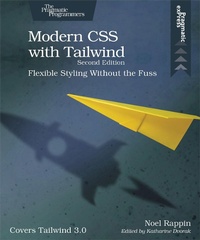
Modern CSS with Tailwind
Description

This new edition of the book covers Tailwind 3.0, which changes the way Tailwind generates its CSS. Tailwind 3.0 has a large number of new features powered by the new system, including the ability to use arbitrary values with most Tailwind class patterns, and a new syntax for combining color and opacity in a single class. This book also covers the new standalone command-line tools for Tailwind.
With CSS, you can do amazing things to the basic text and images on your website, and with just a little bit of client-side code to add and remove CSS classes, you can do exponentially more.
In the latest edition of this book, you''ll learn how to use Tailwind 3.0 and the new way it generates CSS. You''ll code your way through Tailwind''s newest features, including the ability to use arbitrary values with most Tailwind class patterns and a new syntax for combining color and opacity in a single class. You''ll even dive into the new standalone command-line tools for Tailwind.
The Tailwind setup is extremely explicit and makes it possible to understand the display just by looking at the HTML markup. Start by designing the typographic details of the individual elements, then placing and manipulating those elements in "the box" using a flexbox or grid design. Finally, move those elements around the page with helpful small animations and transitions.
With Tailwind, it''s easy to prototype, iterate, and customize your display, use prefixes to specify behavior, change defaults, add new behavior, and integrate with legacy CSS.
Use Tailwind to make extraordinary web designs without extraordinary effort.
What You Need:
This book is about Tailwind 3.0. You should have a basic knowledge of CSS and HTML.
More details
Other editions
Additional editions
Content
- Cover
- Table of Contents
- Acknowledgments
- Preface to the Second Edition
- Introduction
- Why Tailwind?
- About This Book
- Who This Book Is For
- Running the Sample App
- 1. Getting Started with Tailwind
- What the Tailwind CLI Does
- Using the Sample Code
- Adding Tailwind to Your App
- Quick Start
- 2. Tailwind Basics
- Utilities
- Preflight
- Duplication
- Modifiers
- CSS Units
- 3. Typography
- Size and Shape
- Color and Opacity
- Alignment and Spacing
- Special Text
- Lists
- Typography Plugin
- Tailwind Forms
- 4. The Box
- Can You See the Box?
- What's in the Box?
- Padding and Margins
- Borders
- Background Color
- Background Images
- Filters
- Height and Width
- 5. Page Layout
- Containers
- Floats and Clears
- Position and Z-Index
- Tables
- Grids
- Columns
- Flexbox
- Box Alignment
- 6. Animation
- Helpful Small Animations
- Transitions
- Transformation
- Other Appearance Things
- 7. Responsive Design
- Tailwind Screen Widths and Breakpoints
- Hide Based on Size
- Fewer Grid Columns on Small Devices
- Flex on Larger Devices
- 8. Customizing Tailwind
- Configuration File Basics
- Change Default Values
- Change Generated Classes
- Variant Modifiers
- Integrate with Existing CSS
- Access Tailwind from JavaScript
- Plugins
- The End
