

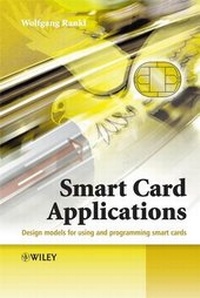
Smart Card Applications
Description

Reviews / Votes
"This book was a interesting read, and certainly provided as much information as is necessary to understand the inner workings of most smart-cards--as well as their world application." (Computing Reviews, February 1, 2008)More details
Other editions
Additional editions
Persons
Content
Symbols and Notation.
Abbreviations.
1 Overview of Smart Cards.
1.1 Card Classification.
1.2 Card Formats.
1.3 Card Elements.
1.3.1 Printing and labelling.
1.3.2 Embossing.
1.3.3 Hologram.
1.3.4 Signature panel.
1.3.5 Tactile elements.
1.3.6 Magnetic stripe.
1.3.7 Chip module.
1.3.8 Antenna.
1.4 Smart Card Microcontrollers.
1.4.1 Processor.
1.4.2 Memory.
1.4.3 Supplementary hardware.
1.4.4 Electrical characteristics.
2 Smart Card Operating Systems.
2.1 FileManagement.
2.1.1 File types.
2.1.2 File names.
2.1.3 File structures.
2.1.4 File attributes.
2.1.5 File selection.
2.1.6 Access conditions.
2.1.6.1 State-based access conditions.
2.1.6.2 Rule-based access conditions.
2.1.7 File life cycle.
2.2 Commands.
2.3 Data Transmission.
2.3.1 Answer to Reset (ATR).
2.3.2 Protocol Parameter Selection (PPS).
2.3.3 Transmission protocols.
2.3.3.1 T=0 transmission protocol for contact cards.
2.3.3.2 T=1 transmission protocol for contact cards.
2.3.3.3 USB transmission protocol for contact cards.
2.3.3.4 Contactless transmission protocols.
2.3.4 SecureMessaging.
2.3.5 Logical channels.
2.4 Special Operating System Functions.
2.4.1 Cryptographic functions.
2.4.2 Atomic processes.
2.4.3 Interpreter.
2.4.4 Application management.
3 Application Areas.
3.1 Smart Card Systems.
3.2 Potential Uses.
3.3 Application Types.
3.3.1 Memory-based applications.
3.3.2 File-based applications.
3.3.3 Code-based applications.
4 Basic Patterns.
4.1 Data Protection.
4.1.1 Definition of terms.
4.1.2 General principles.
4.1.3 Recommendations for smart card systems.
4.1.4 Summary.
4.2 Export Control.
4.3 Cryptographic Regulation.
4.4 Standards.
4.4.1 Standards for card bodies.
4.4.2 Standards for operating systems.
4.4.3 Standards for data and data structuring.
4.4.4 Standards for computer interfaces.
4.4.5 Standards for applications.
4.5 Documents for Smart Card Systems.
4.5.1 Specification partitioning.
4.5.1.1 System specification.
4.5.1.2 Background system specification.
4.5.1.3 Smart card specification.
4.5.1.4 Terminal specification.
4.5.2 Elements of a typical card specification.
4.5.2.1 General information.
4.5.2.2 Smart card.
4.5.2.3 Smart card operating system.
4.5.2.4 Application.
4.5.3 Document distribution.
4.5.4 Document version numbering.
5 Architecture Patterns.
5.1 Data.
5.2 Data Coding.
5.3 Files.
5.3.1 Access conditions.
5.3.2 File names.
5.4 Log Files.
5.4.1 Data storage.
5.4.2 Assigning data to log files.
5.4.3 Invoking logging.
5.4.4 Access conditions for log files.
5.4.5 Logged data.
5.4.6 Consistency and authenticity of log data.
5.4.7 Log file size.
5.4.8 Logging process.
5.5 Pairing.
5.6 Protecting Transaction Data.
5.7 Reset-proof Counters.
5.8 Proactivity.
5.9 Authentication Counter.
5.10 Manual Authentication of a Terminal.
5.11 PIN Management.
5.12 One-time Passwords.
5.13 Key Management.
5.14 StateMachines for Command Sequences.
5.15 Speed Optimization.
5.15.1 Computing power.
5.15.2 Communication.
5.15.3 Commands.
5.15.4 Data and files.
6 Implementation Patterns.
6.1 Application Principles.
6.1.1 Programcode.
6.1.2 Commands.
6.1.3 Data.
6.1.4 Security.
6.1.5 Application architecture.
6.1.6 System.
6.2 Testing.
6.3 User-Terminal Interface.
6.4 Smart Card Commands.
6.4.1 Command structure.
6.4.2 Interruption of commands.
6.4.3 Command coding.
6.4.4 Parameterization.
6.4.5 Test commands.
6.4.6 Secret commands.
6.5 Java Card.
6.5.1 Data types.
6.5.2 Arithmetic operations.
6.5.3 Control structures.
6.5.4 Methods.
6.5.5 Applets.
7 Operation Patterns.
7.1 Initialization and Personalization.
7.2 Migration.
7.3 Monitoring.
7.3.1 System integrity.
7.3.2 Attack detection.
8 Practical Aspects of Smart Cards.
8.1 Acceptance.
8.2 Tell-tale Signs of Difficult Smart Card Systems.
8.2.1 Inappropriate use of smart cards.
8.2.2 Unclear specifications.
8.2.3 Abundant options.
8.2.4 Piggyback applications.
8.2.5 Economizing on testing.
8.2.6 Downloading applications.
8.2.7 Offline systems.
8.2.8 Intolerant smart cards and terminals.
8.2.9 Strict compatibility requirements.
8.2.10 Excessively stringent security requirements.
8.2.11 Exaggerated future-proofing.
8.3 Prerequisites for Easy Smart Card Systems.
8.3.1 Expert advice.
8.3.2 Foresighted design.
8.3.3 Prototyping.
8.3.4 Single-application smart cards.
8.3.5 Simple structures.
8.3.6 Robust design.
8.3.7 Centralized systems.
8.3.8 Staged deployment.
8.4 In-field Faults.
8.4.1 Fault classification.
8.4.2 Fault impact.
8.4.3 Actions in response to a fault.
8.4.4 Fault search procedure.
8.4.5 Fault remedies.
9 Illustrative Use Cases.
9.1 Monastery Card.
9.2 Access Card.
9.3 Telemetry Module.
9.4 Business Card.
9.5 Theft Protection Card.
9.6 Admission Pass.
9.7 PKI Card.
9.8 SIMCard.
Bibliography.
Index.
