

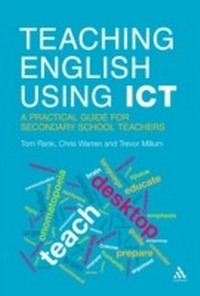
Teaching English Using ICT
A Practical Guide for Secondary School Teachers
1st Edition
Published on 2. June 2011
176 pages
978-1-4411-1748-9 (ISBN)
Description

Want to get boys excited about poetry? Try establishing a wiki-war on the use of form and structure. Or perhaps a podcast to develop close analysis of language. How about getting them blogging about their favourite characters?
Based on established principles of the best ways to use ICT in English, this practical resource looks at when and how ICT can be used to engage and inspire students of English, but only when it enhances teaching and learning, never for its own sake.
Beginning with an overview of what ICT can offer and how it is changing the way we teach and learn, the authors then give practical examples of activities and ideas to attain key English skills and learning goals in secondary schools. Throughout the book, there are tried-and-tested ideas for tackling the hard-to-teach topics, and there is also a dedicated website with links to useful websites, the authors' favourite tips and downloadable resources.
Based on established principles of the best ways to use ICT in English, this practical resource looks at when and how ICT can be used to engage and inspire students of English, but only when it enhances teaching and learning, never for its own sake.
Beginning with an overview of what ICT can offer and how it is changing the way we teach and learn, the authors then give practical examples of activities and ideas to attain key English skills and learning goals in secondary schools. Throughout the book, there are tried-and-tested ideas for tackling the hard-to-teach topics, and there is also a dedicated website with links to useful websites, the authors' favourite tips and downloadable resources.
More details
Edition
1. Auflage
Language
English
Place of publication
London
United Kingdom
Publishing group
Bloomsbury Publishing PLC
ISBN-13
978-1-4411-1748-9 (9781441117489)
Copyright in bibliographic data and cover images is held by Nielsen Book Services Limited or by the publishers or by their respective licensors: all rights reserved.
Schweitzer Classification
Other editions
Additional editions
Tom Rank | Trevor Millum | Chris Warren
Teaching English Using ICT
A Practical Guide for Secondary School Teachers
Book
09/2011
Continuum Publishing Corporation
€47.30
Shipment within 15-20 days
Persons
Trevor Millum is a nationally renowned trainer specializing in ICT within English. He worked as NATE's Director of Development and Communications for five years and remains a member of NATE's ICT committee.
Chris Warren works for Teachit and NATE. A very experienced English teacher, he was previously an Advisory Teacher for English and ICT, and pioneered computer driven simulation activities such as 'Hijack' and 'Lost'. He is known nationally as a trainer and enthusiast for the use of ICT.
Chris Warren works for Teachit and NATE. A very experienced English teacher, he was previously an Advisory Teacher for English and ICT, and pioneered computer driven simulation activities such as 'Hijack' and 'Lost'. He is known nationally as a trainer and enthusiast for the use of ICT.
Content
Introduction \ 1. Using ICT to Explore and Investigate \ 2. Using ICT to Analyse Language \ 3. Using ICT to Respond, Interpret, Reflect and Evaluate \ 4. Using ICT to Compose and Create \ 5. Using ICT to Transform \ 6. Using ICT to Present and Perform \ 7. Using ICT to Communicate and Collaborate \ 8. Using ICT to Inspire and Engage \ 9. Using ICT to Entertain \ Glossary \ Further Reading and Browsing \ Index
