

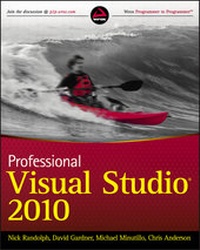
Professional Visual Studio 2010
Description

More details
Other editions
Additional editions
Persons
Content
INTRODUCTION
Visual Studio 2010 is an enormous product no matter which way you look at it. Incorporating the latest advances in Microsoft’s premiere programming languages, Visual Basic and C#, along with a host of improvements and new features in the user interface, can be intimidating to both newcomers and experienced .NET developers.
Professional Visual Studio 2010 looks at every major aspect of this developer tool, showing you how to harness each feature and offering advice about how best to utilize the various components effectively. It shows you the building blocks that make up Visual Studio 2010, breaking the user interface down into manageable chunks for you to understand.
It then expands on each of these components with additional details about exactly how it works both in isolation and in conjunction with other parts of Visual Studio 2010 to make your development efforts even more efficient.
WHO THIS BOOK IS FOR
Professional Visual Studio 2010 is for all developers new to Visual Studio as well as those programmers who have some experience but want to learn about features they may have previously overlooked.
If you are familiar with the way previous versions of Visual Studio worked, you may want to skim over Part I, which deals with the basic constructs that make up the user interface, and move on to the remainder of the book where the new features found in Visual Studio 2010 are discussed in detail. While you may be familiar with most of Part I, it is worth reading this section in case there are features of Visual Studio 2010 that you haven’t seen or used before.
If you’re just starting out, you’ll greatly benefit from the first part, where basic concepts are explained and you’re introduced to the user interface and how to customize it to suit your own style.
WHAT THIS BOOK COVERS
Microsoft Visual Studio 2010 is arguably the most advanced integrated development environment (IDE) available for programmers today. It is based on a long history of programming languages and interfaces and has been influenced by many different iterations of the theme of development environments.
The next few pages introduce you to Microsoft Visual Studio 2010, how it came about, and what it can do for you as a developer. If you’re already familiar with what Visual Studio is and how it came to be, you may want to skip ahead to the next chapter and dive into the various aspects of the integrated development environment itself.
A Brief History of Visual Studio
Microsoft has worked long and hard on its development tools. Actually, its first software product was a version of BASIC in 1975. Back then, programming languages were mainly interpretive languages in which the computer would process the code to be performed line by line. In the past three decades, programming has seen many advances, one of the biggest by far being development environments aimed at helping developers be efficient at producing applications in their chosen language and platform.
In the 32-bit computing era, Microsoft started releasing comprehensive development tools, commonly called IDEs (integrated development environments), which contained not just a compiler but also a host of other features to supplement it, including a context-sensitive editor and rudimentary IntelliSense features that helped programmers determine what they could and couldn’t do in a given situation. Along with these features came intuitive visual user interface designers with drag-and-drop functionality and associated tool windows that gave developers access to a variety of properties for the various components on a given window or user control.
Initially, these IDEs were different for each language, with Visual Basic being the most advanced in terms of the graphical designer and ease of use, and Visual C++ having the most power and flexibility. Under the banner of Visual Studio 6, the latest versions of these languages were released in one large development suite along with other “Visual” tools such as FoxPro and InterDev. However, it was obvious that each language still had a distinct environment in which to work, and as a result, development solutions had to be in a specific language.
One Comprehensive Environment
When Microsoft first released Visual Studio .NET in 2002, it inherited many features and attributes of the various, disparate development tools the company had previously offered. Visual Basic 6, Visual InterDev, Visual C++, and other tools such as FoxPro all contributed to a development effort that the Microsoft development team mostly created on its own. The team had some input from external groups, but Visual Studio .NET 2002 and .NET 1.0 were primarily founded on Microsoft’s own principles and goals.
Visual Studio .NET 2003 was the next version released, and it provided mostly small enhancements and big fixes. Two years later, Visual Studio 2005 and the .NET Framework 2.0 were released. Subsequently Visual Studio 2008, coupled with the .NET Frameworks 3.0 and 3.5, was then released. These were both major releases with new foundation framework classes that went far beyond anything Microsoft had released previously. However, the most significant part of these releases was realized in the IDE where the various components continued to evolve in a cohesive way to provide you with an efficient tool set where everything was easily accessible.
The latest release, Visual Studio 2010 and .NET Framework 4.0, builds on this strong foundation. With the code shell being re-written to use Windows Presentation Foundation, many of the now out-dated designers have been given a new lease of life. In addition there are new designers to assist with building Silverlight applications and built-in support for building Office applications.
Visual Studio 2010 comes in several versions: Express, Professional, Premium and Ultimate. The majority of this book deals with the Professional Edition of Visual Studio 2010, but some parts utilize features found only in the Premium and Ultimate editions. If you haven’t used these editions before, read through Chapters 54 to 57 (available online) for an overview of the features they offer over and above the Professional Edition.
HOW THIS BOOK IS STRUCTURED
This book’s first section is dedicated to familiarizing you with the core aspects of Visual Studio 2010. Everything you need is contained in the first five chapters, from the IDE structure and layout to the various options and settings you can change to make the user interface synchronize with your own way of doing things.
From there, the remainder of the book is broken into 11 parts:
- Getting Started: In this part, you learn how to take control of your projects and organize them in ways that work with your own style.
- Digging Deeper: Though the many graphical components of Visual Studio that make a programmer’s job easier are discussed in many places throughout this book, you often need help when you’re in the process of actually writing code. This part deals with features that support the coding of applications such as IntelliSense, code refactoring, and creating and running unit tests In the latest version of the .NET Framework, enhancements were added to support dynamic languages and move towards feature parity between the two primary .NET languages, C# and VB. This part covers changes to these languages, as well as looking at a range of features that will help you write better and more consistent code.
- Rich Client and Web Applications: For support building everything from Office add-ins to cloud applications, Visual Studio enables you to develop applications for a wide range of platforms. These two parts cover the application platforms that are supported within Visual Studio 2010, including ASP.NET and Office, WPF, Silverlight 2 and ASP.NET MVC.
- Data: A large proportion of applications use some form of data storage. Visual Studio 2010 and the .NET Framework include strong support for working with databases and other data sources. This part examines how to use DataSets, the Visual Database Tools, LINQ, Synchronization Services and ADO.NET Entity Framework to build applications that work with data. It also shows you how you can then present this data using Reporting.
- Application Services: Through the course of building an application you are likely to require access to services that may or may not reside within your organization. This part covers core technologies such as WCF, WF, Synchronization Services and WCF RIA Services that you can use to connect to these services.
- Configuration and Internationalization: The built-in support for configuration files allows you to adjust the way an application functions on the fly without having to rebuild it. Furthermore, resource files can be used to both access static data and easily localize an application into foreign languages and cultures. This part of the book shows how to use .NET configuration and resource files.
- Debugging: Application debugging is one of the more challenging tasks developers have to tackle, but correct use of the Visual Studio 2010 debugging features will help you analyze the state of the application and determine the cause of any bugs. This part examines the rich debugging support provided by the IDE.
- Build and Deployment: In addition to discussing how to build your solutions effectively and getting applications into the hands of your end users, this part also deals with the process of upgrading your projects from previous...
