

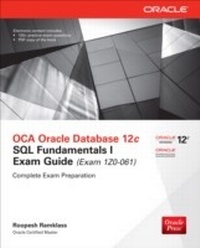
OCA Oracle Database 12c SQL Fundamentals I Exam Guide (Exam 1Z0-061)
1st Edition
Published on 28. March 2014
605 pages
978-0-07-182029-5 (ISBN)
Description

A Complete Study System for OCA Exam 1Z0-061 Prepare for the Oracle Certified Associate Oracle Database 12c SQL Fundamentals I exam with this Oracle Press guide. Each chapter features challenging exercises, a certification summary, a two-minute drill, and a self-test to reinforce the topics presented. This authoritative resource helps you pass the exam and also serves as an essential, on-the-job reference. Get complete coverage of all OCA objectives for exam 1Z0-061, including: Data retrieval using the SQL SELECT statement Restricting and sorting data Single-row functions Using conversion functions and conditional expressions Reporting aggregated data with the group functions Displaying data from multiple tables with joins Using subqueries to solve problems Using the set operators Manipulating data with DML statements Using DDL statements to create and manage tables Electronic content includes: 150+ practice exam questions with detailed answers and explanations Score report performance assessment tool PDF copy of the book
More details
Other editions
Additional editions
Roopesh Ramklass
OCA Oracle Database 12c SQL Fundamentals I Exam Guide (Exam 1Z0-061)
Book
07/2014
2nd Edition
Osborne/McGraw-Hill
€50.48
Shipment within 15-20 days
Content
- Cover
- Title Page
- Copyright Page
- Acknowledgments
- About the Author
- Contents at a Glance
- Contents
- Preface
- Introduction
- 1. Relational Database Design Using Oracle
- Position the Server Technologies
- The Oracle Server Architecture
- The Oracle WebLogic Server
- Oracle Enterprise Manager
- Cloud Computing
- Exercise 1-1: Investigate Your Database and Application Environment
- Development Tools and Languages
- Understand Relational Structures
- Real-World Scenarios
- Data Modeling
- Entities and Relations
- Exercise 1-2: Design an Entity-Relationship Diagram for the Geological Cores Scenario
- Rows and Tables
- Summarize the SQL Language
- SQL Standards
- SQL Commands
- A Set-Oriented Language
- Use the Client Tools
- SQL*Plus
- SQL Developer
- Create the Demonstration Schemas
- Users and Schemas
- The HR and OE Schemas
- Demonstration Schema Creation
- Two-Minute Drill
- Q&A Self Test
- Lab Question
- Self Test Answers
- Lab Answer
- 2. Data Retrieval Using the SQL SELECT Statement
- List the Capabilities of SQL SELECT Statements
- Introducing the SQL SELECT Statement
- The DESCRIBE Table Command
- Exercise 2-1: Describing the Human Resources Schema
- Capabilities of the SELECT Statement
- Execute a Basic SELECT Statement
- The Primitive SELECT Statement
- Syntax Rules
- Exercise 2-2: Answering Our First Questions with SQL
- SQL Expressions and Operators
- The NULL Concept
- Exercise 2-3: Experimenting with Expressions and the DUAL Table
- Two-Minute Drill
- Q&A Self Test
- Lab Question
- Self Test Answers
- Lab Answer
- 3. Restricting and Sorting Data
- Limit the Rows Retrieved by a Query
- The WHERE clause
- Comparison Operators
- Exercise 3-1: Using the LIKE Operator
- Boolean Operators
- Precedence Rules
- Sort the Rows Retrieved by a Query
- The ORDER BY Clause
- Exercise 3-2: Sorting Data Using the ORDER BY Clause
- Ampersand Substitution
- Substitution Variables
- Define and Verify
- Exercise 3-3: Using Ampersand Substitution
- Two-Minute Drill
- Q&A Self Test
- Lab Question
- Self Test Answers
- Lab Answer
- 4. Single-Row Functions
- Describe Various Types of Functions Available in SQL
- Defining a Function
- Types of Functions
- Use Character, Number, and Date Functions in SELECT Statements
- Using Character Case Conversion Functions
- Exercise 4-1: Using the Case Conversion Functions
- Using Character Manipulation Functions
- Exercise 4-2: Using the Character Manipulation Functions
- Using Numeric Functions
- Working with Dates
- Using Date Functions
- Exercise 4-3: Using the Date Functions
- Two-Minute Drill
- Q&A Self Test
- Lab Question
- Self Test Answers
- Lab Answer
- 5. Using Conversion Functions and Conditional Expressions
- Describe Various Types of Conversion Functions Available in SQL
- Conversion Functions
- Use the TO_CHAR, TO_NUMBER, and TO_DATE Conversion Functions
- Using the Conversion Functions
- Exercise 5-1: Converting Dates into Characters Using the TO_CHAR Function
- Apply Conditional Expressions in a SELECT Statement
- Nested Functions
- General Functions
- Exercise 5-2: Using NULLIF and NVL2 for Simple Conditional Logic
- Conditional Functions
- Exercise 5-3: Using the DECODE Function
- Two-Minute Drill
- Q&A Self Test
- Lab Question
- Self Test Answers
- Lab Answer
- 6. Reporting Aggregated Data Using the Group Functions
- Describe the Group Functions
- Definition of Group Functions
- Types and Syntax of Group Functions
- Identify the Available Group Functions
- Using the Group Functions
- Exercise 6-1: Using the Group Functions
- Nested Group Functions
- Group Data Using the GROUP BY Clause
- Creating Groups of Data
- The GROUP BY Clause
- Grouping by Multiple Columns
- Exercise 6-2: Grouping Data Based on Multiple Columns
- Include or Exclude Grouped Rows Using the HAVING Clause
- Restricting Group Results
- The HAVING Clause
- Exercise 6-3: Using the HAVING Clause
- Two-Minute Drill
- Q&A Self Test
- Lab Question
- Self Test Answers
- Lab Answer
- 7. Displaying Data from Multiple Tables
- Write SELECT Statements to Access Data from More Than One Table Using Equijoins and Nonequijoins
- Types of Joins
- Joining Tables Using ANSI SQL Syntax
- Qualifying Ambiguous Column Names
- The NATURAL JOIN Clause
- Exercise 7-1: Using the NATURAL JOIN
- The JOIN USING Clause
- The JOIN ON Clause
- Exercise 7-2: Using the NATURAL JOIN.ON Clause
- N-Way Joins and Additional Join Conditions
- Nonequijoins
- Join a Table to Itself Using a Self-Join
- Joining a Table to Itself Using the JOIN.ON Clause
- Exercise 7-3: Performing a Self-Join
- View Data That Does Not Meet a Join Condition by Using Outer Joins
- Inner versus Outer Joins
- Left Outer Joins
- Right Outer Joins
- Full Outer Joins
- Exercise 7-4: Performing an Outer-Join
- Generate a Cartesian Product of Two or More Tables
- Creating Cartesian Products Using Cross Joins
- Exercise 7-5: Performing a Cross-Join
- Two-Minute Drill
- Q&A Self Test
- Lab Question
- Self Test Answers
- Lab Answer
- 8. Using Subqueries to Solve Problems
- Define Subqueries
- Exercise 8-1: Types of Subqueries
- Describe the Types of Problems That the Subqueries Can Solve
- Use of a Subquery Result Set for Comparison Purposes
- Star Transformation
- Generate a Table from Which to SELECT
- Generate Values for Projection
- Generate Rows to be Passed to a DML Statement
- Exercise 8-2: More Complex Subqueries
- List the Types of Subqueries
- Single- and Multiple-Row Subqueries
- Correlated Subqueries
- Exercise 8-3: Investigate the Different Types of Subqueries
- Write Single-Row and Multiple-Row Subqueries
- Exercise 8-4: Write a Query That Is Reliable and User Friendly
- Two-Minute Drill
- Q&A Self Test
- Lab Question
- Self Test Answers
- Lab Answer
- 9. Using the Set Operators
- Describe the Set Operators
- Sets and Venn Diagrams
- Set Operator General Principles
- Exercise 9-1: Describe the Set Operators
- Use a Set Operator to Combine Multiple Queries into a Single Query
- The UNION ALL Operator
- The UNION Operator
- The INTERSECT Operator
- The MINUS Operator
- More Complex Examples
- Exercise 9-2: Using the Set Operators
- Control the Order of Rows Returned
- Exercise 9-3: Control the Order of Rows Returned
- Two-Minute Drill
- Q&A Self Test
- Lab Question
- Self Test Answers
- Lab Answer
- 10. Manipulating Data
- Describe Each Data Manipulation Language (DML) Statement
- INSERT
- UPDATE
- DELETE
- MERGE
- TRUNCATE
- DML Statement Failures
- Insert Rows into a Table
- Exercise 10-1: Use the INSERT Command
- Update Rows in a Table
- Exercise 10-2: Use the UPDATE Command
- Delete Rows from a Table
- Removing Rows with DELETE
- Exercise 10-3: Use the DELETE Command
- Removing Rows with TRUNCATE
- MERGE
- Control Transactions
- Database Transactions
- The Transaction Control Statements
- Exercise 10-4: Use the COMMIT and ROLLBACK Commands
- Two-Minute Drill
- Q&A Self Test
- Lab Question
- Self Test Answers
- Lab Answer
- 11. Using DDL Statements to Create and Manage Tables
- Categorize the Main Database Objects
- Object Types
- Users and Schemas
- Naming Schema Objects
- Object Namespaces
- Exercise 11-1: Determine What Objects Are Accessible to Your Session
- Review the Table Structure
- Exercise 11-2: Investigate Table Structures
- List the Data Types That Are Available for Columns
- Exercise 11-3: Investigate the Data Types in the HR schema
- Create a Simple Table
- Creating Tables with Column Specifications
- Creating Tables from Subqueries
- Altering Table Definitions After Creation
- Dropping and Truncating Tables
- Exercise 11-4: Create Tables
- Explain How Constraints Are Created at the Time of Table Creation
- The Types of Constraints
- Defining Constraints
- Exercise 11-5: Work with Constraints
- Two-Minute Drill
- Q&A Self Test
- Lab Question
- Self Test Answers
- Lab Answer
- A: About the Download
- System Requirements
- Installing and Running Total Tester
- About Total Tester
- Technical Support
- Glossary
- Index
