

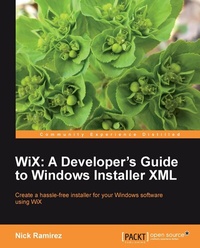
WiX: A Developer's Guide to Windows Installer XML
If you'AEore a developer needing to create installers for Microsoft Windows, then this book is essential. It'AEos a step-by-step tutorial that teaches you all you need to know about WiX: the professional way to produce a Windows installer package.
Published on 13. January 2025
348 pages
978-1-84951-373-9 (ISBN)
Description

If you'AEore a developer needing to create installers for Microsoft Windows, then this book is essential. It'AEos a step-by-step tutorial that teaches you all you need to know about WiX: the professional way to produce a Windows installer package.
Key Features
Package your software into a single-file, double-click MSI for easy installation
Read and write to the Windows Registry and create, start, and stop Windows Services during installation
Write .NET code that performs specific tasks during installation via custom actions
Learn how the WiX command-line tools work to build and link your project
Become proficient with to-the-point examples and real-world advice
Book DescriptionWiX is an open source project and a toolset that builds Windows installation packages from XML source code. WiX, which is used internally by Microsoft and by many companies around the World, simplifies many of the installation tasks that used to be shrouded in mystery. The tool set provides a command-line environment that you can integrate into your old-style build processes or you can use the newer technology from inside integrated development environments to build your setup packages. You'll find that you understand your installer better, can create it in less time, and save money in the process. No one really wants to devote a lifetime to understanding how to create a hassle-free installer for any software. This hands-on guide takes the mystery out of Windows Installer by showing how simple XML elements can be leveraged to create a sophisticated install package. By relying on Microsoft standards, you'll be able to use features like Property elements to customize your application's entry in Add/Remove Programs, the Shortcut element to create Start menu shortcuts, and other specialized elements for building upgrade and patch support and more. This book will show you the fundamental ingredients needed to build a professional-grade installer using Windows Installer XML. The initial chapters will introduce you to the set of required elements necessary to build a simple installer. We'll then explore those basic elements in more detail and see how best to use them in the real world.In the ensuing chapters, you'll move on to learn about adding conditions that alter what the user can install, then how to add actions to the install sequence and how to author a user interface. We'll move on to advanced topics such as editing data in the Windows Registry, installing a Windows service, and building your project from the command line. Finally, you'll learn to localize your package for different languages and detect older versions during upgrades. Each chapter uses to-the-point examples to illustrate the best way to use the language.What you will learn
Install, start, stop, and uninstall Windows Services at the time of setup
Make your project more modular with Fragments, ComponentRefs, and ComponentGroups
Learn tips for installing special types of files such as font files and how to optimize copying speed
Prevent users from installing your software on unsupported operating systems and introduce other pre-requisite checks
Gain an understanding of the order in which events happen during an install and how to add your own actions to this sequence
Build a customized user interface that meets the unique requirements of your project
Understand how WiX builds and links your files into the final MSI package and how to control this process
Read and write to the Windows Registry with XML
Build various language-specific installers without duplicating large amounts of code
Create rules for checking for and removing older versions of your software or to patch existing files
Who this book is forIf you are a developer and want to create installers for software targeting the Windows platform, then this book is for you. You'll be using a lot of XML so that you get accustomed to the basics of writing well-formed documents, using XML namespaces and the dos and don'ts of structuring elements and attributes. You should know your way around Visual Studio, at least enough to compile projects, add project references, and tweak project properties. No prior knowledge of Windows Installer or WiX is assumed.
Key Features
Package your software into a single-file, double-click MSI for easy installation
Read and write to the Windows Registry and create, start, and stop Windows Services during installation
Write .NET code that performs specific tasks during installation via custom actions
Learn how the WiX command-line tools work to build and link your project
Become proficient with to-the-point examples and real-world advice
Book DescriptionWiX is an open source project and a toolset that builds Windows installation packages from XML source code. WiX, which is used internally by Microsoft and by many companies around the World, simplifies many of the installation tasks that used to be shrouded in mystery. The tool set provides a command-line environment that you can integrate into your old-style build processes or you can use the newer technology from inside integrated development environments to build your setup packages. You'll find that you understand your installer better, can create it in less time, and save money in the process. No one really wants to devote a lifetime to understanding how to create a hassle-free installer for any software. This hands-on guide takes the mystery out of Windows Installer by showing how simple XML elements can be leveraged to create a sophisticated install package. By relying on Microsoft standards, you'll be able to use features like Property elements to customize your application's entry in Add/Remove Programs, the Shortcut element to create Start menu shortcuts, and other specialized elements for building upgrade and patch support and more. This book will show you the fundamental ingredients needed to build a professional-grade installer using Windows Installer XML. The initial chapters will introduce you to the set of required elements necessary to build a simple installer. We'll then explore those basic elements in more detail and see how best to use them in the real world.In the ensuing chapters, you'll move on to learn about adding conditions that alter what the user can install, then how to add actions to the install sequence and how to author a user interface. We'll move on to advanced topics such as editing data in the Windows Registry, installing a Windows service, and building your project from the command line. Finally, you'll learn to localize your package for different languages and detect older versions during upgrades. Each chapter uses to-the-point examples to illustrate the best way to use the language.What you will learn
Install, start, stop, and uninstall Windows Services at the time of setup
Make your project more modular with Fragments, ComponentRefs, and ComponentGroups
Learn tips for installing special types of files such as font files and how to optimize copying speed
Prevent users from installing your software on unsupported operating systems and introduce other pre-requisite checks
Gain an understanding of the order in which events happen during an install and how to add your own actions to this sequence
Build a customized user interface that meets the unique requirements of your project
Understand how WiX builds and links your files into the final MSI package and how to control this process
Read and write to the Windows Registry with XML
Build various language-specific installers without duplicating large amounts of code
Create rules for checking for and removing older versions of your software or to patch existing files
Who this book is forIf you are a developer and want to create installers for software targeting the Windows platform, then this book is for you. You'll be using a lot of XML so that you get accustomed to the basics of writing well-formed documents, using XML namespaces and the dos and don'ts of structuring elements and attributes. You should know your way around Visual Studio, at least enough to compile projects, add project references, and tweak project properties. No prior knowledge of Windows Installer or WiX is assumed.
All prices
More details
Edition
Digital original
Language
English
Place of publication
Birmingham
United Kingdom
Target group
Professional and scholarly
US School Grade: College Graduate Student
Edition type
Digital original
File size
4,11 MB
ISBN-13
978-1-84951-373-9 (9781849513739)
Copyright in bibliographic data and cover images is held by Nielsen Book Services Limited or by the publishers or by their respective licensors: all rights reserved.
Schweitzer Classification
Other editions
Additional editions
Book
10/2010
Packt Publishing
€63.50
Shipment within 3-4 weeks
Person
Nick Ramirez is a software developer living in Columbus, Ohio. As a believer that deployment shouldn't be terrifying, he has become a big fan of technologies such as WiX. His other related interests include build automation, software architecture, and playing Minecraft. Nick lives with his wife and two cats.
Content
Table of Contents

