

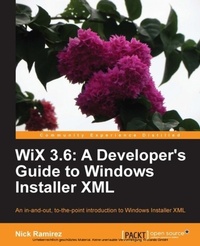
WiX 3.6: A Developer's Guide to Windows Installer XML
An all-in-one introduction to Windows Installer XML from the installer and beyond
1st Edition
Published on 3. June 2024
488 pages
978-1-78216-043-4 (ISBN)
Description

An all-in-one introduction to Windows Installer XML from the installer and beyondKey Features - Brings the reader up to speed on all of the major features of WiX, including the new bootstrapper engine, Burn
- Provides a richer understanding of the underlying Windows Installer technology
- Showcases the flexibility and versatility of WiX, with a few tips and tricks along the way
Book DescriptionThe cryptic science of Windows Installer can seem far off from the practical task of simply getting something installed. Luckily, we have WiX to simplify the matter. WiX is an XML markup, distributed with an open-source compiler and linker, used to produce a Windows Installer package. It is used by Microsoft and by countless other companies around the world to simplify deployments. "WiX 3.6: A Developer's Guide to Windows Installer XML" promises a friendly welcome into the world of Windows Installer. Starting off with a simple, practical example and continuing on with increasingly advanced scenarios, the reader will have a well-rounded education by book's end. With the help of this book, you'll understand your installer better, create it in less time, and save money in the process. No one really wants to devote a lifetime to understanding how to create a hassle-free installer. Learn to build a sophisticated deployment solution targeting the Windows platform in no time with this hands-on practical guide. Here we speed you through the basics and zoom right into the advanced. You'll get comfortable with components, features, conditions and actions. By the end, you'll be boasting your latest deployment victories at the local pub. Once you've finished "WiX 3.6: A Developer's Guide to Windows Installer XML", you'll realize just how powerful and awesome an installer can really be.What you will learn - Register with Add/Remove Programs and build in a consistent way to uninstall your software
- Customize an easy to navigate install Wizard
- Gain an understanding of the order in which events happen during an install and how to hook into this process
- Learn how WiX builds and links your files into the final MSI package and how to fine tune this process
- Make your project more modular with Fragments, Components, and ComponentGroups
- Prevent users from installing your software on unsupported operating systems and introduce other prerequisite checks
- Install, start, stop, and uninstall Windows services at the time of setup
- Bootstrap required dependencies before installing your own software
Who this book is forIf you are a developer and want to create installers for software targeting the Windows platform, then this book is for you. You'll be using plenty of XML and ought to know the basics of writing a well-formed document. No prior experience in WiX or Windows Installer is assumed. You should know your way around Visual Studio to compile projects, add project references and tweak project properties.
- Provides a richer understanding of the underlying Windows Installer technology
- Showcases the flexibility and versatility of WiX, with a few tips and tricks along the way
Book DescriptionThe cryptic science of Windows Installer can seem far off from the practical task of simply getting something installed. Luckily, we have WiX to simplify the matter. WiX is an XML markup, distributed with an open-source compiler and linker, used to produce a Windows Installer package. It is used by Microsoft and by countless other companies around the world to simplify deployments. "WiX 3.6: A Developer's Guide to Windows Installer XML" promises a friendly welcome into the world of Windows Installer. Starting off with a simple, practical example and continuing on with increasingly advanced scenarios, the reader will have a well-rounded education by book's end. With the help of this book, you'll understand your installer better, create it in less time, and save money in the process. No one really wants to devote a lifetime to understanding how to create a hassle-free installer. Learn to build a sophisticated deployment solution targeting the Windows platform in no time with this hands-on practical guide. Here we speed you through the basics and zoom right into the advanced. You'll get comfortable with components, features, conditions and actions. By the end, you'll be boasting your latest deployment victories at the local pub. Once you've finished "WiX 3.6: A Developer's Guide to Windows Installer XML", you'll realize just how powerful and awesome an installer can really be.What you will learn - Register with Add/Remove Programs and build in a consistent way to uninstall your software
- Customize an easy to navigate install Wizard
- Gain an understanding of the order in which events happen during an install and how to hook into this process
- Learn how WiX builds and links your files into the final MSI package and how to fine tune this process
- Make your project more modular with Fragments, Components, and ComponentGroups
- Prevent users from installing your software on unsupported operating systems and introduce other prerequisite checks
- Install, start, stop, and uninstall Windows services at the time of setup
- Bootstrap required dependencies before installing your own software
Who this book is forIf you are a developer and want to create installers for software targeting the Windows platform, then this book is for you. You'll be using plenty of XML and ought to know the basics of writing a well-formed document. No prior experience in WiX or Windows Installer is assumed. You should know your way around Visual Studio to compile projects, add project references and tweak project properties.
More details
Other editions
Additional editions
Book
11/2012
Packt Publishing
€64.60
Shipment within 3-4 weeks
Content
Table of Contents
