

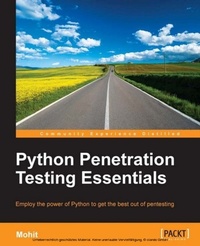
Python Penetration Testing Essentials
Employ the power of Python to get the best out of pentesting
Published on 7. October 2025
178 pages
978-1-78439-588-9 (ISBN)
Description

Key Features
Book DescriptionIf you are a Python programmer or a security researcher who has basic knowledge of Python programming and want to learn about penetration testing with the help of Python, this book is ideal for you. Even if you are new to the field of ethical hacking, this book can help you find the vulnerabilities in your system so that you are ready to tackle any kind of attack or intrusion.What you will learn
Monitor the Ethernet IP and TCP traffic over the network
Explore wireless traffic with the help of various programs
Perform wireless attacks with Python programs
Check live systems and distinguish between the operating system and services of a remote machine
Broaden your concepts in pentesting right from the basics of the client/server architecture in Python
Gather passive information from a website using automated scripts
Perform XSS, SQL injection, and parameter tampering attacks
Who this book is forIf you are a Python programmer or a security researcher who has basic knowledge of Python programming and want to learn about penetration testing with the help of Python, this book is ideal for you. Even if you are new to the field of ethical hacking, this book can help you find the vulnerabilities in your system so that you are ready to tackle any kind of attack or intrusion.
Book DescriptionIf you are a Python programmer or a security researcher who has basic knowledge of Python programming and want to learn about penetration testing with the help of Python, this book is ideal for you. Even if you are new to the field of ethical hacking, this book can help you find the vulnerabilities in your system so that you are ready to tackle any kind of attack or intrusion.What you will learn
Monitor the Ethernet IP and TCP traffic over the network
Explore wireless traffic with the help of various programs
Perform wireless attacks with Python programs
Check live systems and distinguish between the operating system and services of a remote machine
Broaden your concepts in pentesting right from the basics of the client/server architecture in Python
Gather passive information from a website using automated scripts
Perform XSS, SQL injection, and parameter tampering attacks
Who this book is forIf you are a Python programmer or a security researcher who has basic knowledge of Python programming and want to learn about penetration testing with the help of Python, this book is ideal for you. Even if you are new to the field of ethical hacking, this book can help you find the vulnerabilities in your system so that you are ready to tackle any kind of attack or intrusion.
All prices
More details
Edition
Digital original
Language
English
Place of publication
Birmingham
United Kingdom
Target group
Professional and scholarly
US School Grade: College Graduate Student
Edition type
Digital original
File size
3,22 MB
ISBN-13
978-1-78439-588-9 (9781784395889)
Copyright in bibliographic data and cover images is held by Nielsen Book Services Limited or by the publishers or by their respective licensors: all rights reserved.
Schweitzer Classification
Other editions
New editions
E-Book
09/2024
2nd Edition
Packt Publishing
€26.49
Available for download
Additional editions
Book
01/2015
Packt Publishing
€39.10
Shipment within 3-4 weeks
Person
Raj Mohit :
Mohit Raj is a Python programmer with a keen interest in the field of information security. He completed his bachelor's degree in technology in computer science from Kurukshetra University, Kurukshetra, and his masters in engineering (2012) in computer science from Thapar University, Patiala. He is a C
Mohit Raj is a Python programmer with a keen interest in the field of information security. He completed his bachelor's degree in technology in computer science from Kurukshetra University, Kurukshetra, and his masters in engineering (2012) in computer science from Thapar University, Patiala. He is a C
Content
Table of Contents
Python for Penetration Testing and Networking
Scanning Pen Testing
Sniffing and Pen Testing
Wireless Pen Testing
Foot printing of web server and Web Application
Client Side and DDOS Attack
Pentesting of SLQi and XSS
Python for Penetration Testing and Networking
Scanning Pen Testing
Sniffing and Pen Testing
Wireless Pen Testing
Foot printing of web server and Web Application
Client Side and DDOS Attack
Pentesting of SLQi and XSS

