

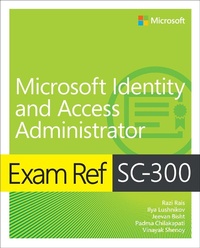
Exam Ref SC-300 Microsoft Identity and Access Administrator
1st Edition
Published on 26. January 2023
384 pages
978-0-13-788665-4 (ISBN)
Description

Prepare for Microsoft Exam SC-300 and demonstrate your real-world ability to design, implement, and operate identity and access management systems with Microsoft Azure Active Directory (AD). Designed for professionals involved in secure authentication, access, or identity management, this Exam Ref focuses on the critical thinking and decision-making acumen needed for success at the Microsoft Certified: Identity and Access Administrator Associate level.
Focus on the expertise measured by these objectives:
Implement identities in Azure AD
Implement authentication and access management
Implement access management for applications
Plan and implement identity governance in Azure AD
This Microsoft Exam Ref:
Organizes its coverage by exam objectives
Features strategic, what-if scenarios to challenge you
Assumes that you are an administrator, security engineer, or other IT professional who provides, or plans to provide, secure identity and access services for an enterprise
About the Exam
Exam SC-300 focuses on the knowledge needed to configure and manage Azure AD tenants; create, configure, and manage Azure AD identities; implement and manage external identities and hybrid identity; plan, implement, and manage Azure Multifactor Authentication (MFA), self-service password reset, Azure AD user authentication, and Azure AD conditional access; manage Azure AD Identity Protection; implement access management for Azure resources; manage and monitor app access with Microsoft Defender for Cloud Apps; plan, implement, and monitor enterprise app integration; enable app registration; plan and implement entitlement management and privileged access; plan, implement, and manage access reviews; and monitor Azure AD.
About Microsoft Certification
Passing this exam fulfills your requirements for the Microsoft Certified: Identity and Access Administrator Associate certification, demonstrating your abilities to design, implement, and operate identity and access management systems with Azure AD; configure and manage identity authentication and authorization for users, devices, resources, and applications; provide seamless experiences and self-service; verify identities for Zero Trust; automate Azure AD management; troubleshoot and monitor identity and access environments; and collaborate to drive strategic identity projects, modernize identity solutions, and implement hybrid identity and/or identity governance.
See full details at: microsoft.com/learn
Focus on the expertise measured by these objectives:
Implement identities in Azure AD
Implement authentication and access management
Implement access management for applications
Plan and implement identity governance in Azure AD
This Microsoft Exam Ref:
Organizes its coverage by exam objectives
Features strategic, what-if scenarios to challenge you
Assumes that you are an administrator, security engineer, or other IT professional who provides, or plans to provide, secure identity and access services for an enterprise
About the Exam
Exam SC-300 focuses on the knowledge needed to configure and manage Azure AD tenants; create, configure, and manage Azure AD identities; implement and manage external identities and hybrid identity; plan, implement, and manage Azure Multifactor Authentication (MFA), self-service password reset, Azure AD user authentication, and Azure AD conditional access; manage Azure AD Identity Protection; implement access management for Azure resources; manage and monitor app access with Microsoft Defender for Cloud Apps; plan, implement, and monitor enterprise app integration; enable app registration; plan and implement entitlement management and privileged access; plan, implement, and manage access reviews; and monitor Azure AD.
About Microsoft Certification
Passing this exam fulfills your requirements for the Microsoft Certified: Identity and Access Administrator Associate certification, demonstrating your abilities to design, implement, and operate identity and access management systems with Azure AD; configure and manage identity authentication and authorization for users, devices, resources, and applications; provide seamless experiences and self-service; verify identities for Zero Trust; automate Azure AD management; troubleshoot and monitor identity and access environments; and collaborate to drive strategic identity projects, modernize identity solutions, and implement hybrid identity and/or identity governance.
See full details at: microsoft.com/learn
More details
Series
Edition
1. Auflage
Language
English
Place of publication
Boston
United States
Publishing group
Pearson Education (US)
Target group
Professional and scholarly
File size
44,90 MB
ISBN-13
978-0-13-788665-4 (9780137886654)
Copyright in bibliographic data and cover images is held by Nielsen Book Services Limited or by the publishers or by their respective licensors: all rights reserved.
Schweitzer Classification
Other editions
Additional editions
Razi Rais | Ilya Lushnikov | Jeevan Bisht
Exam Ref SC-300 Microsoft Identity and Access Administrator
Book
02/2023
1st Edition
Addison Wesley
€41.49
Shipment within 15-20 days
Persons
RAZI RAIS has over two decades of experience designing and developing highly scalable and secure enterprise software and cloud services. He has been working at Microsoft for over ten years, serving in various roles such as software engineer, architect, and product manager. His current focus at Microsoft is on helping businesses strengthen their cybersecurity posture by protecting workloads at scale against the most sophisticated cyberattacks. Razi is also the lead author of several books, including Zero Trust Networks, 2nd Edition by O'Reilly Media and Programming Microsoft's Clouds: Windows Azure and Office 365 by Wrox Press. He is also a member of the IEEE Computer Society, ACM, SANS advisory board, as well as a frequent speaker at international conferences and an instructor who provides security-related training all over the world. You can get in touch with him via LinkedIn at linkedin.com/in/razirais or through his website, razibinrais.com. His GitHub profile is github.com/razi-rais.
ILYA LUSHNIKOV is a Senior Product Manager in the Identity and Network Access division at Microsoft, where he works on new Azure AD features. Ilya has been working for Microsoft since 2010 in various positions, including six years as a Premier Field Engineer. He delivered Identity workshops, deployment projects, risk assessments, and health checks for customers in 10 countries and 25 U.S. states. Before joining Microsoft, he was a systems administrator for various companies.
JEEVAN BISHT has a Master of Science degree in computer science and is Principal PM Manager in the Microsoft Identity and Network Access division, where he leads a team of deep technical experts around the world to help enterprise customers plan and deploy their hybrid cloud identity strategies. Jeevan has been working for Microsoft since 2005 in different positions including being a senior support escalation engineer in CSS, Microsoft Consulting, helping design and implement some of the largest implementations on Identity and Management solutions across industry verticals. He has been a Microsoft Certified Professional since 1999 among other industry certifications from Cisco, Sun, and others, and has delivered training on various platforms. He has also been featured in conferences like Microsoft Ready, TechMentor, Identiverse, and many others. He is open to helping professionals grow: linkedin.com/in/ jeevan-bisht-a2a2634b/.
PADMA CHILAKAPATI is a Senior Product Manager in the Microsoft Identity and Network Access division. She acts as a trusted advisor to Fortune 500 enterprises in the Identity and Security space. She held multiple positions as an engineer and later program manager. She delivered Identity workshops and has spoken about Azure AD features and security recommendations at various conferences.
VINAYAK SHENOY is a Senior Product Manager focused on Microsoft Identity Security. As an engineer and later as product manager, he has more than a decade of experience across Identity/ Access Management, wired/wireless networking, security, SDN, and datacenter/cloud provisioning.
ILYA LUSHNIKOV is a Senior Product Manager in the Identity and Network Access division at Microsoft, where he works on new Azure AD features. Ilya has been working for Microsoft since 2010 in various positions, including six years as a Premier Field Engineer. He delivered Identity workshops, deployment projects, risk assessments, and health checks for customers in 10 countries and 25 U.S. states. Before joining Microsoft, he was a systems administrator for various companies.
JEEVAN BISHT has a Master of Science degree in computer science and is Principal PM Manager in the Microsoft Identity and Network Access division, where he leads a team of deep technical experts around the world to help enterprise customers plan and deploy their hybrid cloud identity strategies. Jeevan has been working for Microsoft since 2005 in different positions including being a senior support escalation engineer in CSS, Microsoft Consulting, helping design and implement some of the largest implementations on Identity and Management solutions across industry verticals. He has been a Microsoft Certified Professional since 1999 among other industry certifications from Cisco, Sun, and others, and has delivered training on various platforms. He has also been featured in conferences like Microsoft Ready, TechMentor, Identiverse, and many others. He is open to helping professionals grow: linkedin.com/in/ jeevan-bisht-a2a2634b/.
PADMA CHILAKAPATI is a Senior Product Manager in the Microsoft Identity and Network Access division. She acts as a trusted advisor to Fortune 500 enterprises in the Identity and Security space. She held multiple positions as an engineer and later program manager. She delivered Identity workshops and has spoken about Azure AD features and security recommendations at various conferences.
VINAYAK SHENOY is a Senior Product Manager focused on Microsoft Identity Security. As an engineer and later as product manager, he has more than a decade of experience across Identity/ Access Management, wired/wireless networking, security, SDN, and datacenter/cloud provisioning.
Content
Chapter 1 Implement identities in Azure AD
Chapter 2 Implement an authentication and access management solution
Chapter 3 Implement Access Management for Apps
Chapter 4 Plan and implement an Identity Governance strategy
Chapter 2 Implement an authentication and access management solution
Chapter 3 Implement Access Management for Apps
Chapter 4 Plan and implement an Identity Governance strategy
