

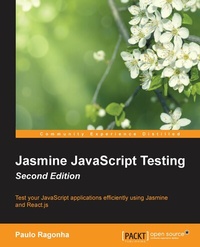
Jasmine JavaScript Testing Update
Test your JavaScript applications efficiently using Jasmine and React.js
Published on 7. October 2025
134 pages
978-1-78528-320-8 (ISBN)
Description

Key Features
Book DescriptionThis book is for web developers and designers who work with React.js and JavaScript and who are new to unit testing and automation. It's assumed that you have a basic knowledge of JavaScript and HTML.What you will learn
Understand and use the power of Jasmine to create better and more maintainable code bases
Drive your application development entirely by tests
Write modular and reusable code through the power of ECMA Script 6 (ES6) modules
Use asynchronous tests, stubs, and spies optimally
Test drive a React.js singlepage application
Optimize your code to unleash the power of tooling and automation
Who this book is for
Book DescriptionThis book is for web developers and designers who work with React.js and JavaScript and who are new to unit testing and automation. It's assumed that you have a basic knowledge of JavaScript and HTML.What you will learn
Understand and use the power of Jasmine to create better and more maintainable code bases
Drive your application development entirely by tests
Write modular and reusable code through the power of ECMA Script 6 (ES6) modules
Use asynchronous tests, stubs, and spies optimally
Test drive a React.js singlepage application
Optimize your code to unleash the power of tooling and automation
Who this book is for
All prices
More details
Edition
Digital original
Language
English
Place of publication
Birmingham
United Kingdom
Target group
US School Grade: College Graduate Student
Edition type
Digital original
File size
1,28 MB
ISBN-13
978-1-78528-320-8 (9781785283208)
Copyright in bibliographic data and cover images is held by Nielsen Book Services Limited or by the publishers or by their respective licensors: all rights reserved.
Schweitzer Classification
Other editions
Additional editions
Paulo Ragonha
Jasmine JavaScript Testing Second Edition
Book
04/2015
Packt Publishing
€44.80
Shipment within 3-4 weeks
Person
Zacharias Ragonha Paulo Vitor :
Paulo Ragonha is a software engineer with over 7 years of professional experience. An advocate of the open Web, he is inspired and driven to build compelling experiences on top of this ubiquitous platform. H e loves to hack, so you will often see him wandering around in conferences or attending hackathons. His most recent professional experiences ranged from DevOps (with Chef and Docker) to moving up the stack with Node.js, Ruby, and Python and all the way toward building single-page applications (mostly with Backbone.js and "ad hoc" solutions). Passionate about automation, he sees testing as a liberating tool to enjoy the craft of writing code even more. Back in 2013, he wrote the first edition of the book Jasmine JavaScript Testing, Packt Publishing. Paulo has an amazing wife, who he loves very much. He lives in beautiful Florianopolis, a coastal city in the south of Brazil. He is a casual speaker, a biker, a runner, and a hobbyist photographer.
Paulo Ragonha is a software engineer with over 7 years of professional experience. An advocate of the open Web, he is inspired and driven to build compelling experiences on top of this ubiquitous platform. H e loves to hack, so you will often see him wandering around in conferences or attending hackathons. His most recent professional experiences ranged from DevOps (with Chef and Docker) to moving up the stack with Node.js, Ruby, and Python and all the way toward building single-page applications (mostly with Backbone.js and "ad hoc" solutions). Passionate about automation, he sees testing as a liberating tool to enjoy the craft of writing code even more. Back in 2013, he wrote the first edition of the book Jasmine JavaScript Testing, Packt Publishing. Paulo has an amazing wife, who he loves very much. He lives in beautiful Florianopolis, a coastal city in the south of Brazil. He is a casual speaker, a biker, a runner, and a hobbyist photographer.
Content
Table of Contents
Getting Started with Jasmine
Your First Spec
Testing Frontend Code
Asynchronous Testing - AJAX
Jasmine Spies
Light Speed Unit Testing
Testing Backbone.js Applications
Build Automation
Getting Started with Jasmine
Your First Spec
Testing Frontend Code
Asynchronous Testing - AJAX
Jasmine Spies
Light Speed Unit Testing
Testing Backbone.js Applications
Build Automation

