

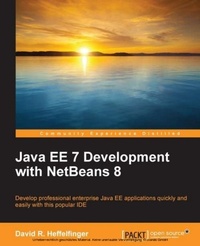
Java EE 7 Development with NetBeans 8
Develop professional enterprise Java EE applications quickly and easily with this popular IDE
3rd Edition
Published on 7. October 2025
364 pages
978-1-78398-353-7 (ISBN)
Description

Key Features
Book DescriptionThe book is aimed at Java developers who wish to develop Java EE applications while taking advantage of NetBeans functionality to automate repetitive tasks. Familiarity with NetBeans or Java EE is not assumed.What you will learn
Who this book is forThe book is aimed at Java developers who wish to develop Java EE applications while taking advantage of NetBeans functionality to automate repetitive tasks. Familiarity with NetBeans or Java EE is not assumed.
Book DescriptionThe book is aimed at Java developers who wish to develop Java EE applications while taking advantage of NetBeans functionality to automate repetitive tasks. Familiarity with NetBeans or Java EE is not assumed.What you will learn
Who this book is forThe book is aimed at Java developers who wish to develop Java EE applications while taking advantage of NetBeans functionality to automate repetitive tasks. Familiarity with NetBeans or Java EE is not assumed.
All prices
More details
Edition
3rd Revised edition
Language
English
Place of publication
Birmingham
United Kingdom
Target group
Professional and scholarly
US School Grade: College Graduate Student
Edition type
Revised edition
File size
10,00 MB
ISBN-13
978-1-78398-353-7 (9781783983537)
Copyright in bibliographic data and cover images is held by Nielsen Book Services Limited or by the publishers or by their respective licensors: all rights reserved.
Schweitzer Classification
Other editions
Additional editions
David R. Heffelfinger
Java EE 7 Development with NetBeans 8
Book
02/2015
Packt Publishing
€63.60
Shipment within 3-4 weeks
Person
R Heffelfinger David :
David Heffelfinger is the Chief Technology Officer of Ensode Technology, LLC, a software consulting firm based in the greater Washington DC area. He has been architecting, designing, and developing software professionally since 1995, and has been using Java as his primary programming language since 1996. He has worked on many large-scale projects for several clients including the US Department of Homeland Security, Freddie Mac, Fannie Mae, and the US Department of Defense. He also has a Masters degree in Software Engineering from Southern Methodist University. David is Editor-in-Chief of Ensode.net (http://www.ensode.net), a website about Java, Linux, and other technology topics.
David Heffelfinger is the Chief Technology Officer of Ensode Technology, LLC, a software consulting firm based in the greater Washington DC area. He has been architecting, designing, and developing software professionally since 1995, and has been using Java as his primary programming language since 1996. He has worked on many large-scale projects for several clients including the US Department of Homeland Security, Freddie Mac, Fannie Mae, and the US Department of Defense. He also has a Masters degree in Software Engineering from Southern Methodist University. David is Editor-in-Chief of Ensode.net (http://www.ensode.net), a website about Java, Linux, and other technology topics.
Content
Table of Contents
Getting Started with Netbeans
Developing Web Applications using JavaServer Faces 2.0
JSF Component Libraries
Interacting with Databases through the Java Persistence API
Implementing the Business Tier with Session Beans
Contexts and Dependency Injection (CDI)
Messaging with JMS and Message Driven Beans
Java API for JSON Processing
Java API for WebSocket
RESTful Web Services with JAX-RS
SOAP Web Services with JAX-WS
Getting Started with Netbeans
Developing Web Applications using JavaServer Faces 2.0
JSF Component Libraries
Interacting with Databases through the Java Persistence API
Implementing the Business Tier with Session Beans
Contexts and Dependency Injection (CDI)
Messaging with JMS and Message Driven Beans
Java API for JSON Processing
Java API for WebSocket
RESTful Web Services with JAX-RS
SOAP Web Services with JAX-WS

