

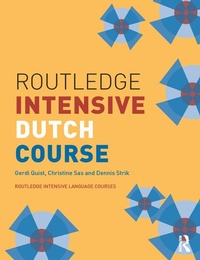
Routledge Intensive Dutch Course
Published on 3. June 2015
440 pages
978-1-136-76202-4 (ISBN)
Description

This intensive foundation course in Dutch is designed for those with no previous knowledge of the language. It is lively and fast-paced, providing students with a wide range of activities, and drawing on an impressive selection of source material from many different media. Audio materials are presented on accompanying CDs, to be purchased separately.
Taking students from beginner to intermediate level in one year, the Routledge Intensive Dutch Course develops a thorough working knowledge of the structures of Dutch and practises the four key skills of language learning: reading, writing, speaking, and listening.
Guidance for tutors as well as links to related sites is available on the Routledge website.
Taking students from beginner to intermediate level in one year, the Routledge Intensive Dutch Course develops a thorough working knowledge of the structures of Dutch and practises the four key skills of language learning: reading, writing, speaking, and listening.
Guidance for tutors as well as links to related sites is available on the Routledge website.
More details
Series
Language
English
Place of publication
London
United Kingdom
Publishing group
Taylor & Francis Ltd
Target group
Academic/professional/technical: Undergraduate
Product notice
Reflowable
Illustrations
65 Tables, black and white; 25 Line drawings, black and white; 11 Halftones, black and white
File size
11,29 MB
ISBN-13
978-1-136-76202-4 (9781136762024)
Copyright in bibliographic data and cover images is held by Nielsen Book Services Limited or by the publishers or by their respective licensors: all rights reserved.
Schweitzer Classification
Other editions
Additional editions
Gerdi Quist | Christine Sas | Dennis Strik
Routledge Intensive Dutch Course
Book
09/2015
1st Edition
Routledge
€215.41
Shipment within 10-20 days
Gerdi Quist | Christine Sas | Dennis Strik
Routledge Intensive Dutch Course
Audio
05/2006
1st Edition
Routledge
€92.96
Shipment within 15-20 days
Gerdi Quist | Christine Sas | Dennis Strik
Routledge Intensive Dutch Course
Book
04/2006
1st Edition
Routledge
€123.70
Shipment within 15-20 days
Persons
Dennis Strik has extensive experience teaching Dutch at all levels in an academic context (amongst others at University College London) and is co-author of several language books, including Teach Yourself Dutch Grammar. Dennis currently works as a freelance author, translator and language consultant.
Gerdi Quist has been a lecturer at University College London since the early 90-ies. Her current research concentrates on intercultural communication and language and culture teaching at university. She has published on the subject in various academic publications, and she co-authored a number of language courses.
Christine Sas has extensive experience in Dutch language teaching at various levels, in social, professional and academic contexts. She worked in Antwerp (Belgium) as well as in London (U.K.), where she has lived since 1998. She currently teaches at UCL and at the FCO Language Centre.
Gerdi Quist has been a lecturer at University College London since the early 90-ies. Her current research concentrates on intercultural communication and language and culture teaching at university. She has published on the subject in various academic publications, and she co-authored a number of language courses.
Christine Sas has extensive experience in Dutch language teaching at various levels, in social, professional and academic contexts. She worked in Antwerp (Belgium) as well as in London (U.K.), where she has lived since 1998. She currently teaches at UCL and at the FCO Language Centre.
Content
Acknowledgements. Introduction 1. Hier Ben Ik 2. Samenleven 3. Op Straat 4. Groepsgedrag 5. Ik En Mijn Wereld 6. Werkklimaat 7. Open Gordijnen 8. Ik Doe Wat Ik Wil 9. Typisch Nederlands? 10. Vlaanderen 11. Nederland In Beweging. Answer Key. Vocabulary. Appendix 1. List of Irregular Verbs. Appendix 2. Pronunciation. Appendix 3. Spelling. Index
