

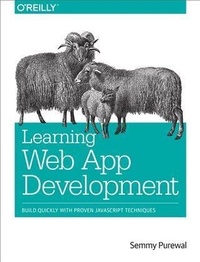
Learning Web App Development
Build Quickly with Proven JavaScript Techniques
Published on 13. February 2014
306 pages
978-1-4493-7142-5 (ISBN)
Description

Grasp the fundamentals of web application development by building a simple database-backed app from scratch, using HTML, JavaScript, and other open source tools. Through hands-on tutorials, this practical guide shows inexperienced web app developers how to create a user interface, write a server, build client-server communication, and use a cloud-based service to deploy the application.Each chapter includes practice problems, full examples, and mental models of the development workflow. Ideal for a college-level course, this book helps you get started with web app development by providing you with a solid grounding in the process.Set up a basic workflow with a text editor, version control system, and web browserStructure a user interface with HTML, and include styles with CSSUse JQuery and JavaScript to add interactivity to your applicationLink the client to the server with AJAX, JavaScript objects, and JSONLearn the basics of server-side programming with Node.jsStore data outside your application with Redis and MongoDBShare your application by uploading it to the cloud with CloudFoundryGet basic tips for writing maintainable code on both client and server
More details
Other editions
Additional editions
Book
04/2014
1st Edition
O'Reilly
€47.00
Article not available at the moment
Content
- Cover
- Copyright
- Table of Contents
- Preface
- Technology Choices
- Is This Book for You?
- Learning with This Book
- Teaching with This Book
- Where to Go for Help
- General Comments on Code
- Conventions Used in This Book
- Using Code Examples
- Safari® Books Online
- How to Contact Us
- Acknowledgments
- Errata Reporters
- Chapter 1. The Workflow
- Text Editors
- Installing Sublime Text
- Sublime Text Basics
- Version Control
- Installing Git
- Unix Command-Line Basics
- Git Basics
- Browsers
- Installing Chrome
- Summary
- More Practice and Further Reading
- Memorization
- Sublime Text
- Emacs and Vim
- Unix Command Line
- More About Git
- GitHub
- Chapter 2. The Structure
- Hello, HTML!
- Tags Versus Content
- &p& Is for Paragraph
- Comments
- Headings and Anchors and Lists, Oh My!
- Generalizations
- The Document Object Model and Trees
- Using HTML Validation to Identify Problems
- Amazeriffic
- Identifying Structure
- Visualizing Structure with a Tree
- Implementing the Structure with Our Workflow
- Structuring the Main Content
- Structuring the Footer
- Summary
- More Practice and Further Reading
- Memorization
- Tree Diagrams
- Build the FAQ Page for Amazeriffic
- More About HTML
- Chapter 3. The Style
- Hello, CSS!
- Rulesets
- Comments
- Padding, Border, and Margin
- Selectors
- Classes
- Pseudoclasses
- More Complex Selectors
- Cascading Rules
- Inheritance
- Layouts with Floats
- The clear Property
- Working with Fonts
- Resetting Browser Inconsistencies
- Using CSS Lint to Identify Potential Problems
- Interacting and Troubleshooting with the Chrome Developer Tools
- Styling Amazeriffic
- The Grid
- Creating the Columns
- Adding and Manipulating Fonts
- A Few More Modifications
- Summary
- More Practice and Further Reading
- Memorization
- CSS Selectors Practice
- Style the FAQ Page for Amazeriffic
- Cascading Rules
- Responsiveness and Responsive Libraries
- Chapter 4. The Interactivity
- Hello, JavaScript!
- Our First Interactive App
- The Structure
- The Style
- The Interactivity
- jQuery Generalizations
- Setting Up a Project
- Comments
- Selectors
- DOM Manipulation
- Events and Asynchronicity
- JavaScript Generalizations
- Interacting with JavaScript in the Chrome JavaScript Console
- Variables and Types
- Functions
- Selection
- Iteration
- Arrays
- Using JSLint to Identify Potential Problems
- Adding Interactivity to Amazeriffic
- Getting Started
- The Structure and Style
- The Interactivity
- Summary
- More Practice and Further Reading
- Memorization
- jQuery Plug-ins
- jQuery Selectors
- FizzBuzz
- Array Practice
- Project Euler
- Other JavaScript References
- Chapter 5. The Bridge
- Hello, JavaScript Objects!
- Representing Playing Cards
- Generalizations
- Communication Between Computers
- JSON
- AJAX
- Accessing an External JSON File
- Overcoming Browser Security Restrictions
- The getJSON Function
- A JSON Array
- So What?
- Getting Images from Flickr
- Adding a Tags Feature to Amazeriffic
- The map Function
- Adding a Tags Tab
- Building the UI
- Creating an Intermediate Tags Data Structure
- Tags as Part of Our Input
- Summary
- More Practice and Further Reading
- Flickr Slideshow
- Object Practice
- Other APIs
- Chapter 6. The Server
- Setting Up Your Environment
- Installing VirtualBox and Vagrant
- Building Your Virtual Machine
- Connecting to Your Virtual Machine with SSH
- Hello, Node.js!
- Mental Models
- Clients and Servers
- Hosts and Guests
- Practicalities
- Hello, HTTP!
- Modules and Express
- Installing Express with NPM
- Our First Express Server
- Sending Your Client App
- Generalizations
- Counting Tweets
- Getting Your Twitter Credentials
- Connecting to the Twitter API
- What's Happening Here?
- Storing Counts
- Modularizing Our Tweet Counter
- Importing Our Module Into Express
- Setting Up a Client
- Creating a Server for Amazeriffic
- Setting Up Our Directories
- Initializing a Git Repository
- Building the Server
- Running the Server
- Posting Information to the Server
- Summary
- More Practice and Further Reading
- Installing Node.js Locally
- JSHint and CSS Lint via NPM
- Generalizing Our Tweet Counter Code
- Poker API
- Chapter 7. The Data Store
- NoSQL Versus SQL
- Redis
- Interacting with the Redis Command-Line Client
- Installing the Redis Module via a package.json File
- Interacting with Redis in Our Code
- Initializing the Counts from the Redis Store
- Using mget to Get Multiple Values
- MongoDB
- Interacting with the MongoDB Command-Line Client
- Modeling Data with Mongoose
- Storing Amazeriffic ToDos
- Summary
- More Practice and Further Reading
- Poker API
- Other Database References
- Chapter 8. The Platform
- Cloud Foundry
- Creating an Account
- Getting Your App Ready for Deployment
- Deploying Our App
- Getting Information About Your Apps
- Updating Your App
- Deleting Apps from Cloud Foundry
- Dependencies and package.json
- Binding Redis to Your App
- Binding MongoDB to Your App
- Summary
- More Practice and Further Reading
- Poker API
- Other Platforms
- Chapter 9. The Application
- Refactoring Our Client
- Generalizing Meaningful Concepts
- AJAXifying Our Tabs
- Ridding Ourselves of Hacks
- Handling AJAX Errors
- Refactoring Our Server
- Code Organization
- HTTP Verbs, CRUD, and REST
- Setting Up Routes by ID
- Using jQuery for put and delete Requests
- HTTP Response Codes
- Model-View-Controller
- Adding Users to Amazeriffic
- Building the User Model
- Building the User Controller
- Setting Up Routes
- Improving Our ToDo Controller Actions
- Summary
- More Practice and Further Reading
- Removing ToDos
- Adding a User Admin Page
- Views Using EJS and Jade
- Build Another App
- Ruby on Rails
- Index
- About the Author
