

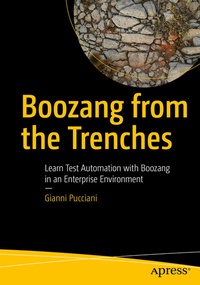
Boozang from the Trenches
Description

Test Automation is a key aspect of delivering high-quality software and reducing time to market. Several tools and approaches are available today, each with its own constraints and specificity. This book introduces Boozang, a codeless web automation tool, using a real-life enterprise project as source for examples.
You'll have the opportunity to learn the basic features of Boozang and how to implement end-to-end automated scenarios, mixing GUI and API actions. Integration with JIRA-XRay and Jenkins is also covered to show how Boozang can be used effectively in an enterprise environment. The book is filled with examples that go beyond the Boozang tool, and cover the setup of a test automation project in a real context, with practical solutions as well as open points for which we are still looking for new ideas.You will learn how to:
· Install and set up a project with Boozang
· Create a modular test suite and use Gherkin to define scenarios
· Integrate Boozang with JIRA-XRay and work in a team with code branches
· Build a Jenkins pipeline to execute the automated scenarios nightly and reduce the execution time via parallelism
This Book is for:
Testers and test managers, IT projects leads, Release and Delivery Managers, Developers, and Business Analysts
More details
Other editions
Additional editions
Person
In his early career as a software developer, he built some C/C++ code but, pretty soon, debugging null pointer exceptions drove him crazy. He then decided he would be better off testing software rather than building it.
Wherever he worked, he tried to push for automating tests. Because manual testing, let's be honest, is not fun, and it can be dangerously repetitive. People at work must have fun, if possible. At Touring Club Suisse, he defined an IT Test Strategy stating "Test automation is developers' stuff" until he discovered Boozang. And then, in his first two hours of using this tool, he thought, "Man, this is fun!".
Thus, he finally found a good topic for his book.
