

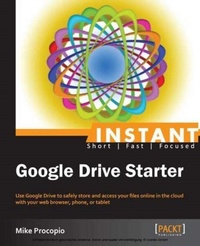
Instant Google Drive Starter
Use Google Drive to safely store and access your files online in the cloud with your web browser, phone, or tablet
Published on 13. January 2025
82 pages
978-1-78216-049-6 (ISBN)
Description

Use Google Drive to safely store and access your files online in the cloud with your web browser, phone, or tablet
Key Features
Learn something new in an Instant! A short, fast, focused guide delivering immediate results.
Use Google Drive to safely store, organize, and access your files from anywhere with your computer, phone, or tablet
Upload files and folders from your hard drive into Google Drive
Get stuff done in the cloud by sharing files, collaborating with others, and using add-on apps for Google Drive
Book DescriptionIn recent years, we've enjoyed being able to do more and more online and in the cloud. Google Drive brings the power and convenience of working online for you and your files. With Google Drive, you can create and store your files safely in the cloud, share them if desired, and access them from anywhere using a web browser, smartphone, or tablet computer."Instant Google Drive Starter" is your companion to getting started with the world of cloud computing and working with your files online. With clear visuals and step-by-step examples, this book shows you how to use Google Drive from start to finish. From creating documents and files in Google Drive to sharing them with others and accessing them anywhere using your web browser, phone, or tablet computer - you'll be working in the cloud.This book starts with the very basics of cloud computing, providing clear examples for ways you can use Google Drive to work with your files in the cloud, and the benefits of doing so. It will take you step-by-step through all the aspects of using Google Drive to get you quickly working with your files online, accessing them from anywhere using a web browser, smartphone, or tablet computer.You'll learn how to use Google Drive to create documents, spreadsheets, and presentations, and also how you can upload folders and files from your hard drive into Google Drive using your web browser. Once your files are in Google Drive, this book will show you all the things you can do with them: edit them online from anywhere (including your iPhone, iPad, or Android phone or tablet), and even share them with others if desired. This book will also show you how to use the Google Drive sync program to back up your files to the cloud and keep them automatically in sync between your computer's hard drive and Google Drive. You will learn everything you need to know to create and store your files safely in the cloud with Google Drive, share them with others if desired, and access them from anywhere using a web browser, smartphone, or tablet computer.What you will learn
Get started with cloud computing
Store your files safely and access them online with Google Drive
Access Google Drive from anywhere with your web browser, phone, or tablet
Create new documents, presentations, and spreadsheets in Google Drive
Upload files and folders from your computer into Google Drive
Organize your files and folders in Google Drive
Search for files by keyword, filter, or both
Share and collaborate on files with other people
Who this book is forThis book is perfect for people of all skill levels who want to enjoy the benefits of using Google Drive to safely store their files online and in the cloud. It's also great for anyone looking to learn more about cloud computing in general. Readers are expected to have an Internet connection and basic knowledge of using the internet.
Key Features
Learn something new in an Instant! A short, fast, focused guide delivering immediate results.
Use Google Drive to safely store, organize, and access your files from anywhere with your computer, phone, or tablet
Upload files and folders from your hard drive into Google Drive
Get stuff done in the cloud by sharing files, collaborating with others, and using add-on apps for Google Drive
Book DescriptionIn recent years, we've enjoyed being able to do more and more online and in the cloud. Google Drive brings the power and convenience of working online for you and your files. With Google Drive, you can create and store your files safely in the cloud, share them if desired, and access them from anywhere using a web browser, smartphone, or tablet computer."Instant Google Drive Starter" is your companion to getting started with the world of cloud computing and working with your files online. With clear visuals and step-by-step examples, this book shows you how to use Google Drive from start to finish. From creating documents and files in Google Drive to sharing them with others and accessing them anywhere using your web browser, phone, or tablet computer - you'll be working in the cloud.This book starts with the very basics of cloud computing, providing clear examples for ways you can use Google Drive to work with your files in the cloud, and the benefits of doing so. It will take you step-by-step through all the aspects of using Google Drive to get you quickly working with your files online, accessing them from anywhere using a web browser, smartphone, or tablet computer.You'll learn how to use Google Drive to create documents, spreadsheets, and presentations, and also how you can upload folders and files from your hard drive into Google Drive using your web browser. Once your files are in Google Drive, this book will show you all the things you can do with them: edit them online from anywhere (including your iPhone, iPad, or Android phone or tablet), and even share them with others if desired. This book will also show you how to use the Google Drive sync program to back up your files to the cloud and keep them automatically in sync between your computer's hard drive and Google Drive. You will learn everything you need to know to create and store your files safely in the cloud with Google Drive, share them with others if desired, and access them from anywhere using a web browser, smartphone, or tablet computer.What you will learn
Get started with cloud computing
Store your files safely and access them online with Google Drive
Access Google Drive from anywhere with your web browser, phone, or tablet
Create new documents, presentations, and spreadsheets in Google Drive
Upload files and folders from your computer into Google Drive
Organize your files and folders in Google Drive
Search for files by keyword, filter, or both
Share and collaborate on files with other people
Who this book is forThis book is perfect for people of all skill levels who want to enjoy the benefits of using Google Drive to safely store their files online and in the cloud. It's also great for anyone looking to learn more about cloud computing in general. Readers are expected to have an Internet connection and basic knowledge of using the internet.
More details
Edition
Digital original
Language
English
Place of publication
Birmingham
United Kingdom
Target group
Professional and scholarly
US School Grade: College Graduate Student
Edition type
Digital original
File size
3,07 MB
ISBN-13
978-1-78216-049-6 (9781782160496)
Copyright in bibliographic data and cover images is held by Nielsen Book Services Limited or by the publishers or by their respective licensors: all rights reserved.
Schweitzer Classification
Other editions
Additional editions
Mike Procopio
Google Driver Starter
Book
03/2013
Packt Publishing
€21.00
No shipping information available
Person
Procopio Mike :
Mike Procopio holds a Ph.D. in Computer Science from the University of Colorado, where he studied Machine Learning and Autonomous Robot Navigation. Mike works as a Senior Software Engineer at Google and lives in Boulder, Colorado with Sharon, his wife. When not slingin' code, Mike can be found running along the trails of Boulder. You can follow Mike on Google+ at www.googplus.org/mike, or at www.mikeprocopio.com. Note: The opinions and recommendations stated in this book are Mike Procopio's and not those of Google or his current or previous employers.
Mike Procopio holds a Ph.D. in Computer Science from the University of Colorado, where he studied Machine Learning and Autonomous Robot Navigation. Mike works as a Senior Software Engineer at Google and lives in Boulder, Colorado with Sharon, his wife. When not slingin' code, Mike can be found running along the trails of Boulder. You can follow Mike on Google+ at www.googplus.org/mike, or at www.mikeprocopio.com. Note: The opinions and recommendations stated in this book are Mike Procopio's and not those of Google or his current or previous employers.
Content
Table of Contents
