

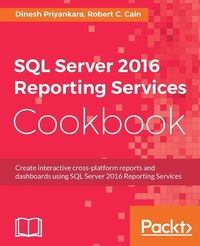
SQL Server 2016 Reporting Services Cookbook
Your one-stop guide to operational reporting and mobile dashboards using SSRS 2016
Published on 13. January 2025
596 pages
978-1-78646-799-7 (ISBN)
Description

Create interactive cross-platform reports and dashboards using SQL Server 2016 Reporting Services
Key Features
[*] Get up to speed with the newly-introduced enhancements and the more advanced query and reporting features
[*] Easily access your important data by creating visually appealing dashboards in the Power BI practical recipe
[*] Create cross-browser and cross-platform reports using SQL Server 2016 Reporting Services
Book DescriptionMicrosoft SQL Server 2016 Reporting Services comes with many new features. It offers different types of reporting such as Production, Ad-hoc, Dashboard, Mash-up, and Analytical. SQL Server 2016 also has a surfeit of new features including Mobile Reporting, and Power BI integration. This book contains recipes that explore the new and advanced features added to SQL Server 2016. The first few chapters cover recipes on configuring components and how to explore these new features. You'll learn to build your own reporting solution with data tools and report builder, along with learning techniques to create visually appealing reports. This book also has recipes for enhanced mobile reporting solutions, accessing these solutions effectively, and delivering interactive business intelligence solutions. Towards the end of the book, you'll get to grips with running reporting services in SharePoint integrated mode and be able to administer, monitor, and secure your reporting solution. This book covers about the new offerings of Microsoft SQL Server 2016 Reporting Services in comprehensive detail and uses examples of real-world problem-solving business scenarios.What you will learn
[*]Key capabilities, architecture, and components of Reporting Services
[*]New features that have been added to Reporting Services
[*]Design the architecture for reporting solutions
[*]Design the architecture for BI solutions
[*]Implement reporting solutions using Reporting Services
[*]Improve the performance, availability, and scalability of the reporting solution
[*]Enhance reporting solutions with custom programming and improved security
Who this book is forThis book is for software professionals who develop and implement reporting solutions using Microsoft SQL Server. It is especially relevant for professionals who are software engineers, software architects, DW/BI engineers, and DW/BI architects who perform simple to complex report authoring implementations. This book is also suitable for those who develop software solutions that integrate reporting solutions and are keen to learn about Microsoft SQL Server 2016's features and capabilities.
Key Features
[*] Get up to speed with the newly-introduced enhancements and the more advanced query and reporting features
[*] Easily access your important data by creating visually appealing dashboards in the Power BI practical recipe
[*] Create cross-browser and cross-platform reports using SQL Server 2016 Reporting Services
Book DescriptionMicrosoft SQL Server 2016 Reporting Services comes with many new features. It offers different types of reporting such as Production, Ad-hoc, Dashboard, Mash-up, and Analytical. SQL Server 2016 also has a surfeit of new features including Mobile Reporting, and Power BI integration. This book contains recipes that explore the new and advanced features added to SQL Server 2016. The first few chapters cover recipes on configuring components and how to explore these new features. You'll learn to build your own reporting solution with data tools and report builder, along with learning techniques to create visually appealing reports. This book also has recipes for enhanced mobile reporting solutions, accessing these solutions effectively, and delivering interactive business intelligence solutions. Towards the end of the book, you'll get to grips with running reporting services in SharePoint integrated mode and be able to administer, monitor, and secure your reporting solution. This book covers about the new offerings of Microsoft SQL Server 2016 Reporting Services in comprehensive detail and uses examples of real-world problem-solving business scenarios.What you will learn
[*]Key capabilities, architecture, and components of Reporting Services
[*]New features that have been added to Reporting Services
[*]Design the architecture for reporting solutions
[*]Design the architecture for BI solutions
[*]Implement reporting solutions using Reporting Services
[*]Improve the performance, availability, and scalability of the reporting solution
[*]Enhance reporting solutions with custom programming and improved security
Who this book is forThis book is for software professionals who develop and implement reporting solutions using Microsoft SQL Server. It is especially relevant for professionals who are software engineers, software architects, DW/BI engineers, and DW/BI architects who perform simple to complex report authoring implementations. This book is also suitable for those who develop software solutions that integrate reporting solutions and are keen to learn about Microsoft SQL Server 2016's features and capabilities.
All prices
More details
Edition
Digital original
Language
English
Place of publication
Birmingham
United Kingdom
Target group
Professional and scholarly
US School Grade: College Graduate Student
Edition type
Digital original
File size
47,60 MB
ISBN-13
978-1-78646-799-7 (9781786467997)
Copyright in bibliographic data and cover images is held by Nielsen Book Services Limited or by the publishers or by their respective licensors: all rights reserved.
Schweitzer Classification
Other editions
Additional editions
Dinesh Priyankara | Robert C. Cain
SQL Server 2016 Reporting Services Cookbook
Book
11/2016
Packt Publishing
€71.40
Shipment within 3-4 weeks
Persons
Priyankara Dinesh :
Dinesh Priyankara is an experienced professional and database enthusiast with skills in database management systems and business intelligence, especially on the Microsoft SQL Server product suite. Possessing over 16 years of experience on data related technologies, he does training, consulting, and is a top contributor to the local SQL Server community. In recognition of his contributions and expertise he has demonstrated, he was awarded the Microsoft Most Valuable Professional (MVP) award for SQL Server for 11 consecutive years since 2006. Dinesh is the Founder/Principal Architect of dinesQL (Pvt) Ltd (http://dinesql.com), a company that provides services on database, business intelligence, and training. In his spare time, he runs a blog at http://dinesql.blogspot.com with a follower base of over 100,000 from around the world and is a co-organizer of SQL Server Sri Lanka User Group (http://www.meetup.com/ssslug/). Even though he has written many articles on the database area, this is his first official book as a co-author.Cain Robert :
Robert C. Cain (http://arcanecode.com) is a Microsoft MVP, MCTS Certified in BI, and is the owner of Arcane Training and Consulting, LLC. He is also a course author for Pluralsight, with over 11 courses to his credit. Robert is a team mate at Linchpin People, and co-author of four books. A popular speaker, Robert has presented at events such as the SQL PASS Summit, IT/Dev Connections, TechEd, CodeStock, and numerous SQL Saturdays. Robert has over 25 years' experience in the IT industry, working in a variety of fields including manufacturing, insurance, telecommunications and nuclear power.
Dinesh Priyankara is an experienced professional and database enthusiast with skills in database management systems and business intelligence, especially on the Microsoft SQL Server product suite. Possessing over 16 years of experience on data related technologies, he does training, consulting, and is a top contributor to the local SQL Server community. In recognition of his contributions and expertise he has demonstrated, he was awarded the Microsoft Most Valuable Professional (MVP) award for SQL Server for 11 consecutive years since 2006. Dinesh is the Founder/Principal Architect of dinesQL (Pvt) Ltd (http://dinesql.com), a company that provides services on database, business intelligence, and training. In his spare time, he runs a blog at http://dinesql.blogspot.com with a follower base of over 100,000 from around the world and is a co-organizer of SQL Server Sri Lanka User Group (http://www.meetup.com/ssslug/). Even though he has written many articles on the database area, this is his first official book as a co-author.Cain Robert :
Robert C. Cain (http://arcanecode.com) is a Microsoft MVP, MCTS Certified in BI, and is the owner of Arcane Training and Consulting, LLC. He is also a course author for Pluralsight, with over 11 courses to his credit. Robert is a team mate at Linchpin People, and co-author of four books. A popular speaker, Robert has presented at events such as the SQL PASS Summit, IT/Dev Connections, TechEd, CodeStock, and numerous SQL Saturdays. Robert has over 25 years' experience in the IT industry, working in a variety of fields including manufacturing, insurance, telecommunications and nuclear power.
Content
Table of Contents
Getting It Ready
Authoring Reports with SQL Server Data Tools
Advanced Report Authoring with SQL Server Data Tools
Authoring Reports with Report Builder
Improving User Experience
Authoring Mobile Reports with the Mobile Report Publisher
Consuming Reports
Reporting Solutions for BI
SharePoint Integration
Administering and Managing Reporting Services
Securing Reports in Reporting Services
Custom Programming and Integration to .NET Applications
Getting It Ready
Authoring Reports with SQL Server Data Tools
Advanced Report Authoring with SQL Server Data Tools
Authoring Reports with Report Builder
Improving User Experience
Authoring Mobile Reports with the Mobile Report Publisher
Consuming Reports
Reporting Solutions for BI
SharePoint Integration
Administering and Managing Reporting Services
Securing Reports in Reporting Services
Custom Programming and Integration to .NET Applications

