

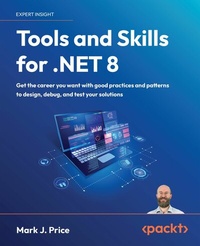
Tools and Skills for .NET 8
Description

Unlock the full potential of .NET development with Tools and Skills for .NET 8. Dive into source code management using Git and learn how to navigate projects while ensuring version control. Discover advanced debugging techniques and troubleshooting strategies to identify and resolve issues, and gain practical insights on documenting your code, APIs, and services, fostering project clarity and maintainability. Delve into the world of cryptography, ensuring confidentiality and integrity throughout your development lifecycle. Elevate your skills as you explore cutting-edge topics such as building intelligent apps using custom LLM-based chat services, mastering dependency injection, optimizing performance through testing, and Docker containerization. Harness the power of cloud-native development with .NET Aspire, unlocking the benefits of modern cloud platforms. With guidance on software architecture best practices, this book empowers you to build robust, scalable and maintainable applications. Advance your career with invaluable insights on job readiness and interview preparation, positioning yourself as a top-tier candidate in today's competitive job market. Whether you're a seasoned .NET professional or an aspiring developer looking to enhance your skills, this book is your ultimate companion on the journey to .NET mastery.
All prices
More details
Other editions
Additional editions
Content
- Cover
- Copyright
- Contributors
- Table of Contents
- Preface
- Chapter 1: Introducing Tools and Skills for .NET
- Introducing this book and its contents
- Companion books to complete your learning journey
- Audiences for this book
- Tools
- Skills
- Testing
- Design and career development
- Setting up your development environment
- Choosing the appropriate tool and application type for learning
- Using Visual Studio for general development
- Using Code for cross-platform development
- Using GitHub Codespaces for development in the cloud
- Using Rider for cross-platform development
- What I used
- Deploying cross-platform
- Downloading and installing Visual Studio
- Visual Studio keyboard shortcuts
- Visual Studio Enterprise edition tools
- Downloading and installing Code
- Installing other extensions
- Managing Code extensions at the command prompt
- Understanding Code versions
- Code keyboard shortcuts
- Downloading and installing Rider
- Other JetBrains tools
- Chrome AI tools
- Making good use of the GitHub repository for this book
- Raising issues with the book
- Giving me feedback
- Downloading solution code from the GitHub repository
- Where to go for help
- Reading documentation on Microsoft Learn
- Getting help for the dotnet tool
- LLMs like ChatGPT
- Getting better help from LLMs using prompt engineering
- AI usage by developers
- Getting help on Discord and other chat forums
- Setting up a database and projects for this book
- Using a sample relational database
- Setting up SQL Server and the Northwind database
- Creating the Northwind database for a local SQL Server
- Creating the Northwind database for SQL Edge in Docker
- Creating a class library for entity models using SQL Server
- Creating a class library for the data context using SQL Server
- Creating a test project to check the integration of the class libraries
- Running tests
- Using .NET 9 with this book
- Practicing and exploring
- Exercise 1.1 - Online-only material
- Exercise 1.2 - Practice exercises
- Exercise 1.3 - Test your knowledge
- Exercise 1.4 - Explore topics
- Summary
- Chapter 2: Making the Most of the Tools in Your Code Editor
- Introducing common tools and features
- Refactoring features
- Code snippets
- Editor configuration
- AI companions
- Tools in Visual Studio 2022
- Refactoring features
- Add method parameter checks
- Method parameter refactoring
- Convert foreach to for and vice versa
- Simplify LINQ statements
- Align code elements
- Refactor to primary constructors
- Code snippets
- Code snippets schema
- Creating and importing code snippets
- Distributing code snippets
- Editor configuration
- AI companions: GitHub Copilot
- Making the most of GitHub Copilot
- Navigating Visual Studio
- Copying and pasting a statement
- Switching between file tabs and tool windows
- Features to improve the editing experience
- Line numbers and word wrap
- Keyboard shortcuts
- Formatting code
- Task list
- Extension Manager
- Tools in Visual Studio Code
- Refactoring features
- Code snippets
- Decompiling .NET assemblies
- Creating a console app to decompile
- Decompiling using the ILSpy extension for Visual Studio
- Viewing source links with Visual Studio
- No, you cannot technically prevent decompilation
- Lowering C# code
- Custom project and item templates
- Creating a project for a template
- Testing the project template
- Practicing and exploring
- Exercise 2.1 - Online-only material
- Exercise 2.2 - Practice exercises
- Exercise 2.3 - Test your knowledge
- Exercise 2.4 - Explore topics
- Summary
- Chapter 3: Source Code Management Using Git
- Introducing source code management
- Features of source code management
- Types of SCM system
- Common SCM systems
- Introducing Git
- Features of Git
- Why is Git hard to learn?
- Roles in a team for Git
- Downloading the latest Git
- Git integration with Visual Studio
- Configuring your Git identity
- Configuring SSH signature enforcement
- Configuring your default branch
- Getting help for Git
- Working with Git
- Starting with a Git repository
- Creating and adding files to a Git repository in theory
- Tracking changes in Git
- Creating a Git repository in practice
- Creating a new project
- Committing files
- Undoing a commit
- Cleaning a commit
- Stashing
- Ignoring files
- Reviewing Git repositories
- Viewing differences in files
- Viewing your commit history
- Filtering log output
- Managing remote repositories
- Branching and merging
- Walking through a branching and merging example
- Deleting and listing branches
- Summary of common Git commands
- Practicing and exploring
- Exercise 3.1 - Online-only material
- Exercise 3.2 - Practice exercises
- Exercise 3.3 - Test your knowledge
- Exercise 3.4 - Explore topics
- Summary
- Chapter 4: Debugging and Memory Troubleshooting
- Debugging strategies
- Introducing debugging strategies
- Understanding the problem
- How to start debugging
- When to give up debugging
- Interactive debugging with Visual Studio
- Creating code with objects to view
- Setting a breakpoint and starting debugging
- Navigating with the debugging toolbar
- Debugging windows
- Controlling what appears in debug panes
- Debugging test projects
- Asking GitHub Copilot Chat for debugging help
- Understanding stack and heap memory
- How reference and value types are stored in memory
- Understanding unsafe code
- Understanding pointers
- Other uses of pointers
- Understanding boxing
- Understanding garbage collection
- Controlling the GC
- Managing resources with IDisposable
- Tools and skills for memory troubleshooting
- Common memory tools and skills
- Visual Studio tools
- Using Visual Studio Memory Usage
- Practicing and exploring
- Exercise 4.1 - Online-only material
- Exercise 4.2 - Practice exercises
- Exercise 4.3 - Test your knowledge
- Exercise 4.4 - Explore topics
- Summary
- Chapter 5: Logging, Tracing, and Metrics for Observability
- Logging and tracing in .NET
- Understanding ILogger in .NET
- How to log using ILogger
- Building a web service for logging
- Testing the basic functionality of the web service
- Monitoring with metrics in .NET
- Concepts for metrics and alerts
- Metrics
- Alerts
- Scenarios for metrics and alerts
- Implementing metrics
- Adding metrics to an ASP.NET Core project
- Viewing metrics
- Introducing OpenTelemetry
- Supported instrumentation packages
- Instrumenting an ASP.NET Core project
- Viewing the telemetry
- Practicing and exploring
- Exercise 5.1 - Online-only material
- Exercise 5.2 - Practice exercises
- Exercise 5.3 - Test your knowledge
- Exercise 5.4 - Explore topics
- Summary
- Chapter 6: Documenting Your Code, APIs, and Services
- Introducing documentation
- Benefits of documentation
- When not to document
- Documenting your source code
- When should you document your source code?
- Good practices for commenting your source code
- Documenting public APIs in class libraries
- XML comment documentation
- How to document code using XML comments
- Generating documentation using DocFX
- Creating a DocFX project
- Adding custom documentation content
- Markdown markup language
- Headings
- Formatting text
- Creating lists
- Links and images
- Code blocks and syntax highlighting
- Tables
- Documenting services
- Considerations for documenting services
- Tools for documenting services
- Understanding the OpenAPI Specification (OAS)
- Documenting a Minimal APIs service using OpenAPI
- Documenting visually with Mermaid diagrams
- Rendering Mermaid diagrams
- Flowcharts using Mermaid
- Class diagrams using Mermaid
- Converting Mermaid to SVG
- Practicing and exploring
- Exercise 6.1 - Online-only material
- Exercise 6.2 - Practice exercises
- Exercise 6.3 - Test your knowledge
- Exercise 6.4 - Explore topics
- Summary
- Chapter 7: Observing and Modifying Code Execution Dynamically
- Working with reflection and attributes
- Metadata in .NET assemblies
- Versioning of assemblies
- Reading assembly metadata
- Creating custom attributes
- Understanding compiler-generated types and members
- Making a type or member obsolete
- Dynamically loading assemblies and executing methods
- A warning about reflection and native AOT
- Reflection improvements in .NET 9
- Doing more with reflection
- Working with expression trees
- Understanding components of expression trees
- Executing the simplest expression tree
- Creating source generators
- Implementing the simplest source generator
- Practicing and exploring
- Exercise 7.1 - Online-only material
- Exercise 7.2 - Practice exercises
- Exercise 7.3 - Test your knowledge
- Exercise 7.4 - Explore topics
- Summary
- Chapter 8: Protecting Data and Apps Using Cryptography
- Understanding the vocabulary of protection
- Techniques to protect your data
- Keys and key sizes
- IVs and block sizes
- Salts
- Generating keys and IVs
- Encrypting and decrypting data
- Encrypting symmetrically with AES
- Hashing data
- Hashing with the commonly used SHA-256
- Signing data
- Signing with SHA-256 and RSA
- Generating random numbers for cryptography
- Authenticating and authorizing users
- Authentication and authorization mechanisms
- Identifying a user
- User membership
- Implementing authentication and authorization
- Protecting application functionality
- Real-world authentication and authorization
- What's coming in .NET 9
- CryptographicOperations.HashData() method
- KMAC algorithm
- Practicing and exploring
- Exercise 8.1 - Online-only material
- Exercise 8.2 - Practice exercises
- Exercise 8.3 - Test your knowledge
- Exercise 8.4 - Explore topics
- Summary
- Chapter 9: Building an LLM-Based Chat Service
- Introducing LLMs
- How LLMs work
- Obtaining access to an LLM
- Using Semantic Kernel with an OpenAI model
- Understanding Semantic Kernel
- Understanding functions
- Adding functions
- Adding session memory and enabling multiple functions
- Streaming results
- Adding logging and resilience
- Running local LLMs
- Hugging Face
- Ollama
- Ollama models
- Ollama CLI
- OllamaSharp .NET package
- LM Studio
- Practicing and exploring
- Exercise 9.1 - Online-only material
- Exercise 9.2 - Practice exercises
- Exercise 9.3 - Test your knowledge
- Exercise 9.4 - Explore topics
- Summary
- Chapter 10: Dependency Injection, Containers, and Service Lifetime
- Introducing dependency injection
- Why use DI?
- The mechanisms of DI in .NET
- Examples in modern .NET
- Constructor injection example
- Property injection examples
- Method injection example
- Registering dependency service lifetimes
- Registering multiple implementations
- When are exceptions thrown?
- Best practices for DI
- Implementing .NET Generic Host
- Key features of the .NET Generic Host
- Building a .NET Generic Host
- Understanding host services and events
- Service registration methods
- Dependency graphs and service resolution
- Disposing services
- DI with ASP.NET Core
- Registering services for features using extension methods
- When you cannot use constructor injection
- Using scoped services in middleware
- Resolving services at startup
- DI and views
- DI, action methods, and Minimal APIs
- Practicing and exploring
- Exercise 10.1 - Online-only material
- Exercise 10.2 - Practice exercises
- Exercise 10.3 - Test your knowledge
- Exercise 10.4 - Explore topics
- Summary
- Chapter 11: Unit Testing and Mocking
- Introducing all types of testing
- Unit testing
- Integration, end-to-end, and security testing
- Performance, load, and stress testing
- Functional and usability testing
- Testing terminology
- Attributes of all good tests
- Test outcomes
- Test doubles, mocks, and stubs
- Adopting a testing mindset
- Pros and cons of test-driven development
- Core principles of TDD
- Pros of TDD
- Cons of TDD
- Good practices for TDD
- Unit testing
- How isolated should unit tests be?
- Naming unit tests
- Unit testing using xUnit
- Common xUnit attributes
- Creating a SUT
- Writing simple unit tests
- Test methods with parameters
- Testing theory methods using InlineData
- Testing theory methods using ClassData
- Testing theory methods using strongly typed ClassData
- Testing theory methods using MethodData
- Positive and negative test results
- Red flags in unit tests
- Seeing output during test execution
- Set up and tear down
- Controlling test fixtures
- Mocking in tests
- Libraries for mocking
- Using NSubstitute to create test doubles
- Mocking with NSubstitute example
- Making fluent assertions in unit testing
- Making assertions about strings
- Making assertions about collections and arrays
- Making assertions about dates and times
- Generating fake data with Bogus
- Faking data test project
- Writing a method with fake data
- Practicing and exploring
- Exercise 11.1 - Online-only material
- Exercise 11.2 - Practice exercises
- Exercise 11.3 - Test your knowledge
- Exercise 11.4 - Explore topics
- Summary
- Chapter 12: Integration and Security Testing
- Basics of integration testing
- Which external systems to test
- Sharing fixtures in integration tests
- Walkthrough of an example integration test
- Integration testing with data stores
- Developer instances of the database and migrations
- Data lifecycle
- Testing services using dev tunnels
- Installing the dev tunnel CLI
- Exploring a dev tunnel with the CLI and an echo service
- Exploring a dev tunnel with an ASP.NET Core project
- Introducing security testing
- Open Web Application Security Project
- OWASP Top 10
- A1:2021 - Broken Access Control
- A2:2021 - Cryptographic Failures
- A3:2021 - Injection
- A4:2021 - Insecure Design
- A5:2021 - Security Misconfiguration
- A6:2021 - Vulnerable and Outdated Components
- A7:2021 - Identification and Authentication Failures
- A8:2021 - Software and Data Integrity Failures
- A9:2021 - Security Logging and Monitoring Failures
- A10:2021 - Server-Side Request Forgery (SSRF)
- OWASP Top 10 summary
- Threat modeling
- Microsoft Threat Modeling Tool
- Security Development Lifecycle (SDL)
- OWASP resources
- Azure Security and Compliance Blueprints
- .NET security best practices
- Practicing and exploring
- Exercise 12.1 - Online-only sections
- Exercise 12.2 - Practice exercises
- Exercise 12.3 - Test your knowledge
- Exercise 12.4 - Explore topics
- Summary
- Chapter 13: Benchmarking Performance, Load, and Stress Testing
- Benchmarking performance
- Importance of a baseline
- Big O notation
- Statistical metrics
- BenchmarkDotNet for benchmarking performance
- Avoiding benchmarking mistakes
- Isolating benchmarking code from setup or teardown
- Trust the tool
- Compare like to like
- Beware of environmental variations
- Identifying poor blog posts about performance
- Load and stress testing
- Apache JMeter
- Bombardier - a fast cross-platform HTTP benchmarking tool
- Using Bombardier
- Downloading Bombardier
- Comparing an AOT and a non-AOT web service
- Testing the two web services with Bombardier
- Interpreting Bombardier results
- NBomber - a load testing framework
- NBomber scenarios
- Load simulations
- NBomber types
- NBomber project example
- Practicing and exploring
- Exercise 13.1 - online-only material
- Benchmarking mistakes
- Exercise 13.2 - practice exercises
- Exercise 13.3 - test your knowledge
- Exercise 13.4 - explore topics
- Summary
- Chapter 14: Functional and End-to-End Testing of Websites and Services
- Understanding functional and end-to-end testing
- Example 1: Testing a Web API service
- Example 2: Testing an ASP.NET Core website
- Example 3: Testing a SignalR real-time application
- Testing web user interfaces using Playwright
- Benefits for .NET developers
- Alternatives to Playwright
- Common Playwright testing types
- Common Playwright testing methods
- Common Playwright locator methods
- Common Playwright locator automation methods
- Testing common scenarios with eShopOnWeb
- Page navigation and title verification
- Interacting with a web user interface
- Selecting dropdown items and clicking elements
- Form submission, authentication, and validation
- Responsive design testing
- Emulating screen sizes
- Emulating devices
- Emulating locale, time zone, and geolocation
- Emulating dark mode and color schemes
- Emulating the user agent, disabling JavaScript, and going offline
- Single-Page Applications (SPAs) and dynamic content
- Generating tests with the Playwright Inspector
- Testing web services using xUnit
- Creating a web service ready for testing
- Creating the test project
- Practicing and exploring
- Exercise 14.1 - Online-only material
- Exercise 14.2 - Practice exercises
- Exercise 14.3 - Test your knowledge
- Exercise 14.4 - Explore topics
- Summary
- Chapter 15: Containerization Using Docker
- Introducing containerization
- How containers work and their benefits
- Docker, Kubernetes, and .NET Aspire
- Kubernetes
- .NET Aspire
- Container registries
- Docker concepts
- Docker tools and technologies
- Docker command-line interface (CLI) commands
- Building images using Dockerfiles
- Configuring ports and running a container
- Interactive mode
- Setting environment variables
- Common Docker container images
- .NET container images
- CVEs and Chiseled Ubuntu
- Managing containers with Docker
- Installing Docker and using prebuilt images
- Docker image hierarchy and layers
- Containerizing your own .NET projects
- Containerizing a console app project
- Publishing to a Docker container
- Containerizing an ASP.NET Core project
- Working with test containers
- How Testcontainers for .NET works
- Usage example
- Practicing and exploring
- Exercise 15.1 - Online-only material
- Exercise 15.2 - Practice exercises
- Exercise 15.3 - Test your knowledge
- Exercise 15.4 - Explore topics
- Summary
- Chapter 16: Cloud-Native Development Using .NET Aspire
- Introducing Aspire
- What does the Aspire team say?
- Code editor and CLI support for Aspire
- Starting an Aspire solution
- Aspire project types
- Aspire resource types
- Aspire application model and orchestration
- Aspire project templates
- Exploring the Aspire starter template
- Creating the Aspire starter application
- Exploring the Aspire starter solution
- Deeper into Aspire
- Developer dashboard for monitoring
- AppHost project for orchestrating resources
- ServiceDefaults project for centralized configuration
- Participating functional projects
- Configuring Redis
- Aspire components
- Logging, tracing, and metrics for observability
- Docker versus Podman for containers
- Waiting for containers to be ready
- What about Dapr, Orleans, and Project Tye?
- Dapr
- Orleans
- Project Tye
- Choosing between Dapr, Orleans, and Aspire
- Aspire for new and existing solutions
- Creating a new Aspire solution
- Aspire and PostgreSQL
- Using data volumes and configuring a stable password
- Adding Aspire to an existing solution
- Switching to Aspire components
- Reviewing the eShop reference application
- Deployment with Aspire
- Practicing and exploring
- Exercise 16.1 - Online-only material
- Exercise 16.2 - Practice exercises
- Exercise 16.3 - Test your knowledge
- Exercise 16.4 - Explore topics
- Summary
- Chapter 17: Design Patterns and Principles
- SOLID principles
- Single Responsibility Principle (SRP)
- SRP example
- SRP violating example
- SRP adhering refactoring
- SRP common mistakes
- SRP takeaways
- Open/Closed Principle (OCP)
- OCP example
- OCP violating example
- OCP common mistakes
- OCP takeaways
- Liskov Substitution Principle (LSP)
- LSP example
- LSP violating example
- LSP adhering refactoring
- LSP common mistakes
- LSP in .NET
- LSP takeaways
- Interface Segregation Principle (ISP)
- ISP example
- ISP violating example
- ISP adhering refactoring
- ISP common mistakes
- ISP in .NET
- ISP takeaways
- Dependency Inversion Principle (DIP)
- DIP example
- DIP violating example
- DIP common mistakes
- DIP takeaways
- Design patterns
- Creational patterns
- Builder pattern
- Structural design patterns
- Adapter a.k.a. the Wrapper pattern
- Behavioral design patterns
- Template Method pattern
- Design principles
- DRY
- KISS
- YAGNI
- Law of Demeter
- LoD example
- LoD takeaways
- Composition over Inheritance
- Composition over Inheritance example
- Composition over Inheritance violating example
- Composition over Inheritance takeaways
- Principle of Least Astonishment
- PoLA example
- PoLA takeaways
- Algorithms and data structures
- Sorting algorithms
- Searching algorithms
- Data structure algorithms
- Hashing algorithms
- Recursive algorithms
- Where to learn more about algorithms and data structures
- Practicing and exploring
- Exercise 17.1 - Online-only material
- Exercise 17.2 - Practice exercises
- Exercise 17.3 - Test your knowledge
- Exercise 17.4 - Explore topics
- Summary
- Chapter 18: Software and Solution Architecture Foundations
- Introducing software and solution architecture
- Software architecture
- Solution architecture
- Software architecture concepts
- Domain-Driven Design (DDD)
- Software Development Lifecycle (SDLC) methodologies
- Software architecture styles
- Command Query Responsibility Segregation (CQRS)
- Solution architecture concepts
- Conclusion
- Uncle Bob's Clean Architecture
- Clean architecture concepts
- Defining entities
- Defining use cases and business rules
- Implementing interfaces
- Implementing presenters
- Implementing controllers
- Good practices in .NET Clean Architecture
- Diagramming design using Mermaid
- Mermaid for software and solution architecture
- Mermaid diagram types
- Mermaid flowcharts
- Flowchart syntax
- Example flowchart - a user login process
- Example flowchart - a software development process
- Sequence diagram syntax
- Example sequence diagram - a user registration process
- Example sequence diagram - website querying a database
- Practicing and exploring
- Exercise 18.1 - Online-only material
- Exercise 18.2 - Practice exercises
- Exercise 18.3 - Test your knowledge
- Exercise 18.4 - Explore topics
- Summary
- Chapter 19: Your Career, Teamwork, and Interviews
- Working on a development team
- Being a software engineer
- Career path
- Roles on a development team that you will collaborate with
- Project manager
- Business analyst
- Quality assurance analyst or tester
- User experience designer
- Database administrator
- DevOps engineer
- Front-end (FE) developer
- Technical lead or architect
- Onboarding process
- How to ask for training and development
- Identify specific training needs
- Align training with business goals
- Prepare a cost-benefit analysis
- Propose a flexible plan
- Request a meeting and present your case
- Pair programming
- Could an LLM replace a human paired programmer?
- Applying for a job
- Before you apply
- Refine your skills and knowledge
- Obtain certifications
- Search for job openings
- Craft your job application, resume, and online profiles
- Your resume or curriculum vitae
- Ask an LLM to improve your resume
- Interview preparation
- Do not use an LLM during an interview
- Interviewing at the big companies
- Applying for more experienced positions
- Applying for tester positions
- Selection of questions
- Behavioral questions
- STAR method
- Using the STAR method effectively
- Tips during interviews
- How to handle difficult coding questions
- How to handle unprepared interviewers
- What to never do
- Sample interview questions
- 1. .NET CLI tools
- Good answer
- Commonly given poor answer
- 2. Git fundamentals
- Good answer
- Commonly given poor answer
- 3. Entity Framework Core
- Good answer
- Commonly given poor answer
- 4. Interfaces and abstract classes
- 5. Properties and indexers
- 6. Generics
- 7. Delegates and events
- 8. Language Integrated Query (LINQ)
- 9. Asynchronous programming with async and await
- 10. Memory management and garbage collection
- 11. Differences between modern .NET and .NET Framework
- 12. Cross-platform capabilities
- 13. .NET Standard
- 14. Dependency injection in .NET
- 15. Middleware in ASP.NET Core
- 16. Configuration and Options pattern
- 17. Hosting and Kestrel server
- 18. Data types
- 19. Globalization and localization
- 20. Control structures
- 21. Exception handling
- 22. Git branching strategies
- 23. Code reviews and pair programming
- 24. Agile and Scrum methodologies
- 25. Documentation standards
- 26. Problem-solving skills
- 27. Project management tools
- 28. Estimation techniques
- 29. Team collaboration
- 30. Leadership and mentorship
- 31. MVC pattern
- 32. Razor syntax
- 33. Web API development
- 34. RESTful services best practices
- 35. SignalR for real-time web functionality
- 36. State management
- 37. Authentication and authorization
- 38. Blazor WebAssembly
- 39. Benefits of microservices
- 40. Challenges in microservices architecture
- 41. Docker containers and .NET
- 42. Microservices communication patterns
- 43. Resilience and transient fault handling
- 44. Distributed tracing
- 45. Health checks and monitoring
- 46. AutoMapper vs. extension method vs. implicit operator
- 47. ADO.NET fundamentals
- 48. Entity Framework Core performance tuning
- 49. Unit testing frameworks like xUnit
- 50. Mocking frameworks like NSubstitute
- 51. Integration testing strategies
- 52. Performance testing
- 53. Security testing
- 54. Automated UI testing
- 55. SOLID principles
- 56. Singleton pattern
- 57. Factory pattern
- 58. Memory leak identification
- 59. Development methodologies
- 60. Big O
- When you're failing, you're learning
- Practicing and exploring
- Exercise 19.1 - Online-only material
- Exercise 19.2 - Practice exercises
- Exercise 19.3 - Test your knowledge
- Exercise 19.4 - Explore topics
- Summary
- Chapter 20: Epilogue
- Next steps on your .NET learning journey
- Companion books to continue your learning journey
- Ninth edition of C# 12 and .NET 8 coming soon for .NET 9
- Planned .NET 10 trilogy
- Packt books to take your learning further
- Good luck!
- Packt Page
- Index
