

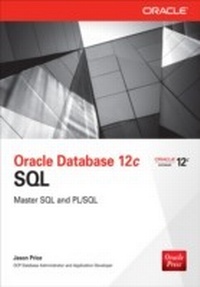
Oracle Database 12c SQL
1st Edition
Published on 17. August 2013
713 pages
978-0-07-179936-2 (ISBN)
Available for download
Description

From Oracle Press--in-depth coverage of the very latest SQL features and tools optimized for Oracle Database 12cOracle Database 12c SQL explains how to write powerful SQL statements and PL/SQL programs using Oracle Database 12c. This Oracle Press guide shows you how to retrieve and modify database information, use SQL Plus and SQL Developer, work with database objects, write PL/SQL programs, and much more. In-depth coverage of the latest SQL features and tools, performance optimization techniques, advanced queries, Java support, and XML is included.Carefully revised to cover SQL Plus, SQL Developer, and moreReveals best practices for writing PL/SQL scriptsCode and examples available onlineTeaches the most efficient and effective ways to write Java programs to access an Oracle database using JDBC
More details
Other editions
Additional editions
Content
- Cover
- Title Page
- Copyright Page
- About the Author
- Contents at a Glance
- Contents
- Introduction
- Chapter 1: Introduction
- What Is a Relational Database?
- Introducing Structured Query Language (SQL)
- Using SQL*Plus
- Starting SQL*Plus
- Starting SQL*Plus from the Command Line
- Performing a SELECT Statement Using SQL*Plus
- Using SQL Developer
- Creating the Store Schema
- Examining the Script
- Running the Script
- Examining the Store Data Definition Language Statements
- Adding, Modifying, and Removing Rows
- Adding a Row to a Table
- Modifying an Existing Row in a Table
- Removing a Row from a Table
- Connecting to and Disconnecting from a Database
- Quitting SQL*Plus
- Introducing Oracle PL/SQL
- Summary
- Chapter 2: Retrieving Information from Database Tables
- Performing Single Table SELECT Statements
- Retrieving All Columns from a Table
- Limiting Rows to Retrieve Using the WHERE Clause
- Row Identifiers
- Row Numbers
- Performing Arithmetic
- Performing Date Arithmetic
- Using Columns in Arithmetic
- Arithmetic Operator Precedence
- Using Column Aliases
- Combining Column Output Using Concatenation
- Null Values
- Displaying Distinct Rows
- Comparing Values
- Using the Not Equal Operator
- Using the Greater Than Operator
- Using the Less Than Or Equal To Operator
- Using the ANY Operator
- Using the ALL Operator
- Using the SQL Operators
- Using the LIKE Operator
- Using the IN Operator
- Using the BETWEEN Operator
- Using the Logical Operators
- Using the AND Operator
- Using the OR Operator
- Logical Operator Precedence
- Sorting Rows Using the ORDER BY Clause
- Performing SELECT Statements That Use Two Tables
- Using Table Aliases
- Cartesian Products
- Performing SELECT Statements That Use More than Two Tables
- Join Conditions and Join Types
- Non-equijoins
- Outer Joins
- Self Joins
- Performing Joins Using the SQL/92 Syntax
- Performing Inner Joins on Two Tables Using SQL/92
- Simplifying Joins with the USING Keyword
- Performing Inner Joins on More than Two Tables Using SQL/92
- Performing Inner Joins on Multiple Columns Using SQL/92
- Performing Outer Joins Using SQL/92
- Performing Self Joins Using SQL/92
- Performing Cross Joins Using SQL/92
- Summary
- Chapter 3: Using SQL*Plus
- Viewing the Structure of a Table
- Editing SQL Statements
- Saving, Retrieving, and Running Files
- Formatting Columns
- Setting the Page Size
- Setting the Line Size
- Clearing Column Formatting
- Using Variables
- Temporary Variables
- Defined Variables
- Creating Simple Reports
- Using Temporary Variables in a Script
- Using Defined Variables in a Script
- Passing a Value to a Variable in a Script
- Adding a Header and Footer
- Computing Subtotals
- Getting Help from SQL*Plus
- Automatically Generating SQL Statements
- Disconnecting from the Database and Exiting SQL*Plus
- Summary
- Chapter 4: Using Simple Functions
- Types of Functions
- Using Single-Row Functions
- Character Functions
- Numeric Functions
- Conversion Functions
- Regular Expression Functions
- Using Aggregate Functions
- AVG()
- COUNT()
- MAX() and MIN()
- STDDEV()
- SUM()
- VARIANCE()
- Grouping Rows
- Using the GROUP BY Clause to Group Rows
- Incorrect Usage of Aggregate Function Calls
- Using the HAVING Clause to Filter Groups of Rows
- Using the WHERE and GROUP BY Clauses Together
- Using the WHERE, GROUP BY, and HAVING Clauses Together
- Summary
- Chapter 5: Storing and Processing Dates and Times
- Simple Examples of Storing and Retrieving Dates
- Converting Datetimes Using TO_CHAR() and TO_DATE()
- Using TO_CHAR() to Convert a Datetime to a String
- Using TO_DATE() to Convert a String to a Datetime
- Setting the Default Date Format
- How Oracle Interprets Two-Digit Years
- Using the YY Format
- Using the RR Format
- Using Datetime Functions
- ADD_MONTHS()
- LAST_DAY()
- MONTHS_BETWEEN()
- NEXT_DAY()
- ROUND()
- SYSDATE
- TRUNC()
- Using Time Zones
- Time Zone Functions
- The Database Time Zone and Session Time Zone
- Obtaining Time Zone Offsets
- Obtaining Time Zone Names
- Converting a Datetime from One Time Zone to Another
- Using Timestamps
- Using the Timestamp Types
- Timestamp Functions
- Using Time Intervals
- Using the INTERVAL YEAR TO MONTH Type
- Using the INTERVAL DAY TO SECOND Type
- Time Interval Functions
- Summary
- Chapter 6: Subqueries
- Types of Subqueries
- Writing Single-Row Subqueries
- Subqueries in a WHERE Clause
- Using Other Single-Row Operators
- Subqueries in a HAVING Clause
- Subqueries in a FROM Clause (Inline Views)
- Errors You Might Encounter
- Writing Multiple-Row Subqueries
- Using IN with a Multiple-Row Subquery
- Using ANY with a Multiple-Row Subquery
- Using ALL with a Multiple-Row Subquery
- Writing Multiple-Column Subqueries
- Writing Correlated Subqueries
- A Correlated Subquery Example
- Using EXISTS and NOT EXISTS with a Correlated Subquery
- Writing Nested Subqueries
- Writing UPDATE and DELETE Statements Containing Subqueries
- Writing an UPDATE Statement Containing a Subquery
- Writing a DELETE Statement Containing a Subquery
- Using Subquery Factoring
- Summary
- Chapter 7: Advanced Queries
- Using the Set Operators
- The Example Tables
- Using the UNION ALL Operator
- Using the UNION Operator
- Using the INTERSECT Operator
- Using the MINUS Operator
- Combining Set Operators
- Using the TRANSLATE() Function
- Using the DECODE() Function
- Using the CASE Expression
- Using Simple CASE Expressions
- Using Searched CASE Expressions
- Hierarchical Queries
- The Example Data
- Using the CONNECT BY and START WITH Clauses
- Using the LEVEL Pseudo Column
- Formatting the Results from a Hierarchical Query
- Starting at a Node Other than the Root
- Using a Subquery in a START WITH Clause
- Traversing Upward Through the Tree
- Eliminating Nodes and Branches from a Hierarchical Query
- Including Other Conditions in a Hierarchical Query
- Using Recursive Subquery Factoring to Query Hierarchical Data
- Using the ROLLUP and CUBE Clauses
- The Example Tables
- Using the ROLLUP Clause
- Using the CUBE Clause
- Using the GROUPING() Function
- Using the GROUPING SETS Clause
- Using the GROUPING_ID() Function
- Using a Column Multiple Times in a GROUP BY Clause
- Using the GROUP_ID() Function
- Using CROSS APPLY and OUTER APPLY
- CROSS APPLY
- OUTER APPLY
- Using LATERAL
- Summary
- Chapter 8: Analyzing Data
- Using Analytic Functions
- The Example Table
- Using the Ranking Functions
- Using the Inverse Percentile Functions
- Using the Window Functions
- Using the Reporting Functions
- Using the LAG() and LEAD() Functions
- Using the FIRST and LAST Functions
- Using the Linear Regression Functions
- Using the Hypothetical Rank and Distribution Functions
- Using the MODEL Clause
- An Example of the MODEL Clause
- Using Positional and Symbolic Notation to Access Cells
- Accessing a Range of Cells Using BETWEEN and AND
- Accessing All Cells Using ANY and IS ANY
- Getting the Current Value of a Dimension Using CURRENTV()
- Accessing Cells Using a FOR Loop
- Handling Null and Missing Values
- Updating Existing Cells
- Using the PIVOT and UNPIVOT Clauses
- A Simple Example of the PIVOT Clause
- Pivoting on Multiple Columns
- Using Multiple Aggregate Functions in a Pivot
- Using the UNPIVOT Clause
- Performing Top-N Queries
- Using the FETCH FIRST Clause
- Using the OFFSET Clause
- Using the PERCENT Clause
- Using the WITH TIES Clause
- Finding Patterns in Data
- Finding V-Shaped Data Patterns in the all_sales2 Table
- Finding W-Shaped Data Patterns in the all_sales3 Table
- Finding V-Shaped Data Patterns in the all_sales3 Table
- Summary
- Chapter 9: Changing Table Contents
- Adding Rows Using the INSERT Statement
- Omitting the Column List
- Specifying a Null Value for a Column
- Including Quote Marks in a Column Value
- Copying Rows from One Table to Another
- Modifying Rows Using the UPDATE Statement
- Returning an Aggregate Function Value Using the RETURNING Clause
- Removing Rows Using the DELETE Statement
- Database Integrity
- Enforcement of Primary Key Constraints
- Enforcement of Foreign Key Constraints
- Using Default Values
- Merging Rows Using MERGE
- Database Transactions
- Committing and Rolling Back a Transaction
- Starting and Ending a Transaction
- Savepoints
- ACID Transaction Properties
- Concurrent Transactions
- Transaction Locking
- Transaction Isolation Levels
- A SERIALIZABLE Transaction Example
- Query Flashbacks
- Granting the Privilege for Using Flashbacks
- Time Query Flashbacks
- System Change Number Query Flashbacks
- Summary
- Chapter 10: Users, Privileges, and Roles
- A Very Short Introduction to Database Storage
- Users
- Creating a User
- Changing a User's Password
- Deleting a User
- System Privileges
- Granting System Privileges to a User
- Checking System Privileges Granted to a User
- Making Use of System Privileges
- Revoking System Privileges from a User
- Object Privileges
- Granting Object Privileges to a User
- Checking Object Privileges Made
- Checking Object Privileges Received
- Making Use of Object Privileges
- Creating Synonyms
- Creating Public Synonyms
- Revoking Object Privileges
- Roles
- Creating Roles
- Granting Privileges to Roles
- Granting Roles to a User
- Checking Roles Granted to a User
- Checking System Privileges Granted to a Role
- Checking Object Privileges Granted to a Role
- Making Use of Privileges Granted to a Role
- Enabling and Disabling Roles
- Revoking a Role
- Revoking Privileges from a Role
- Dropping a Role
- Auditing
- Privileges Required to Perform Auditing
- Auditing Examples
- Audit Trail Views
- Summary
- Chapter 11: Creating Tables, Sequences, Indexes, and Views
- Tables
- Creating a Table
- Getting Information on Tables
- Getting Information on Columns in Tables
- Altering a Table
- Renaming a Table
- Adding a Comment to a Table
- Truncating a Table
- Dropping a Table
- Using the BINARY_FLOAT and BINARY_DOUBLE Types
- Using DEFAULT ON NULL Columns
- Using Visible and Invisible Columns in a Table
- Sequences
- Creating a Sequence
- Retrieving Information on Sequences
- Using a Sequence
- Populating a Primary Key Using a Sequence
- Specifying a Default Column Value Using a Sequence
- Using Identity Columns
- Modifying a Sequence
- Dropping a Sequence
- Indexes
- Creating a B-tree Index
- Creating a Function-Based Index
- Retrieving Information on Indexes
- Retrieving Information on the Indexes on a Column
- Modifying an Index
- Dropping an Index
- Creating a Bitmap Index
- Views
- Creating and Using a View
- Modifying a View
- Dropping a View
- Using Visible and Invisible Columns in a View
- Flashback Data Archives
- Summary
- Chapter 12: Introducing PL/SQL Programming
- Block Structure
- Variables and Types
- Conditional Logic
- Loops
- Simple Loops
- WHILE Loops
- FOR Loops
- Cursors
- Step 1: Declare the Variables to Store the Column Values
- Step 2: Declare the Cursor
- Step 3: Open the Cursor
- Step 4: Fetch the Rows from the Cursor
- Step 5: Close the Cursor
- Complete Example: product_cursor.sql
- Cursors and FOR Loops
- OPEN-FOR Statement
- Unconstrained Cursors
- Exceptions
- ZERO_DIVIDE Exception
- DUP_VAL_ON_INDEX Exception
- INVALID_NUMBER Exception
- OTHERS Exception
- Procedures
- Creating a Procedure
- Calling a Procedure
- Getting Information on Procedures
- Dropping a Procedure
- Viewing Errors in a Procedure
- Functions
- Creating a Function
- Calling a Function
- Getting Information on Functions
- Dropping a Function
- Packages
- Creating a Package Specification
- Creating a Package Body
- Calling Functions and Procedures in a Package
- Getting Information on Functions and Procedures in a Package
- Dropping a Package
- Triggers
- When a Trigger Fires
- Setting up the Example Trigger
- Creating a Trigger
- Firing a Trigger
- Getting Information on Triggers
- Disabling and Enabling a Trigger
- Dropping a Trigger
- Additional PL/SQL Features
- SIMPLE_INTEGER Type
- Sequences in PL/SQL
- PL/SQL Native Machine Code Generation
- WITH Clause
- Summary
- Chapter 13: Database Objects
- Introducing Objects
- Running the Script to Create the Object Schema
- Creating Object Types
- Using DESCRIBE to Get Information on Object Types
- Using Object Types in Database Tables
- Column Objects
- Object Tables
- Object Identifiers and Object References
- Comparing Object Values
- Using Objects in PL/SQL
- The get_products() Function
- The display_product() Procedure
- The insert_product() Procedure
- The update_product_price() Procedure
- The get_product() Function
- The update_product() Procedure
- The get_product_ref() Function
- The delete_product() Procedure
- The product_lifecycle() Procedure
- The product_lifecycle2() Procedure
- Type Inheritance
- Running the Script to Create the Second Object Schema
- Inheriting Attributes
- Using a Subtype Object in Place of a Supertype Object
- SQL Examples
- PL/SQL Examples
- NOT SUBSTITUTABLE Objects
- Other Useful Object Functions
- IS OF()
- TREAT()
- SYS_TYPEID()
- NOT INSTANTIABLE Object Types
- User-Defined Constructors
- Overriding Methods
- Generalized Invocation
- Running the Script to Create the Third Object Schema
- Inheriting Attributes
- Summary
- Chapter 14: Collections
- Introducing Collections
- Running the Script to Create the Collection Schema
- Creating Collection Types
- Creating a Varray Type
- Creating a Nested Table Type
- Using a Collection Type to Define a Column in a Table
- Using a Varray Type to Define a Column in a Table
- Using a Nested Table Type to Define a Column in a Table
- Getting Information on Collections
- Getting Information on a Varray
- Getting Information on a Nested Table
- Populating a Collection with Elements
- Populating a Varray with Elements
- Populating a Nested Table with Elements
- Retrieving Elements from Collections
- Retrieving Elements from a Varray
- Retrieving Elements from a Nested Table
- Using TABLE() to Treat a Collection as a Series of Rows
- Using TABLE() with a Varray
- Using TABLE() with a Nested Table
- Modifying Elements of Collections
- Modifying Elements of a Varray
- Modifying Elements of a Nested Table
- Using a Map Method to Compare the Contents of Nested Tables
- Using CAST() to Convert Collections from One Type to Another
- Using CAST() to Convert a Varray to a Nested Table
- Using CAST() to Convert a Nested Table to a Varray
- Using Collections in PL/SQL
- Manipulating a Varray
- Manipulating a Nested Table
- Using PL/SQL Collection Methods
- Creating and Using Multilevel Collections
- Running the Script to Create the Second Collection Schema
- Using Multilevel Collections
- Oracle Database 10g Enhancements to Collections
- Running the Script to Create the Third Collection Schema
- Creating Associative Arrays
- Changing the Size of an Element Type
- Increasing the Number of Elements in a Varray
- Using Varrays in Temporary Tables
- Using a Different Tablespace for a Nested Table's Storage Table
- ANSI Support for Nested Tables
- Summary
- Chapter 15: Large Objects
- Introducing Large Objects (LOBs)
- The Example Files
- Large Object Types
- Creating Tables Containing Large Objects
- Using Large Objects in SQL
- Using CLOBs and BLOBs
- Using BFILEs
- Using Large Objects in PL/SQL
- APPEND()
- CLOSE()
- COMPARE()
- COPY()
- CREATETEMPORARY()
- ERASE()
- FILECLOSE()
- FILECLOSEALL()
- FILEEXISTS()
- FILEGETNAME()
- FILEISOPEN()
- FILEOPEN()
- FREETEMPORARY()
- GETCHUNKSIZE()
- GETLENGTH()
- GET_STORAGE_LIMIT()
- INSTR()
- ISOPEN()
- ISTEMPORARY()
- LOADFROMFILE()
- LOADBLOBFROMFILE()
- LOADCLOBFROMFILE()
- OPEN()
- READ()
- SUBSTR()
- TRIM()
- WRITE()
- WRITEAPPEND()
- Example PL/SQL Procedures
- LONG and LONG RAW Types
- The Example Tables
- Adding Data to LONG and LONG RAW Columns
- Converting LONG and LONG RAW Columns to LOBs
- Oracle Database 10g Enhancements to Large Objects
- Implicit Conversion Between CLOB and NCLOB Objects
- Use of the :new Attribute When Using LOBs in a Trigger
- Oracle Database 11g Enhancements to Large Objects
- Encrypting LOB Data
- Compressing LOB Data
- Removing Duplicate LOB Data
- Oracle Database 12c Enhancement to Large Objects
- Summary
- Chapter 16: SQL Tuning
- Introducing SQL Tuning
- Use a WHERE Clause to Filter Rows
- Use Table Joins Rather than Multiple Queries
- Use Fully Qualified Column References When Performing Joins
- Use CASE Expressions Rather than Multiple Queries
- Add Indexes to Tables
- When to Create a B-Tree Index
- When to Create a Bitmap Index
- Use WHERE Rather than HAVING
- Use UNION ALL Rather than UNION
- Use EXISTS Rather than IN
- Use EXISTS Rather than DISTINCT
- Use GROUPING SETS Rather than CUBE
- Use Bind Variables
- Non-Identical SQL Statements
- Identical SQL Statements That Use Bind Variables
- Listing and Printing Bind Variables
- Using a Bind Variable to Store a Value Returned by a PL/SQL Function
- Using a Bind Variable to Store Rows from a REFCURSOR
- Comparing the Cost of Performing Queries
- Examining Execution Plans
- Comparing Execution Plans
- Passing Hints to the Optimizer
- Additional Tuning Tools
- Oracle Enterprise Manager
- Automatic Database Diagnostic Monitor
- SQL Tuning Advisor
- SQL Access Advisor
- SQL Performance Analyzer
- Database Replay
- Real-Time SQL Monitoring
- SQL Plan Management
- Summary
- Chapter 17: XML and the Oracle Database
- Introducing XML
- Generating XML from Relational Data
- XMLELEMENT()
- XMLATTRIBUTES()
- XMLFOREST()
- XMLAGG()
- XMLCOLATTVAL()
- XMLCONCAT()
- XMLPARSE()
- XMLPI()
- XMLCOMMENT()
- XMLSEQUENCE()
- XMLSERIALIZE()
- A PL/SQL Example That Writes XML Data to a File
- XMLQUERY()
- Saving XML in the Database
- The Example XML File
- Creating the Example XML Schema
- Retrieving Information from the Example XML Schema
- Updating Information in the Example XML Schema
- Summary
- Appendix: Oracle Data Types
- Oracle SQL Types
- Oracle PL/SQL Types
- Index

