

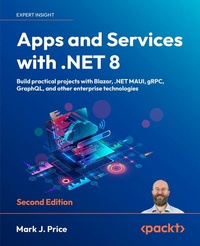
Apps and Services with .NET 8
Build practical projects with Blazor, .NET MAUI, gRPC, GraphQL, and other enterprise technologies
2nd Edition
Published on 12. December 2023
798 pages
978-1-83763-407-1 (ISBN)
Description

Bestselling author Mark Price is back to guide you through the latest and most common technologies a.NET developer should know: Blazor Full Stack, ASP.NET Core MVC, ASP.NET Core Minimal APIs,.NET MAUI, gRPC, GraphQL, SQL Server, Cosmos DB, SignalR, Azure Functions, and more! Free with your book: DRM-free PDF version + access to Packt's next-gen Reader*Key Features - Use specialized libraries to improve all aspects of your apps, including performance, security, and localization
- Harness the full potential of.NET using cloud-native data stores like Cosmos DB, and unlock scalability, performance, and resilience in your service implementations
- Unleash the capabilities of Blazor Full Stack and.NET MAUI to develop stunning, truly cross-platform apps for web and mobile
Book DescriptionElevate your practical C# and.NET skills to the next level with this new edition of Apps and Services with.NET 8. With chapters that put a variety of technologies into practice, including Web API, gRPC, GraphQL, and SignalR, this book will give you a broader scope of knowledge than other books that often focus on only a handful of.NET technologies. You'll dive into the new unified model for Blazor Full Stack and leverage.NET MAUI to develop mobile and desktop apps. This new edition introduces the latest enhancements, including the seamless implementation of web services with ADO.NET SqlClient's native Ahead-of-Time (AOT) support. Popular library coverage now includes Humanizer and Noda Time. There's also a brand-new chapter that delves into service architecture, caching, queuing, and robust background services. By the end of this book, you'll have a wide range of best practices and deep insights under your belt to help you build rich apps and efficient services. *Email sign-up and proof of purchase requiredWhat you will learn - Familiarize yourself with a variety of technologies to implement services, such as gRPC and GraphQL
- Store and manage data locally and cloud-natively with SQL Server and Cosmos DB
- Use ADO.NET SqlClient to implement web services with native AOT publish support
- Leverage Dapper for improved performance over EF Core
- Implement popular third-party libraries such as Serilog, FluentValidation, Humanizer, and Noda Time
- Explore the new unified hosting model of Blazor Full Stack
Who this book is forThis book is for.NET developers interested in exploring more specialized libraries and implementation fundamentals behind building services and apps. You'll need to know your way around.NET and C# quite well before you can dive in, so if you want to work your way up to this book, you can pick up Mark's other.NET book, C# 12 and.NET 8 - Modern Cross-Platform Development Fundamentals, first.
- Harness the full potential of.NET using cloud-native data stores like Cosmos DB, and unlock scalability, performance, and resilience in your service implementations
- Unleash the capabilities of Blazor Full Stack and.NET MAUI to develop stunning, truly cross-platform apps for web and mobile
Book DescriptionElevate your practical C# and.NET skills to the next level with this new edition of Apps and Services with.NET 8. With chapters that put a variety of technologies into practice, including Web API, gRPC, GraphQL, and SignalR, this book will give you a broader scope of knowledge than other books that often focus on only a handful of.NET technologies. You'll dive into the new unified model for Blazor Full Stack and leverage.NET MAUI to develop mobile and desktop apps. This new edition introduces the latest enhancements, including the seamless implementation of web services with ADO.NET SqlClient's native Ahead-of-Time (AOT) support. Popular library coverage now includes Humanizer and Noda Time. There's also a brand-new chapter that delves into service architecture, caching, queuing, and robust background services. By the end of this book, you'll have a wide range of best practices and deep insights under your belt to help you build rich apps and efficient services. *Email sign-up and proof of purchase requiredWhat you will learn - Familiarize yourself with a variety of technologies to implement services, such as gRPC and GraphQL
- Store and manage data locally and cloud-natively with SQL Server and Cosmos DB
- Use ADO.NET SqlClient to implement web services with native AOT publish support
- Leverage Dapper for improved performance over EF Core
- Implement popular third-party libraries such as Serilog, FluentValidation, Humanizer, and Noda Time
- Explore the new unified hosting model of Blazor Full Stack
Who this book is forThis book is for.NET developers interested in exploring more specialized libraries and implementation fundamentals behind building services and apps. You'll need to know your way around.NET and C# quite well before you can dive in, so if you want to work your way up to this book, you can pick up Mark's other.NET book, C# 12 and.NET 8 - Modern Cross-Platform Development Fundamentals, first.
All prices
More details
Other editions
Additional editions
Mark J. Price
Apps and Services with .NET 8
Build practical projects with Blazor, .NET MAUI, gRPC, GraphQL, and other enterprise technologies
Book
12/2023
2nd Edition
Packt Publishing
€61.00
Shipment within 3-4 weeks
Content
- Cover
- Copyright
- Contributors
- Table of Contents
- Preface
- Chapter 1: Introducing Apps and Services with .NET
- Introducing this book and its contents
- Companion books to continue your learning journey
- What you will learn in this book
- My learning philosophy
- Fixing my mistakes
- Finding the solution code on GitHub
- Project naming and port numbering conventions
- Treating warnings as errors
- App and service technologies
- Understanding .NET
- Building websites and apps using ASP.NET Core
- Building web and other services
- Windows Communication Foundation
- Common service principles
- Summary of choices for services
- Building Windows-only apps
- Understanding legacy Windows application platforms
- Understanding modern .NET support for legacy Windows platforms
- Building cross-platform mobile and desktop apps
- .NET MAUI alternatives
- Understanding the Uno platform
- Understanding Avalonia
- Setting up your development environment
- Choosing the appropriate tool and application type for learning
- Using Visual Studio 2022 for general development
- Using Visual Studio Code for cross-platform development
- Using GitHub Codespaces for development in the cloud
- What I used
- JetBrains Rider and its warnings about boxing
- Deploying cross-platform
- Downloading and installing Visual Studio 2022
- Visual Studio 2022 keyboard shortcuts
- Downloading and installing Visual Studio Code
- Installing other extensions
- Managing Visual Studio Code extensions at the command prompt
- Understanding Microsoft Visual Studio Code versions
- Visual Studio Code keyboard shortcuts
- Consuming Azure resources
- Using other project templates
- Installing additional template packs
- Exploring top-level programs, functions, and namespaces
- What is automatically generated for a local function?
- Writing static functions in a separate Program class file
- What is automatically generated for a static function?
- Making good use of the GitHub repository for this book
- Raising issues with the book
- Giving me feedback
- Downloading solution code from the GitHub repository
- Where to go for help
- Reading documentation on Microsoft Learn
- Getting help for the dotnet tool
- AI tools like ChatGPT and GitHub Copilot
- ChatGPT
- GitHub Copilot
- Subscribing to the official .NET blog and announcements
- Practicing and exploring
- Exercise 1.1 - Test your knowledge
- Exercise 1.2 - Review the online-only sections
- Exercise 1.3 - Explore topics
- Summary
- Chapter 2: Managing Relational Data Using SQL Server
- Understanding modern databases
- Using a sample relational database
- Connecting to a SQL Server database
- Installing and setting up SQL Server locally
- Installing SQL Server Developer Edition for Windows
- Visual Studio Code extension for working with SQL Server
- Creating the Northwind sample database locally
- Setting up Azure SQL Database
- JetBrains Rider tool window for working with SQL Server
- Creating the Northwind sample database in the cloud
- Managing data with Transact-SQL
- T-SQL data types
- Documenting with comments
- Declaring variables
- Specifying data types
- Controlling flow
- Operators
- Data Manipulation Language (DML)
- DML for adding, updating, and deleting data
- Data Definition Language (DDL)
- Managing data with low-level APIs
- Understanding the types in ADO.NET
- Generating objects with a data reader
- Outputting streams with a data reader
- Executing stored procedures using ADO.NET
- Working with ADO.NET asynchronously
- Outputting statistics
- Executing queries and working with data readers using ADO.NET
- Creating a console app for working with ADO.NET
- Managing data with Dapper
- Dapper connection extension methods
- Querying using Dapper
- Cleaning up data resources
- Removing Azure resources
- Practicing and exploring
- Exercise 2.1 - Test your knowledge
- Exercise 2.2 - Explore topics
- Exercise 2.3 - Alternatives for storing secrets
- Summary
- Chapter 3: Building Entity Models for SQL Server Using EF Core
- Managing data with EF Core
- Understanding Entity Framework Core
- Scaffolding models using an existing database
- Setting up the dotnet-ef tool
- Defining EF Core models
- Using EF Core conventions to define the model
- Using EF Core annotation attributes to define the model
- Using the EF Core Fluent API to define the model
- Understanding data seeding with the Fluent API
- Defining the Northwind database model
- Querying the Northwind model
- Controlling the tracking of entities
- A scenario using default tracking
- The same scenario using no tracking
- The same scenario using no tracking with identity resolution
- Summary of tracking
- Mapping inheritance hierarchies with EF Core
- Table-per-hierarchy (TPH) mapping strategy
- Table-per-type (TPT) mapping strategy
- Table-per-concrete-type (TPC) mapping strategy
- Configuring inheritance hierarchy mapping strategies
- Example of hierarchy mapping strategies
- Building a reusable entity data model
- Creating a class library for entity models using SQL Server
- Creating a class library for the data context using SQL Server
- Calculated properties on entity creation
- Creating a test project to check the integration of the class libraries
- Writing unit tests for entity models
- Running unit tests using Visual Studio 2022
- Running unit tests using Visual Studio Code
- Practicing and exploring
- Exercise 3.1 - Test your knowledge
- Exercise 3.2 - Practice benchmarking ADO.NET against EF Core
- Exercise 3.3 - Review performance choices
- Exercise 3.4 - Explore topics
- Summary
- Chapter 4: Managing NoSQL Data Using Azure Cosmos DB
- Understanding NoSQL databases
- Cosmos DB and its APIs
- Document modeling
- Consistency levels
- Hierarchy of components
- Throughput provisioning
- Partition strategies
- Data storage design
- Migrating data to Cosmos DB
- Creating Cosmos DB resources
- Using an emulator on Windows to create Azure Cosmos DB resources
- Using the Azure portal to create Azure Cosmos DB resources
- Using a .NET app to create Azure Cosmos DB resources
- Manipulating data with the Core (SQL) API
- Performing CRUD operations with the Cosmos SQL API
- Understanding SQL queries
- Exploring other SQL queries with Cosmos DB
- Exploring server-side programming
- Implementing user-defined functions
- Implementing stored procedures
- Cleaning up Azure resources
- Practicing and exploring
- Exercise 4.1 - Test your knowledge
- Exercise 4.2 - Practice data modeling and partitioning
- Exercise 4.3 - Explore topics
- Exercise 4.4 - Download cheat sheets
- Exercise 4.5 - Explore the Gremlin API for Cosmos DB
- Exercise 4.6 - Explore NoSQL databases
- Summary
- Chapter 5: Multitasking and Concurrency
- Understanding processes, threads, and tasks
- Running tasks asynchronously
- Running multiple actions synchronously
- Running multiple actions asynchronously using tasks
- Starting tasks
- Waiting for tasks
- Using wait methods with tasks
- Continuing with another task
- Nested and child tasks
- Wrapping tasks around other objects
- Synchronizing access to shared resources
- Accessing a resource from multiple threads
- Applying a mutually exclusive lock to a conch
- Understanding the lock statement
- Avoiding deadlocks
- Synchronizing events
- Making CPU operations atomic
- Applying other types of synchronization
- Understanding async and await
- Improving responsiveness for console apps
- Working with async streams
- Improving responsiveness for GUI apps
- Improving scalability for web applications and web services
- Common types that support multitasking
- Using await in catch blocks
- Practicing and exploring
- Exercise 5.1 - Test your knowledge
- Exercise 5.2 - Explore topics
- Exercise 5.3 - Read more about parallel programming
- Summary
- Chapter 6: Using Popular Third-Party Libraries
- Which third-party libraries are most popular?
- What is covered in my books
- Working with images
- Generating grayscale thumbnails
- ImageSharp packages for drawing and the web
- Working with text and numbers using Humanizer
- Working with text
- Humanizer case transformations
- Humanizer spacing conversions
- Humanizer's Singularize and Pluralize methods
- Exploring text manipulations with a console app
- Working with numbers
- Working with dates and times
- Logging with Serilog
- Structured event data
- Serilog sinks
- Logging to the console and a rolling file with Serilog
- Mapping between objects
- Defining models for an AutoMapper configuration
- Defining mappers for an AutoMapper configuration
- Performing tests for an AutoMapper configuration
- Performing live mappings between models
- Making fluent assertions in unit testing
- Making assertions about strings
- Making assertions about collections and arrays
- Making assertions about dates and times
- Validating data
- Understanding the built-in validators
- Performing custom validation
- Customizing validation messages
- Defining a model and validator
- Testing the validator
- Validating data with ASP.NET Core
- Generating PDFs
- Using QuestPDF on Apple silicon Macs
- Creating class libraries to generate PDF documents
- Creating a console app to generate PDF documents
- Practicing and exploring
- Exercise 6.1 - Test your knowledge
- Exercise 6.2 - Explore topics
- Summary
- Chapter 7: Handling Dates, Times, and Internationalization
- Working with dates and times
- Specifying date and time values
- Formatting date and time values
- Date and time calculations
- Microseconds and nanoseconds
- Globalization with dates and times
- Complexities of Daylight Saving Time (DST)
- Localizing the DayOfWeek enum
- Working with only a date or a time
- Getting date/time formatting information
- Unit testing with a time provider
- Working with time zones
- Understanding DateTime and TimeZoneInfo
- Exploring DateTime and TimeZoneInfo
- Working with cultures
- Detecting and changing the current culture
- Temporarily using the invariant culture
- Localizing your user interface
- Defining and loading resources
- Testing globalization and localization
- Working with Noda Time
- Important concepts and defaults in Noda Time
- Converting between Noda Time date/time types
- Exploring Node Time in a console app
- Unit testing and JSON serialization with Noda Time
- Practicing and exploring
- Exercise 7.1 - Test your knowledge
- Exercise 7.2 - Explore topics
- Exercise 7.3 - Learn from expert Jon Skeet
- Summary
- Chapter 8: Building and Securing Web Services Using Minimal APIs
- Building web services using ASP.NET Core Minimal APIs
- Benefits of Minimal API-based web services
- Understanding Minimal API route mappings
- Understanding parameter mapping
- Understanding return values
- Documenting a Minimal API service
- Setting up an ASP.NET Core Web API project
- Testing web services using Swagger
- Testing web services with code editor tools
- Excluding paths from OpenAPI documentation
- Visual Studio 2022 scaffolding for Minimal APIs
- Relaxing the same origin security policy using CORS
- Configuring HTTP logging for the web service
- Creating a web page JavaScript client
- Creating a .NET client
- Understanding CORS
- Enabling CORS for specific endpoints
- Understanding other CORS policy options
- Preventing denial of service attacks using rate limiting
- Rate limiting using the AspNetCoreRateLimit package
- Creating a rate-limited console client
- Rate limiting using ASP.NET Core middleware
- Improving startup time and resources using native AOT
- Limitations of native AOT
- Reflection and native AOT
- Native AOT for ASP.NET Core
- Requirements for native AOT
- Enabling native AOT for a project
- Enabling JSON serialization with native AOT
- Building a native AOT project
- Publishing a native AOT project
- Understanding identity services
- JWT bearer authorization
- Authenticating service clients using JWT bearer authentication
- Practicing and exploring
- Exercise 8.1 - Test your knowledge
- Exercise 8.2 - Review Microsoft HTTP API design policy
- Exercise 8.3 - Explore topics
- Exercise 8.4 - Exposing data via the web using OData services
- Exercise 8.5 - Auth0 project templates
- Summary
- Chapter 9: Caching, Queuing, and Resilient Background Services
- Understanding service architecture
- What parts of a system are slowest?
- Numbers every (developer) should know
- Caching with ASP.NET Core
- General caching guidelines
- Building a controller-based Web API service
- Caching objects using in-memory caching
- Caching objects using distributed caching
- A new abstraction for distributed caching
- Caching web responses using HTTP caching
- Fault tolerance with Polly
- Understanding retry and circuit breaker patterns
- Defining and executing policies
- Defining wait intervals between retries
- Applying policies to HTTP clients
- Adding random faults to the web service
- Building an MVC project to call the faulty web service
- Implementing the Retry pattern for transient fault handling
- Queuing with RabbitMQ
- Setting up RabbitMQ using Docker
- Sending messages to a queue using an MVC website
- Consuming message from a queue using a console app
- Implementing long-running background services
- Building a worker service
- Processing queued message using a worker service
- Executing code on a timed schedule
- Building a website to host Hangfire
- Scheduling jobs using Hangfire
- Practicing and exploring
- Exercise 9.1 - Test your knowledge
- Exercise 9.2 - Explore topics
- Exercise 9.3 - Replace the Distributed Memory Cache with another distributed cache implementation
- Exercise 9.4 - Replace Hangfire with Quartz.NET
- Exercise 9.5 - Review the Reliable Web App pattern
- Summary
- Chapter 10: Building Serverless Nanoservices Using Azure Functions
- Understanding Azure Functions
- Azure Functions triggers and bindings
- NCRONTAB expressions
- Azure Functions versions and languages
- Azure Functions worker models
- Azure Functions hosting plans
- Azure Storage requirements
- Testing locally with Azurite
- Azure Functions authorization levels
- Azure Functions support for dependency injection
- Installing Azure Functions Core Tools
- Building an Azure Functions project
- Using Visual Studio 2022
- Using Visual Studio Code
- Using the func CLI
- Reviewing the Azure Functions project
- Implementing a simple function
- Testing a simple function
- Responding to timer and resource triggers
- Implementing a Timer triggered function
- Testing the Timer triggered function
- Implementing a function that works with queues and BLOBs
- Testing the function that works with queues and BLOBs
- Publishing an Azure Functions project to the cloud
- Using Visual Studio 2022 to publish
- Using Visual Studio Code to publish
- Cleaning up Azure Functions resources
- Practicing and exploring
- Exercise 10.1 - Test your knowledge
- Exercise 10.2 - Explore topics
- Summary
- Chapter 11: Broadcasting Real-Time Communication Using SignalR
- Understanding SignalR
- The history of real-time communication on the web
- AJAX
- WebSocket
- Introducing SignalR
- Azure SignalR Service
- Designing method signatures
- Building a live communication service using SignalR
- Defining some shared models
- Enabling a server-side SignalR hub
- Building a web client using the SignalR JavaScript library
- Adding a chat page to the MVC website
- Testing the chat feature
- Building a .NET console app client
- Creating a .NET client for SignalR
- Testing the .NET console app client
- Streaming data using SignalR
- Defining a hub for streaming
- Creating a .NET console app client for streaming
- Testing the streaming service and client
- Practicing and exploring
- Exercise 11.1 - Test your knowledge
- Exercise 11.2 - Explore topics
- Summary
- Chapter 12: Combining Data Sources Using GraphQL
- Understanding GraphQL
- GraphQL query document format
- Requesting fields
- Specifying filters and arguments
- Understanding other GraphQL capabilities
- Understanding the ChilliCream GraphQL platform
- Building a service that supports GraphQL
- Defining the GraphQL schema for Hello World
- Writing and executing GraphQL queries
- Naming GraphQL queries aka operations
- Understanding field conventions
- Defining GraphQL queries for EF Core models
- Adding support for EF Core
- Exploring GraphQL queries with Northwind
- Implementing paging support
- Implementing filtering support
- Implementing sorting support
- Building .NET clients for a GraphQL service
- Choosing GraphQL request formats
- Understanding the GraphQL response format
- Using REST Client as a GraphQL client
- Using an ASP.NET Core MVC project as a GraphQL client
- Testing the .NET client
- Creating a console app client using Strawberry Shake
- Implementing GraphQL mutations
- Adding mutations to the GraphQL service
- Exploring the add product mutation
- Implementing updates and deletes as mutations
- Implementing GraphQL subscriptions
- Adding a subscription and topic to the GraphQL service
- Exploring subscribing to a topic
- Practicing and exploring
- Exercise 12.1 - Test your knowledge
- Exercise 12.2 - Explore topics
- Exercise 12.3 - Practice building .NET clients
- Summary
- Chapter 13: Building Efficient Microservices Using gRPC
- Understanding gRPC
- How gRPC works
- Defining gRPC contracts with .proto files
- gRPC benefits
- gRPC limitations
- Types of gRPC methods
- Microsoft's gRPC packages
- Building a gRPC service and client
- Building a Hello World gRPC service
- Project file item configuration
- Building a Hello World gRPC client
- Testing a gRPC service and client
- Implementing gRPC for an EF Core model
- Implementing the gRPC service
- Implementing the gRPC client
- Taking gRPC further
- Improving a gRPC service with native AOT publish
- Getting request and response metadata
- Adding a deadline for higher reliability
- Handling dates, times, and decimal numbers
- Defining a custom decimal type and using date/time types
- Implementing the product and employee gRPC services
- Adding product and employee gRPC clients
- Testing decimal, date, and bytes handling
- Implementing interceptors and handling faults
- Adding a client-side interceptor
- Exception and transient fault handling
- Implementing gRPC JSON transcoding
- Enabling gRPC JSON transcoding
- Testing gRPC JSON transcoding
- Comparing with gRPC-Web
- Practicing and exploring
- Exercise 13.1 - Test your knowledge
- Exercise 13.2 - Compare gRPC services with HTTP APIs
- Exercise 13.3 - Explore topics
- Summary
- Chapter 14: Building Web User Interfaces Using ASP.NET Core
- Setting up an ASP.NET Core MVC website
- Creating an ASP.NET Core MVC website
- Exploring the default ASP.NET Core MVC website
- Understanding visitor registration
- Reviewing an MVC website project structure
- Referencing an EF Core class library and registering a data context
- Defining web user interfaces with Razor views
- Understanding Razor views
- Prototyping with Bootstrap
- Understanding Razor syntax and expressions
- Understanding HTML Helper methods
- Defining a strongly-typed Razor view
- Localizing and globalizing with ASP.NET Core
- Creating resource files
- If you are using Visual Studio 2022
- If you are using Visual Studio Code
- Localizing Razor views with an injected view localizer
- Understanding the Accept-Language header
- Defining web user interfaces with Tag Helpers
- Comparing HTML Helpers and Tag Helpers
- Exploring the Anchor Tag Helper
- Exploring the Cache Tag Helpers
- Exploring the Environment Tag Helper
- Understanding how cache busting with Tag Helpers works
- Exploring Forms-related Tag Helpers
- Output caching
- Output caching endpoints
- Output caching MVC views
- Practicing and exploring
- Exercise 14.1 - Test your knowledge
- Exercise 14.2 - Practice building user interfaces with Boostrap
- Exercise 14.3 - Explore topics
- Summary
- Chapter 15: Building Web Components Using Blazor
- Understanding Blazor
- Blazor hosting models
- Blazor components
- Blazor routing to page components
- How to pass route parameters
- Setting parameters from a query string
- Route constraints for parameters
- Base component classes
- Blazor layouts
- How to navigate Blazor routes to page components
- CSS and JavaScript isolation
- Building Blazor components
- Reviewing the new Blazor project template
- Using Bootstrap icons
- Referencing an EF Core class library and registering a data context
- Building a static server rendered component for data
- Building a component with server interactivity
- Building a Blazor progress bar component
- Building a Blazor dialog box component
- Building a Blazor alert component
- Building a Blazor data component
- Making the component
- Making the component a routable page component
- Getting entities into a component by building a web service
- Getting entities into a component by calling the web service
- Practicing and exploring
- Exercise 15.1 - Test your knowledge
- Exercise 15.2 - Practice building Blazor components
- Exercise 15.3 - Practice building an IndexedDB interop service
- Exercise 15.4 - Explore topics
- Exercise 15.5 - Explore Blazor WebAssembly topics
- Exercise 15.6 - Explore Progressive Web Apps with Blazor
- Exercise 15.7 - Leveraging Open Source Blazor Component Libraries
- Summary
- Chapter 16: Building Mobile and Desktop Apps Using .NET MAUI
- Understanding XAML
- Simplifying code using XAML
- .NET MAUI namespaces
- Type converters
- Choosing between .NET MAUI controls
- Markup extensions
- Understanding .NET MAUI
- .NET MAUI and Xamarin support
- Development tools for mobile first, cloud first
- Installing .NET MAUI workloads manually
- .NET MAUI user interface component categories
- Shell control
- ListView control
- Entry and Editor controls
- .NET MAUI handlers
- Writing platform-specific code
- Building mobile and desktop apps using .NET MAUI
- Creating a virtual Android device for local app testing
- Enabling Windows developer mode
- Creating a .NET MAUI project
- Adding shell navigation and more content pages
- Implementing more content pages
- Using shared resources
- Defining resources to share across an app
- Referencing shared resources
- Changing shared resources dynamically
- Using data binding
- Binding to elements
- Practicing and exploring
- Exercise 16.1 - Test your knowledge
- Exercise 16.2 - Explore topics
- Exercise 16.3 - Implementing Model-View-ViewModel for .NET MAUI
- Exercise 16.4 - Integrating .NET MAUI apps with Blazor and native platforms
- Summary
- Epilogue
- Cloud-native development using .NET Aspire
- Introducing the Survey Project Challenge
- Third edition coming in December 2025
- Next steps on your C# and .NET learning journey
- Companion books to continue your learning journey
- Other books to take your learning further
- Good luck!
- Index
