

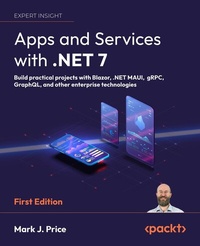
Apps and Services with .NET 7
Description

All prices
More details
Other editions
Additional editions
Person
Mark J. Price is a Microsoft Specialist: Programming in C# and Architecting Microsoft Azure Solutions, with over 20 years' experience. Since 1993, he has passed more than 80 Microsoft programming exams and specializes in preparing others to pass them. Between 2001 and 2003, Mark was employed to write official courseware for Microsoft in Redmond, USA. His team wrote the first training courses for C# while it was still an early alpha version. While with Microsoft, he taught "train-the-trainer" classes to get other MCTs up-to-speed on C# and .NET. Mark holds a Computer Science BSc. Hons. Degree.
Content
Introducing Apps and Services with .NET
Managing Relational Data Using SQL Server
Managing NoSQL Data Using Azure Cosmos DB
Benchmarking Performance, Multitasking, and Concurrency
Implementing Popular Third-Party Libraries
Observing and Modifying Code Execution Dynamically
Handling Dates, Times, and Internationalization
Protecting Your Data and Applications
Building and Securing Web Services with Minimal APIs
Exposing Data via the Web Using OData
Combining Data Sources Using GraphQL
Building Efficient Microservices Using gRPC
Broadcasting Real-Time Communication Using SignalR
Building Serverless Nanoservices Using Azure Functions
Building Web User Interfaces Using ASP.NET Core
Building Web Components Using Blazor WebAssembly
Leveraging Open-Source Blazor Component Libraries
Building Mobile and Desktop Apps Using .NET MAUI
Integrating .NET MAUI Apps with Blazor and Native Platforms
Introducing the Survey Project Challenge
Epilogue
Preface
There are programming books that are thousands of pages long that aim to be comprehensive references to the C# language, the .NET libraries, and app models like websites, services, and desktop and mobile apps.
This book is different. It is a step-by-step guide to learning various technologies for building apps and services with .NET. It is concise and aims to be a brisk, fun read packed with practical hands-on walkthroughs of each topic. The breadth of the overarching narrative comes at the cost of some depth, but you will find many signposts to explore further if you wish.
In my experience, the hardest part of learning a new technology is getting started. Once I have had the most important concepts explained and seen some practical code in action, I feel comfortable going deeper by exploring the official documentation on my own. You can feel confident experimenting on your own once you have seen how the basics work correctly.
This book is best for those who already know the fundamentals of C# and .NET and programmers who have worked with C# in the past but feel left behind by the changes in the past few years.
If you already have experience with older versions of the C# language and .NET libraries, then I cover what is new in C# 8 and .NET Core 3 and later in Chapter 1, Introducing Apps and Services with .NET.
I will call out the most important aspects of app models and frameworks for building modern user interfaces and implementing services, so you can participate in conversations with colleagues about technology and architectural choices and get productive with their implementation fast.
Where to find the code solutions
You can download or clone solutions for the step-by-step guided tasks and exercises from the GitHub repository at the following link: https://github.com/markjprice/apps-services-net7.
If you don't know how, then I provide instructions on how to do this at the end of Chapter 1, Introducing Apps and Services with .NET.
What this book covers
Chapter 1, Introducing Apps and Services with .NET, is about setting up your development environment and using Visual Studio 2022 and/or Visual Studio Code. I review the new features added to the language and libraries in modern C# and .NET.
You will also learn about some good places to look for help and ways to contact the author to get help with an issue or give me feedback to improve the book.
Chapter 2, Managing Relational Data Using SQL Server, is about setting up SQL Server on Windows, in a Docker container on macOS or Linux, or the Azure cloud using SQL Database. You will learn how to read and write at a low level using ADO.NET libraries (Microsoft.Data.SqlClient) and by using the higher-level object-to-data store mapping technology named Entity Framework Core (EF Core). You will set up an example database named Northwind and create class libraries to define an EF Core model to work with it. These class libraries are then used in many of the subsequent chapters.
Chapter 3, Managing NoSQL Data Using Azure Cosmos DB, is about the cloud-native non-SQL data store Azure Cosmos DB. You will learn how to read and write using its native API as well as the more specialized graph-based Gremlin API in an online section.
Chapter 4, Benchmarking Performance, Multitasking, and Concurrency, shows how to allow multiple actions to occur at the same time to improve performance, scalability, and user productivity by using threads and tasks. You will learn how to use types in the System.Diagnostics namespace and the Benchmark.NET library to monitor your code to measure performance and efficiency.
Chapter 5, Implementing Popular Third-Party Libraries, discusses the types that allow your code to perform common practical tasks, such as manipulating images with ImageSharp, logging with Serilog, mapping objects to other objects with AutoMapper, making unit test assertions with FluentAssertions, validating data with FluentValidation, and generating PDFs with QuestPDF.
Chapter 6, Observing and Modifying Code Execution Dynamically, covers working with types for reflection and attributes, expression trees, and dynamically generating source code during the compilation process.
Chapter 7, Handling Dates, Times, and Internationalization, covers the types that allow your code to perform common tasks like handling dates and times, time zones, and globalizing and localizing data and the user interface of an app for internationalization.
Chapter 8, Protecting Your Data and Applications, is about protecting your data from being viewed by malicious users using encryption and from being manipulated or corrupted using hashing and signing. You will also learn about authentication and authorization to protect applications from unauthorized users.
Chapter 9, Building and Securing Web Services Using Minimal APIs, introduces a simpler way to build web services using ASP.NET Core Minimal APIs that avoids the need for controller classes. You then learn how to protect and secure a web service using rate limiting, CORS, and authentication and authorization.
Chapter 10, Exposing Data via the Web Using OData, introduces building services that quickly expose data models using the Open Data protocol with multiple HTTP endpoints. You will see why one of the best ways to test a web service is using the REST Client extension for Visual Studio Code.
Chapter 11, Combining Data Sources Using GraphQL, introduces building services that provide a simple single endpoint for exposing data from multiple sources to appear as a single combined source of data. You will use the ChilliCream GraphQL platform to implement the service, including Hot Chocolate.
Chapter 12, Building Efficient Microservices Using gRPC, introduces building microservices using the efficient gRPC standard. You will learn about the .proto file format for defining services contracts and the Protobuf binary format for message serialization. You will also learn how to enable web browsers to call gRPC services using gRPC JSON transcoding.
Chapter 13, Broadcasting Real-Time Communication Using SignalR, introduces you to SignalR, a technology that enables a developer to create a service that can have multiple clients and broadcast messages to all of them or a subset of them live in real time. For example, notification systems and dashboards that need instantly up-to-date information like stock prices.
Chapter 14, Building Serverless Nanoservices Using Azure Functions, introduces you to Azure functions that can be configured to only require server-side resources while they execute. They execute when they are triggered by an activity like a message sent to a queue, a file uploaded to storage, or at a regularly scheduled interval.
Chapter 15, Building Web User Interfaces Using ASP.NET Core, is about building web user interfaces with ASP.NET Core MVC. You will learn Razor syntax, tag helpers, and Bootstrap for quick user interface prototyping.
Chapter 16, Building Web Components Using Blazor WebAssembly, is about how to build user interface components using Blazor WebAssembly on the client side for cross-platform uses.
Chapter 17, Leveraging Open-Source Blazor Component Libraries, introduces some popular open-source libraries of Blazor components.
Chapter 18, Building Mobile and Desktop Apps Using .NET MAUI, introduces you to building cross-platform mobile and desktop apps for Android, iOS, macOS, and Windows. You will learn the basics of XAML, which can be used to define the user interface for a graphical app.
Chapter 19, Integrating .NET MAUI Apps with Blazor and Native Platforms, covers building hybrid native and web apps that make the most of the operating system they run on. You will integrate native platform features like the system clipboard, filesystem, retrieving device and display information, and popup notifications. For desktop apps, you will add menus and manage windows.
Chapter 20, Introducing the Survey Project Challenge, documents the product requirements for a survey/polling software solution that the reader can optionally attempt to implement and publish to a public GitHub repository to get feedback from the author and other readers.
Epilogue describes your options for further study about building apps and services with C# and .NET, and the tools and skills you should learn to become a well-rounded professional .NET developer.
Appendix, Answers to the Test Your Knowledge Questions, has the answers to the test questions at the end of each chapter.
You can read the appendix at the following link: https://static.packt-cdn.com/downloads/9781801813433_Appendix.pdf.
What you need for this book
You can develop and deploy C# and .NET apps using Visual Studio 2022 for Windows or Mac, or Visual Studio Code and the command-line tools on most operating systems, including Windows, macOS, and many varieties of Linux. An operating system that supports Visual Studio Code and an internet connection are all you need to complete this book. If you prefer to use a third-party tool like JetBrains Rider,...
