

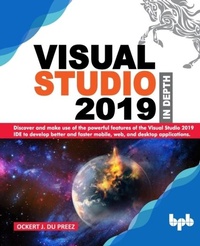
Visual Studio 2019 In Depth
Discover and make use of the powerful features of the Visual Studio 2019 IDE to develop better and faster mobile, web, and desktop applications (English Edition)
1st Edition
Published on 11. September 2019
346 pages
978-93-89328-33-2 (ISBN)
Description

No detailed description available for "Visual Studio 2019 In Depth".
More details
Other editions
Additional editions
Ockert J. Du Preez
Visual Studio 2019 In Depth
Discover and make use of the powerful features of the Visual Studio 2019 IDE to develop better and faster mobile, web, and desktop applications
Book
08/2019
BPB Publications
€53.41
Article exhausted; check different version
Content
- Intro
- SECTION I: Getting Started
- 1. Getting Started with Visual Studio 2019
- Structure
- Objective
- Why Visual Studio 2019?
- The Solution Explorer
- The Properties window
- The Data Sources window
- The Server Explorer window
- Toolbox
- New features of Visual Studio 2019
- Visual Studio 2019 Updates
- Requirements and prerequisites
- Supported Operating Systems
- Hardware
- Additional requirements
- Supported languages
- Visual Studio 2019 Editions
- Visual Studio 2019 Preview
- Visual Studio 2019 Preview 1
- Visual Studio 2019 Preview 2
- Visual Studio 2019 Preview 3
- Visual Studio 2019 Community
- Visual Studio 2019 Professional
- Visual Studio 2019 Enterprise
- Integrated Development Environment (IDE) Comparison
- Installation options
- Windows
- Web and cloud
- Mobile and gaming
- Other toolsets
- Choose what to install
- Launching Visual Studio 2019
- Conclusion
- 2. Digging into the Visual Studio 2019 IDE
- Structure
- The standard IDE Windows
- Menus
- Toolbars
- Design window
- Data Sources
- Toolbox
- Team Explorer
- Notifications
- Cloud Explorer
- Resource view
- JSON outline
- Project properties window
- Reference window
- Code window
- Debugging window
- Output window
- Quick watch
- Locals
- Tasks List
- Comparing desktop, mobile and web IDEs
- Windows Forms
- ASP.NET
- Xamarin.Forms (mobile)
- .NET Core IDE
- Visual Studio Code IDE
- Desktop IDE
- Mobile IDE
- Web IDE
- Visual Studio 2019 Extensions
- Finding and installing extensions
- Image optimizer
- Creating a very basic extension
- IDE Productivity Power Tools
- Conclusion
- 3. Visual Studio 2019 IntelliSense
- Structure
- IntelliSense
- Template IntelliSense Improvements in C++
- Peek window UI and live edits
- Nested template support
- Default argument watermarks
- Artificial Intelligence (AI)
- IntelliCode Extension for Visual Studio 2019
- Advantages of using IntelliCode
- Assisted IntelliSense
- Recommendations for your types based on your code (C#)
- Inferring code style and formatting conventions
- EditorConfig
- Add an EditorConfig file to a solution or project
- Find issues faster
- Focused code reviews
- Installing the IntelliCode extension
- Conclusion
- 4. Latest Features and Changes in C#8.0
- Structure
- Objective
- The C# language
- Variables and constants
- Data types
- Creating or declaring variables
- Naming conventions
- Arrays and collections
- Arrays
- Collections
- Queues
- Stack
- Hashtable
- Enums
- Selection statements
- The if statement
- Switch
- Iteration statements
- The for loop
- The foreach loop
- The do.while loop
- The while loop
- New features in C# 8.0
- Pattern matching
- Switch expressions
- Property patterns
- Tuple patterns
- Using declarations
- Static local functions
- Disposable ref structs
- Nullable reference types
- Nullable contexts
- Asynchronous streams
- Ranges and indices
- Conclusion
- 5. What's New in .Net Core 3.0
- Structure
- Objective
- .NET Core 3.0
- Installing .NET Core 3.0
- The .NET framework 4.8
- The .NET platform dependent intrinsics
- Platform dependent intrinsics guidelines
- Local .NET tools
- Build Windows applications with .NET Core 3.0
- XAML Islands
- NuGet packages
- Windows community toolkit
- Creating an app using XAML Islands
- Cryptographic key import/export
- MSIX deployment for desktop apps
- Prerequisites for MSIX
- Open-source WPF, Windows Forms, and WinUI
- Conclusion
- SECTION II: Tools
- 6. Built-in Tools
- Structure
- Visual Studio Live Share
- Profiling tools
- CPU usage
- Memory usage
- GPU usage
- Using the GPU profiler tool
- Application Timeline
- PerfTips
- IntelliTrace
- Network usage
- HTML UI responsiveness
- JavaScript memory
- Solution Explorer
- Solution filtering
- Showing and hiding unloaded projects
- Solution filter files
- Conclusion
- 7. Debugging Tools
- Structure
- Objective
- Code Cleanup
- Apply implicit/explicit type preferences
- Apply 'this.' qualification preferences
- Apply language/framework type preferences
- Add/remove braces for single-line control statements
- Add accessibility modifiers
- Sort accessibility modifiers
- Make private fields read-only when possible
- Remove unnecessary casts
- Apply expression/block body preferences
- Apply inline 'out' variables preferences
- Remove unused variables
- Apply object/collection initialization preferences
- Search bar on debugging windows
- Search and highlighting
- Search navigation
- Search Depth
- Debugging applications
- Breakpoints
- Navigating code during the debug mode
- Debug multiple processes
- Visual Studio 2019 remote debugging tools
- Download the remote debugging tools
- Install and run the remote configuration wizard
- Code generation tools
- Quick actions
- Code snippets
- Design time T4 templates
- Runtime T4 text templates
- Conclusion
- 8. Testing Tools
- Structure
- Objective
- Unit testing in Visual Studio 2019
- Creating unit test projects and test methods
- Create a unit test project and unit test stubs
- Writing a small test
- Test Explorer
- Coded UI tests
- Creating a Coded UI test
- Selenium
- Selenium IDE
- Selenium RC
- Installing the Selenium RC server
- Running the server
- Getting the client libraries to work
- Selenium WebDriver
- Installing WebDriver
- Selenium Grid
- Appium
- Apache JMeter
- Blazemeter
- Akamai CloudTest
- Conclusion
- SECTION III: Advanced Tools
- 9. ASP.NET Tools
- Structure
- Objective
- Web frameworks
- ASP.NET MVC framework
- DotNetNuke (DNN platform)
- Using DotNetNuke
- MonoRail
- Vue.js
- Getting started with Vue.js and Visual Studio 2019
- React.js
- .NET Core 3
- Blazor
- Getting started with Blazor and Visual Studio 2019
- Setting up Blazor
- ASP.NET Core Identity Provider for Amazon
- Cognito
- User pools
- Identity pools
- Setting up and getting started with Amazon Cognito
- Web API
- Creating a new Web API application
- Visual Studio Kubernetes Tools
- Installing Kubernetes
- Conclusion
- 10. Mobile Tools
- Structure
- Objective
- JSON
- JSON structure
- JSON schemas
- Combining multiple subschemas
- Complex schemas
- Xamarin
- Installing Xamarin
- Xamarin.Forms
- Creating a Xamarin.Forms app
- DevExtreme
- Installing DeveExtreme
- Emulators and Simulators
- Differences between Simulators or Emulators to test apps
- Visual Studio 2019 Android Emulator
- Setting up a new device
- Conclusion
- 11. Azure Tools
- Structure
- Objective
- Internet of Things (IoTs)
- SAP on Azure
- Artificial intelligence (AI)
- Microsoft AI platform
- Azure AI
- Knowledge mining
- Machine learning
- API apps and agents
- Azure DevOps
- Practicing a DevOps model
- Azure Blockchain Service
- Conclusion
- SECTION IV: Extensions
- 12. IDE Extensions
- Structure
- Objective
- Visual Studio 2019 Extensions
- Preview label for Visual Studio Extensions
- Creating a very basic Extension
- Add a preview label to an Extension
- GitHub
- Creating a new repository
- Forking a repository
- GitHub for desktop
- Pull Requests for Visual Studio
- Using the Pull Requests for Visual Studio Extension
- Connect to an Azure Repo
- Microsoft Visual Studio Live Share
- Using Microsoft Visual Studio Live Share
- Arduino IDE for Visual Studio
- Installing Arduino IDE for Visual Studio
- Redgate SQL Change Automation Core
- Installing Redgate SQL Change Automation Core in Visual Studio 2019
- Conclusion
- 13. ASP.NET Extensions
- Structure
- Objective
- Markup language
- Markdown
- Markdown Editor
- Working with the Markdown Editor
- Web Compiler
- Less
- Less variables
- Less mixins
- Less nesting
- Scss (Sass)
- Stylus
- JSX (React)
- Using the Web Compiler extension
- Web Accessibility Checker
- Web accessibility
- Working with the Web Accessibility Checker Visual Studio extension
- ASP.NET core vs Code Extension Pack
- Open VS Code
- Conclusion
- 14. Mobile Extensions
- Structure
- Objective
- SQLite
- SQL features not implemented in SQLite
- Installing and using SQLite for Visual Studio 2019
- Coding the logic for the database operations
- NuGet Package Manager
- Creating and publishing a NuGet package using Visual Studio 2019
- Creating the Class Library to be used as a NuGet package
- Publishing the NuGet package
- JSON Viewer
- Installing and using JSON Viewer
- Conclusion
- 15. Azure DevOps Extensions
- Structure
- Objective
- Azure DevOps
- Practicing a DevOps model
- Azure Artifacts
- Getting started with Azure Artifacts
- AWS Tools for Microsoft Visual Studio Team Services
- Getting and installing AWS Tools for Microsoft Visual Studio Team Services
- Code Search
- Installing and using the Code Search extension
- Other noteworthy Azure DevOps extensions
- Test Case Explorer
- IIS Web App Deployment Using WinRM
- Conclusion
- Index
