

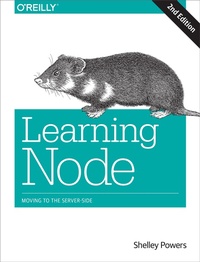
Learning Node
Moving to the Server-Side
Published on 24. May 2016
288 pages
978-1-4919-4309-0 (ISBN)
Description

Take your web development skills from browser to server with Node?and learn how to write fast, highly scalable network applications on this JavaScript-based platform. Updated for the latest Node Long Term Support (LTS) and Node Current (6.0) releases, this hands-on edition helps you master Node's core fundamentals and gain experience with several built-in and contributed modules.
Get up to speed on Node's event-driven, asynchronous I/O model for developing data-intensive applications that are frequently accessed but computationally simple. If you're comfortable working with JavaScript, this book provides many programming and deployment examples to help you take advantage of server-side development with Node.
- Explore the frameworks and functionality for full-stack Node development
- Dive into Node's module system and package management support
- Test your application or module code on the fly with Node's REPL console
- Use core Node modules to build web applications and an HTTP server
- Learn Node's support for networks, security, and sockets
- Access operating system functionality with child processes
- Learn tools and techniques for Node development and production
- Use Node in microcontrollers, microcomputers, and the Internet of Things
More details
Other editions
Additional editions
Book
07/2016
2nd Edition
O'Reilly
€37.50
Shipment within 10-20 days
Content
- Cover
- Copyright
- Table of Contents
- Preface
- Who This Book Is For
- Book Structure
- Conventions Used in This Book
- Using Code Examples
- Safari® Books Online
- How to Contact Us
- Acknowledgments
- Chapter 1. The Node Environment
- Installing Node
- Saying Hello to the World with Node
- A Basic Hello World Application
- Hello World, Tweaked
- Node Command-Line Options
- Node Hosting Environments
- Hosting Node on Your Server, VPS, or Managed Host
- Cloud Hosting
- The Node LTS and Upgrading Node
- Node's New Semantic Versioning
- Upgrading Node
- Node, V8, and ES6
- Advanced: Node C/C++ Add-ons
- Chapter 2. Node Building Blocks: Global Objects, Events, and Node's Asynchronous Nature
- The global and process Objects
- The global Object
- The process Object
- Buffers, Typed Arrays, and Strings
- Buffer, JSON, StringDecoder, and UTF-8 Strings
- Buffer Manipulation
- Node's Callback and Asynchronous Event Handling
- The Event Queue (Loop)
- Creating an Asynchronous Callback Function
- EventEmitter
- The Node Event Loop and Timers
- Nested Callbacks and Exception Handling
- Chapter 3. Basics of Node Modules and Node Package Manager (npm)
- An Overview of the Node Module System
- How Node Finds and Loads a Module
- Sandboxing and the VM Module
- An In-Depth Exploration of NPM
- Creating and Publishing Your Own Node Module
- Creating a Module
- Packaging an Entire Directory
- Preparing Your Module for Publication
- Publishing the Module
- Discovering Node Modules and Three Must-Have Modules
- Better Callback Management with Async
- Command-Line Magic with Commander
- The Ubiquitous Underscore
- Chapter 4. Interactive Node with REPL and More on the Console
- REPL: First Looks and Undefined Expressions
- Benefits of REPL: Getting a Closer Understanding of JavaScript Under the Hood
- Multiline and More Complex JavaScript
- REPL Commands
- REPL and rlwrap
- Custom REPL
- Stuff Happens-Save Often
- The Necessity of the Console
- Console Message Types, Console Class, and Blocking
- Formatting the Message, with Help from util.format() and util.inspect()
- Providing Richer Feedback with console and a Timer
- Chapter 5. Node and the Web
- The HTTP Module: Server and Client
- What's Involved in Creating a Static Web Server
- Using Apache to Proxy a Node Application
- Parsing the Query with Query String
- DNS Resolution
- Chapter 6. Node and the Local System
- Exploring the Operating System
- Streams and Pipes
- A Formal Introduction to the File System
- The fs.Stats Class
- The File System Watcher
- File Read and Write
- Directory Access and Maintenance
- File Streams
- Resource Access with Path
- Creating a Command-Line Utility
- Compression/Decompression with ZLib
- Pipes and ReadLine
- Chapter 7. Networking, Sockets, and Security
- Servers, Streams, and Sockets
- Sockets and Streams
- TCP Sockets and Servers
- UDP/Datagram Socket
- Guards at the Gate
- Setting Up TLS/SSL
- Working with HTTPS
- The Crypto Module
- Chapter 8. Child Processes
- child_process.spawn
- child_process.exec and child_process.execFile
- child_process.fork
- Running a Child Process Application in Windows
- Chapter 9. Node and ES6
- Strict Mode
- let and const
- Arrow Functions
- Classes
- Promises with Bluebird
- Chapter 10. Full-Stack Node Development
- The Express Application Framework
- MongoDB and Redis Database Systems
- MongoDB
- Redis Key/Value Store
- AngularJS and Other Full-Stack Frameworks
- Chapter 11. Node in Development and Production
- Debugging Node Applications
- The Node Debugger
- Node Inspector
- Unit Testing
- Unit Testing with Assert
- Unit Testing with Nodeunit
- Other Testing Frameworks
- Keeping Node Up and Running
- Benchmark and Load Testing with Apache Bench
- Chapter 12. Node in New Environments
- Samsung IoT and GPIO
- Windows with Chakra Node
- Node for Microcontrollers and Microcomputers
- Fritzing
- Node and Adruino
- Node and Raspberry Pi 2
- Index
- About the Author
- Colophon
