

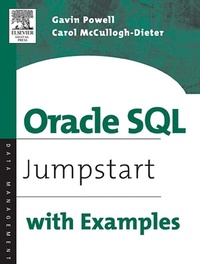
Oracle SQL
Jumpstart with Examples
Published on 15. October 2004
688 pages
978-0-08-047983-5 (ISBN)
Description

Developers and DBAs use Oracle SQL coding on a daily basis, whether for application development, finding problems, fine-tuning solutions to those problems, or other critical DBA tasks. Oracle SQL: Jumpstart with Examples is the fastest way to get started and to quickly locate answers to common (and uncommon) questions. It includes all the basic queries: filtering, sorting, operators, conditionals, pseudocolumns, single row functions, joins, grouping and summarizing, grouping functions, subqueries, composite queries, hierarchies, flashback queries, parallel queries, expressions and regular expressions, DML, datatypes (including collections), XML in Oracle, DDL for basic database objects such as tales, views and indexes, Oracle Partitioning, security, and finally PL/SQL.* Each of the hundreds of SQL code examples was tested on a working Oracle 10g database* Invaluable everyday tool that provides an absolute plethora of properly tested examples of Oracle SQL code* Authors have four decades of commercial experience between them as developers and database administrators
More details
Other editions
Additional editions
Book
10/2004
Digital Press
€82.50
Shipment within 3-4 weeks
Persons
Gavin Powell, BSc. Comp.Sci., OCP (Oracle8i Certified Professional) has fifteen years of computer industry experience. Diverse experience in database administration and database development in both relational and object databases. Applications development experience is procedural and object-oriented. He also has some systems administration experience. His extensive consulting experience includes software vendors, internet .COM's (some unfortunately have met with their demise), accounting, banking, financial services, the travel industry, construction, retail, mining, shipping, education and general advisory capacity. Gavin Powell has worked with many software products, tools and programming languages. These tools include items in the list shown below. He has authored two successful books Oracle ...High performance Tuning and the just released Oracle SQLCarol McCullough-Dieter is a veteran database designer and trainer. She has written many books on Oracle including Oracle9i Database Administrator: Implementation and Administration. As an independent consultant for federal and state government projects in Wisconsin and Hawaii, she designed and implemented complex, secure, integrated web-based database systems. She has designed in-house and online training guides for Oracle SQL coding and performance tuning.
Content
- Front Cover
- Oracle SQL Jumpstart with Examples
- Copyright Page
- Table of Contents
- Foreword
- Preface
- Acknowledgements
- Chapter 1. Introduction to Oracle SQL
- 1.1 A Little History
- 1.2 The Basics of Relational Data Modeling
- 1.3 Structured Query Language (SQL)
- 1.4 Software Useful for Reading this Book
- 1.5 Syntax Conventions Used in This Book
- 1.6 SQL Tools
- 1.7 The MUSIC Schema
- Chapter 2. New Features of Oracle SQL
- 2.1 New Features in Oracle Database 10g
- 2.2 New Features in Oracle Database 9i
- Chapter 3. Oracle Database Architecture
- 3.1 The Basic Concepts
- 3.2 The Oracle Instance
- 3.3 Oracle Database Physical Architecture
- 3.4 Database Startup and Shutdown
- 3.5 Enhancing the Physical Architecture
- Chapter 4. The SELECT Statement
- 4.1 The Basic SELECT Statement
- 4.2 Types of SELECT Queries
- 4.3 Other Aspects of the SELECT Statement
- Chapter 5. Filtering Rows
- 5.1 WHERE Clause Syntax
- 5.2 WHERE Clause Expression Conditions
- 5.3 Logical Operators in the WHERE Clause
- 5.4 Top-N Queries
- Chapter 6. Sorting Rows
- 6.1 ORDER BY Clause Syntax
- 6.2 Sorting and Null Values
- 6.3 Sorting Methods
- Chapter 7. Operators, Conditions, and Pseudocolumns
- 7.1 Precedence
- 7.2 Operators
- 7.3 Conditions
- 7.4 Pseudocolumns
- Chapter 8. Using SQL*Plus
- 8.1 Environmental Settings
- 8.2 Using Scripts and Variables
- 8.3 Formatting Query Output in SQL*Plus
- 8.4 Using iSQL*Plus
- Chapter 9. Single-Row Functions
- 9.1 Types of Functions
- 9.2 Single-Row Functions
- 9.3 Combining Functions
- Chapter 10. Joining Tables
- 10.1 Join Formats
- 10.2 Types of Joins
- 10.3 Examining Different Types of Joins
- Chapter 11. Grouping and Summarizing Data
- 11.1 GROUP BY Clause Syntax
- 11.2 Types of Group Functions
- 11.3 Special Grouping Function Behavior
- 11.4 Using the GROUP BY Clause
- 11.5 10g The SPREADSHEET (MODEL) Clause
- Chapter 12. Subqueries
- 12.1 Types of Subqueries
- 12.2 Where Can Subqueries Be Used?
- 12.3 Comparison Conditions and Subqueries
- 12.4 Demonstrating Subqueries
- Chapter 13. Unusual Query Types
- 13.1 Composite Queries
- 13.2 Hierarchical Queries
- 13.3 Flashback and Versions Queries
- 13.4 Parallel Queries
- Chapter 14. Expressions
- 14.1 Types of Expressions
- 14.2 10g Regular Expressions
- 14.3 10g Oracle Expression Filter
- Chapter 15. Data Manipulation Language (DML)
- 15.1 What Is DML?
- 15.2 Transaction Control
- 15.3 Adding Data (INSERT)
- 15.4 Changing Data (UPDATE)
- 15.5 Deleting Data (DELETE)
- 15.6 10g Merging New and Old Data (MERGE)
- Chapter 16. Datatypes and Collections
- 16.1 Simple Datatypes
- 16.2 Complex and Object Datatypes
- 16.3 Special Datatypes
- Chapter 17. XML in Oracle
- 17.1 What Is XML?
- 17.2 Using XML in Oracle
- 17.3 Metadata Views
- Chapter 18. Tables
- 18.1 What Is a Table?
- 18.2 CREATE TABLE Syntax
- 18.3 Creating Different Table Types
- 18.4 Changing Table Structure
- 18.5 Dropping a Table
- 18.6 Adding Comments to Tables
- 18.7 10g The Recycle Bin
- 18.8 Metadata Views
- Chapter 19. Views
- 19.1 What Is a View?
- 19.2 Types and Uses of Views
- 19.3 CREATE VIEW Syntax
- 19.4 Changing and Dropping Views
- 19.5 Working with Views
- 19.6 Metadata Views
- 19.7 Data Dictionary Views (Metadata)
- Chapter 20. Constraints
- 20.1 What Are Constraints?
- 20.2 Managing Constraints
- 20.3 Adding, Modifying, and Dropping Constraints
- 20.4 Metadata Views
- Chapter 21. Indexes and Clusters
- 21.1 Indexes
- 21.2 Clusters
- 21.3 Metadata Views
- Chapter 22. Sequences and Synonyms
- 22.1 Sequences
- 22.2 Synonyms
- 22.3 Metadata Views
- Chapter 23. Security
- 23.1 Users
- 23.2 Privileges
- 23.3 Grouping Privileges Using Roles
- 23.4 Metadata Views
- Chapter 24. Basic PL/SQL
- 24.1 What is PL/SQL?
- 24.2 Why Is PL/SQL a Programming Language?
- 24.3 Variables and Datatypes in PL/SQL
- 24.4 Retrieving Data in PL/SQL
- 24.5 Changing Data in PL/SQL
- 24.6 Dynamic SQL
- 24.7 Control Structures
- 24.8 Objects and Methods
- 24.9 Oracle-Provided Packages
- 24.10 Metadata Views
- Appendix A. Schema Scripting
- Appendix B. Utility Scripts
- Appendix C. Sources of Information
- Index
