

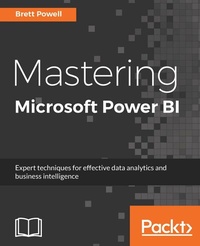
Mastering Microsoft Power BI
Expert techniques for effective data analytics and business intelligence
1st Edition
Published on 3. June 2024
638 pages
978-1-78829-228-3 (ISBN)
Description

Design, create and manage robust Power BI solutions to gain meaningful business insightsKey Features - Master all the dashboarding and reporting features of Microsoft Power BI
- Combine data from multiple sources, create stunning visualizations and publish your reports across multiple platforms
- A comprehensive guide with real-world use cases and examples demonstrating how you can get the best out of Microsoft Power BI
Book DescriptionThis book is intended for business intelligence professionals responsible for the design and development of Power BI content as well as managers, architects and administrators who oversee Power BI projects and deployments. The chapters flow from the planning of a Power BI project through the development and distribution of content to the administration of Power BI for an organization. BI developers will learn how to create sustainable and impactful Power BI datasets, reports, and dashboards. This includes connecting to data sources, shaping and enhancing source data, and developing an analytical data model. Additionally, top report and dashboard design practices are described using features such as Bookmarks and the Power KPI visual. BI managers will learn how Power BI's tools work together such as with the On-premises data gateway and how content can be staged and securely distributed via Apps. Additionally, both the Power BI Report Server and Power BI Premium are reviewed. By the end of this book, you will be confident in creating effective charts, tables, reports or dashboards for any kind of data using the tools and techniques in Microsoft Power BI.What you will learn - Build efficient data retrieval and transformation processes with the Power Query M Language
- Design scalable, user-friendly DirectQuery and Import Data Models
- Develop visually rich, immersive, and interactive reports and dashboards
- Maintain version control and stage deployments across development, test, and production environments
- Manage and monitor the Power BI Service and the On-premises data gateway
- Develop a fully on-premise solution with the Power BI Report Server
- Scale up a Power BI solution via Power BI Premium capacity and migration to Azure Analysis Services or SQL Server Analysis Services
Who this book is forBusiness Intelligence professionals and existing Power BI users looking to master Power BI for all their data visualization and dashboarding needs will find this book to be useful. While understanding of the basic BI concepts is required, some exposure to Microsoft Power BI will be helpful.
- Combine data from multiple sources, create stunning visualizations and publish your reports across multiple platforms
- A comprehensive guide with real-world use cases and examples demonstrating how you can get the best out of Microsoft Power BI
Book DescriptionThis book is intended for business intelligence professionals responsible for the design and development of Power BI content as well as managers, architects and administrators who oversee Power BI projects and deployments. The chapters flow from the planning of a Power BI project through the development and distribution of content to the administration of Power BI for an organization. BI developers will learn how to create sustainable and impactful Power BI datasets, reports, and dashboards. This includes connecting to data sources, shaping and enhancing source data, and developing an analytical data model. Additionally, top report and dashboard design practices are described using features such as Bookmarks and the Power KPI visual. BI managers will learn how Power BI's tools work together such as with the On-premises data gateway and how content can be staged and securely distributed via Apps. Additionally, both the Power BI Report Server and Power BI Premium are reviewed. By the end of this book, you will be confident in creating effective charts, tables, reports or dashboards for any kind of data using the tools and techniques in Microsoft Power BI.What you will learn - Build efficient data retrieval and transformation processes with the Power Query M Language
- Design scalable, user-friendly DirectQuery and Import Data Models
- Develop visually rich, immersive, and interactive reports and dashboards
- Maintain version control and stage deployments across development, test, and production environments
- Manage and monitor the Power BI Service and the On-premises data gateway
- Develop a fully on-premise solution with the Power BI Report Server
- Scale up a Power BI solution via Power BI Premium capacity and migration to Azure Analysis Services or SQL Server Analysis Services
Who this book is forBusiness Intelligence professionals and existing Power BI users looking to master Power BI for all their data visualization and dashboarding needs will find this book to be useful. While understanding of the basic BI concepts is required, some exposure to Microsoft Power BI will be helpful.
More details
Other editions
Additional editions
Brett Powell
Mastering Microsoft Power BI
Expert techniques for effective data analytics and business intelligence
Book
03/2018
Packt Publishing
€70.60
Shipment within 3-4 weeks
Person
Powell Brett :
Brett Powell is the owner of and business intelligence consultant at Frontline Analytics LLC, a data and analytics research and consulting firm and Microsoft Power BI partner. He has worked with Power BI technologies since they were first introduced as the PowerPivot add-in for Excel 2010 and has been a Power BI architect and lead BI consultant for organizations across the retail, manufacturing, and financial services industries. Additionally, Brett has led Boston's Power BI User Group, delivered presentations at technology events such as Power BI World Tour, and maintains the popular Insight Quest Microsoft BI blog.
Brett Powell is the owner of and business intelligence consultant at Frontline Analytics LLC, a data and analytics research and consulting firm and Microsoft Power BI partner. He has worked with Power BI technologies since they were first introduced as the PowerPivot add-in for Excel 2010 and has been a Power BI architect and lead BI consultant for organizations across the retail, manufacturing, and financial services industries. Additionally, Brett has led Boston's Power BI User Group, delivered presentations at technology events such as Power BI World Tour, and maintains the popular Insight Quest Microsoft BI blog.
Content
Table of Contents - Planning Power BI Projects
- Connecting to Sources and Transforming Data with M
- Designing Import and DirectQuery Data Models
- Developing DAX Measures and Security Roles
- Creating and Formatting Power BI Reports
- Integrating Custom Visuals, Animation and Analytics into Power BI Reports
- Designing Power BI Dashboards and Multi-Dashboard Architectures
- Managing Application Workspaces and Power BI Content
- Managing the On-Premises Data Gateway and Data Refresh Configurations
- Deploying Power BI On-Premises with the Power BI Report Server
- Creating Power BI Apps and Content Distribution
- Administering Power BI for an Organization
- Scaling Up with Power BI Premium and SQL Server Analysis Services
- Connecting to Sources and Transforming Data with M
- Designing Import and DirectQuery Data Models
- Developing DAX Measures and Security Roles
- Creating and Formatting Power BI Reports
- Integrating Custom Visuals, Animation and Analytics into Power BI Reports
- Designing Power BI Dashboards and Multi-Dashboard Architectures
- Managing Application Workspaces and Power BI Content
- Managing the On-Premises Data Gateway and Data Refresh Configurations
- Deploying Power BI On-Premises with the Power BI Report Server
- Creating Power BI Apps and Content Distribution
- Administering Power BI for an Organization
- Scaling Up with Power BI Premium and SQL Server Analysis Services
