

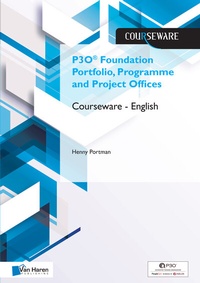
P3O® Foundation Portfolio, Programme and Project Offices Courseware - English
1st Edition
Published on 25. April 2019
98 pages
978-94-018-0456-1 (ISBN)
Description

Besides the Portfolio, Programme and Project Offices 2013 Edition (P3O®) Foundation Courseware - English (ISBN: 9789401804547) publication you are advised to obtain the corresponding publication Portfolio, Programme and Project Offices 2013 Edition (ISBN: 9780113314225).
P3O® Foundation certifications is suitable for individuals wanting to demonstrate they have sufficient knowledge and understanding of the P3O guidance to interact effectively with, or act as an informed member of, an office within a P3O model.
This certification is aimed at members of offices within a P3O model or anyone who needs to understand the terminology and concepts underpinning P3O and those wishing to pursue higher level certifications.
The Foundation certification is also a pre-requisite for the Practitioner certification.
Portfolio, Programme and Project Offices (P3O®) builds on the references in PRINCE2®, Managing Successful Programmes (MSP®), and Management of Risk (M_o_R®) and Management of Portfolios (MoP®) to support organizations or individuals wishing to set up or maintain an effective delivery support office.
This Courseware is suited for the English Portfolio, Programme and Project Offices 2013 Edition (P3O®) Foundation exam.
More details
Other editions
Additional editions

Van Haren Publishing
P3o(r) Foundation Portfolio, Programme and Project Offices Courseware
Book
04/2019
Van Haren Publishing BV
€126.28
No shipping information available
E-Book
04/2019
Van Haren Publishing
€72.99
Available for download
Content
- Intro
- Title
- Colofon
- Publisher about the Courseware
- Other publications by Van Haren Publishing
- Author about this Courseware
- Table of content
- Reflection
- Agenda
- Modules
- Module 1: Introduction P3O
- Module 2: Why have a 3PO
- Module 3: Designing a 3PO
- Module 4: P3O roles and responsibilities
- Module 5: How to implement or reenergize a P3O
- Module 6: How to operate a P3O
- Assignments
- Assignment 1: Describe the setup of your own PMO
- Assignment 2: Blueprint
- Assignment 3: Outline plan
- Assignment 4: Centre of Excellence
- Assignment 5: Tools
- Assignment 6: Techniques
- Assignment 7: Risks
- Assignment 8: Vision statement
- Answers and explanations assignments
- Exams
- Axelos Sample Exam
- Rationale
- Student answer sheet
- Examination answer sheet
- Syllabus
