

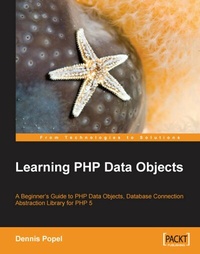
Learning PHP Data Objects
A Beginner's Guide to PHP Data Objects, Database Connection Abstraction Library for PHP 5
1st Edition
Published on 13. January 2025
188 pages
978-1-84719-267-7 (ISBN)
Description

A Beginner\'s Guide to PHP Data Objects, Database Connection Abstraction Library for PHP 5Key Features - An overview of PDO
- Creating a database and connecting to it
- Error Handling
- Advanced features
Book DescriptionPDO is lighter, faster, and more powerful than existing PHP data abstraction interfaces. PDO is a common interface to different databases that must be used with a database-specific PDO driver to access a particular database server: the PDO extension does not provide a database abstraction by itself; it doesn't rewrite SQL, emulate missing database features, or perform any database functions using by itself. It performs the same role as other classic database abstraction layers such as ODBC and JDBC: it's a query abstraction layer that abstracts the mechanism for accessing a database and manipulating the returned records; each database driver that implements the PDO interface can also expose database-specific features as regular extension functions. ¬ PDO ships with PHP 5.1, and is available as an extension for PHP 5.0; it requires the new object-oriented features of PHP 5, and cannot run with earlier versions of PHP.This book will teach you how to use the PDO, including its advanced features. Readers need to be aware of the basics of data abstraction and should be familiar with PHP.What you will learn - This book covers:
- An overview of the technology
- Getting started with PDO
- Error handling, prepared statements, and handling rowsets
- Advanced features, like getting column metadata and setting connection parameters with examples
- Chapter 1 gives an overview of PDO along with a few features like single interface for creating a connection, connection strings, uniform statement methods, and use of exceptions and a singe system of error codes.Chapter 2 helps to get you started with PDO, by creating sample database and then by creating a connection object. It also introduces PDOStatement classes.Chapter 3 deals with various error handling processes and their uses.Chapter 4 is about prepared statements. It deals with using prepared statements without binding values, binding a variable and a parameter to a prepared statement, and using LOBs as streams.Chapter 5 talks about handling rowsets. It covers different ways to retrieve multiple rows. Scrollable cursors, and MySQL unbuffered queries and closing the cursor along with multiple queries, and rowsets are also explained.Chapter 6 talks about advanced uses of PDO, and includes setting connection parameters, transactions, and methods of PDO and PDOStatement class.Chapter 7 gives an example where creation of the method part of MVC application is discussed. Appendix explains the object-oriented features like inheritance, encapsulation, polymorphism, and exception handling.
Who this book is forPHP developers who need to use PDO for data abstraction.alt="Learning PHP Data Objects" title="Learning PHP Data Objects
- Creating a database and connecting to it
- Error Handling
- Advanced features
Book DescriptionPDO is lighter, faster, and more powerful than existing PHP data abstraction interfaces. PDO is a common interface to different databases that must be used with a database-specific PDO driver to access a particular database server: the PDO extension does not provide a database abstraction by itself; it doesn't rewrite SQL, emulate missing database features, or perform any database functions using by itself. It performs the same role as other classic database abstraction layers such as ODBC and JDBC: it's a query abstraction layer that abstracts the mechanism for accessing a database and manipulating the returned records; each database driver that implements the PDO interface can also expose database-specific features as regular extension functions. ¬ PDO ships with PHP 5.1, and is available as an extension for PHP 5.0; it requires the new object-oriented features of PHP 5, and cannot run with earlier versions of PHP.This book will teach you how to use the PDO, including its advanced features. Readers need to be aware of the basics of data abstraction and should be familiar with PHP.What you will learn - This book covers:
- An overview of the technology
- Getting started with PDO
- Error handling, prepared statements, and handling rowsets
- Advanced features, like getting column metadata and setting connection parameters with examples
- Chapter 1 gives an overview of PDO along with a few features like single interface for creating a connection, connection strings, uniform statement methods, and use of exceptions and a singe system of error codes.Chapter 2 helps to get you started with PDO, by creating sample database and then by creating a connection object. It also introduces PDOStatement classes.Chapter 3 deals with various error handling processes and their uses.Chapter 4 is about prepared statements. It deals with using prepared statements without binding values, binding a variable and a parameter to a prepared statement, and using LOBs as streams.Chapter 5 talks about handling rowsets. It covers different ways to retrieve multiple rows. Scrollable cursors, and MySQL unbuffered queries and closing the cursor along with multiple queries, and rowsets are also explained.Chapter 6 talks about advanced uses of PDO, and includes setting connection parameters, transactions, and methods of PDO and PDOStatement class.Chapter 7 gives an example where creation of the method part of MVC application is discussed. Appendix explains the object-oriented features like inheritance, encapsulation, polymorphism, and exception handling.
Who this book is forPHP developers who need to use PDO for data abstraction.alt="Learning PHP Data Objects" title="Learning PHP Data Objects
All prices
More details
Other editions
Additional editions
Person
Popel Dennis :
Dennis Popel is an experienced PHP/PHP5 developer currently working for an Australian web development company, Motive Media (www.motivemedia.com.au). Serving Sun Microsystems Australia, Luna Park Sydney, Alsco Holdings and Pine Solutions, amongst others, Dennis leads company development of proprietary, web-based, software solutions. In his spare time, he runs the onPHP5.com blog and works on an online RSS aggregator NewzMix. Dennis Popel has been developing with PHP for more than 5 years and is experienced in such fields as object-oriented design and MVC. Previously he has worked at Rapid Intelligence, another Australian-based web company, publisher of such popular titles as NationMaster.com, FactBites.com and Qwika.com. In the past, Dennis was developing proprietary Java applications. This book is devoted to all the people that introduced and guided me in this wonderful world of information technology.
Dennis Popel is an experienced PHP/PHP5 developer currently working for an Australian web development company, Motive Media (www.motivemedia.com.au). Serving Sun Microsystems Australia, Luna Park Sydney, Alsco Holdings and Pine Solutions, amongst others, Dennis leads company development of proprietary, web-based, software solutions. In his spare time, he runs the onPHP5.com blog and works on an online RSS aggregator NewzMix. Dennis Popel has been developing with PHP for more than 5 years and is experienced in such fields as object-oriented design and MVC. Previously he has worked at Rapid Intelligence, another Australian-based web company, publisher of such popular titles as NationMaster.com, FactBites.com and Qwika.com. In the past, Dennis was developing proprietary Java applications. This book is devoted to all the people that introduced and guided me in this wonderful world of information technology.
Content
- Intro
- Learning PHP Data Objects
- Table of Contents
- Learning PHP Data Objects
- Credits
- About the Author
- About the Reviewers
- Preface
- What This Book Covers
- Who This Book is For
- Conventions
- Reader Feedback
- Customer Support
- Downloading the Example Code for the Book
- Errata
- Questions
- 1. Introduction
- Using PDO
- Connecting to the Database
- Connection Strings
- Issuing SQL Queries, Quoting Parameters, and Handling Result Sets
- Error Handling
- Prepared Statements
- Appropriate Understanding of PDO
- Summary
- 2. Using PHP Data Objects: First Steps
- Connection Strings
- Creating the Sample Database
- The Data Model
- Creating the MySQL Database
- Designing Our Code
- PDO Statements and Result Sets
- Retrieving Result Set Metadata
- Summary
- 3. Error Handling
- Sources of Errors
- Server Software Failure or Overload
- Improper Configuration of the Application
- Improper Validation of User Input
- Inserting a Record with a Duplicate Primary Key or Unique Index Value
- Syntax Errors in SQL Statements
- Types of Error Handling in PDO
- Defining an Error Handling Function
- Creating the Edit Book Page
- Creating the Edit Author Page
- Securing against Uncaught Exceptions
- Summary
- 4. Prepared Statements
- Prepared Statements
- Positional and Named Placeholders
- Prepared Statements and Bound Values
- Working with BLOBs
- Summary
- 5. Handling Rowsets
- Retrieving the Number of Rows in a Result Set
- Limiting the Number of Rows Returned
- Using Database-Specific SQL
- Processing the Top N Rows Only
- Starting at an Arbitrary Offset
- Summary
- 6. Advanced PDO Usage
- Setting and Getting Connection Attributes
- MySQL Buffered Queries
- Connecting Using the Connection Configuration File and php.ini Setting
- Getting the List of Available Drivers
- Transactions
- Summary
- 7. An Advanced Example
- Designing the Model
- Modifying the Frontend to Use the Model
- Advantages of Separating the Model
- Further Thoughts
- Finishing Up
- A. Introduction to OOP in PHP5
- What is Object-Oriented Programming?
- The Syntax for Declaring Objects
- Constructors
- Destructors
- The Advantages of OOP
- Inheritance
- Encapsulation
- Polymorphism
- Static Properties, Methods, and Class Constants
- Exceptions
- Summary
- Index

