


Information Design Unbound
Key Concepts and Skills for Making Sense in a Changing World
1st Edition
Published on 5. October 2023
272 pages
978-1-350-05414-1 (ISBN)
Description

As everyday tasks grow more confusing, and as social and global problems grow more complex, the information designer's role in bringing clarity has reached a new level of importance. In order to have a positive impact, they must go beyond conventional approaches to uncover real needs, make insightful connections, and develop effective solutions. Information Design Unbound provides a clear, engaging introduction to the field, and prepares students to be strategic thinkers and visual problem solvers who can confidently make sense in a changing world.
Sheila Pontis and Michael Babwahsingh present a holistic view of information design, synthesizing decades of research, cross-disciplinary knowledge, and emerging practices. The book opens by laying a foundation in the field, first painting the bigger picture of what it is and how it originated, before explaining the scientific and cultural dimensions of how people perceive and understand visual information. A discussion of professional practices, ethical considerations, and the expanding scale of challenges sheds light on the day-to-day work of information designers today. Detailed chapters then delve into the four areas that are integral to all types of information design work: visual thinking, research, sensemaking, and design. The final section of the book puts everything together, with detailed project walk-throughs in areas such as icon design, instructions, wayfinding, organizational strategy, and healthcare system change.
Written and designed with students' needs in mind, this book brings information design fundamentals to life: exercises allow students to put lessons directly into practice, case studies demonstrate how information designers think and work, and generous illustrations clarify concepts in a visually engaging way.
Information Design Unbound helps beginning designers build the mindset and skillset to navigate visual communication challenges wherever they may arise.
Sheila Pontis and Michael Babwahsingh present a holistic view of information design, synthesizing decades of research, cross-disciplinary knowledge, and emerging practices. The book opens by laying a foundation in the field, first painting the bigger picture of what it is and how it originated, before explaining the scientific and cultural dimensions of how people perceive and understand visual information. A discussion of professional practices, ethical considerations, and the expanding scale of challenges sheds light on the day-to-day work of information designers today. Detailed chapters then delve into the four areas that are integral to all types of information design work: visual thinking, research, sensemaking, and design. The final section of the book puts everything together, with detailed project walk-throughs in areas such as icon design, instructions, wayfinding, organizational strategy, and healthcare system change.
Written and designed with students' needs in mind, this book brings information design fundamentals to life: exercises allow students to put lessons directly into practice, case studies demonstrate how information designers think and work, and generous illustrations clarify concepts in a visually engaging way.
Information Design Unbound helps beginning designers build the mindset and skillset to navigate visual communication challenges wherever they may arise.
More details
Edition
1. Auflage
Language
English
Place of publication
London
United Kingdom
Publishing group
Bloomsbury Publishing PLC
Illustrations
400 colour illus
ISBN-13
978-1-350-05414-1 (9781350054141)
Copyright in bibliographic data and cover images is held by Nielsen Book Services Limited or by the publishers or by their respective licensors: all rights reserved.
Schweitzer Classification
Other editions
Additional editions
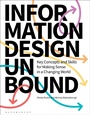
Sheila Pontis | Michael Babwahsingh
Information Design Unbound
Key Concepts and Skills for Making Sense in a Changing World
Book
11/2023
Bloomsbury Visual Arts
€38.50
Shipment within 15-20 days
Persons
Sheila Pontis is lecturer at Princeton University (USA), honorary research associate at UCL (UK), and partner at Sense Information Design. Since 2002, she teaches and facilitates workshops on information design, design research, ethnography, and design thinking in Argentina, Spain, the UK and the US. She has produced work for diverse organisations in the US, South America and Europe including Pfizer, TfL, Elsevier, Unilever and NHS.
Michael Babwahsingh is an information designer and partner at Sense Information Design. His experience spans strategic design and innovation, branding, and communication design for corporate and non-profit clients. He has taught design thinking at NYU Wagner Graduate School of Public Service. Michael received a BA in Art and Graphic Design from Moravian College.
Michael Babwahsingh is an information designer and partner at Sense Information Design. His experience spans strategic design and innovation, branding, and communication design for corporate and non-profit clients. He has taught design thinking at NYU Wagner Graduate School of Public Service. Michael received a BA in Art and Graphic Design from Moravian College.
Content
Introduction
PART I. Context
1. Understanding information design
1.1 Finding our way every day
1.2 Building a working definition
1.3 Mapping out the landscape
1.4 Seeing the bigger picture
1.5 What is effective information design?
1.6 Tracing the historical roots
1.7 Information design comes of age
Exercises
2. How information designers work
2.1 What makes an information designer?
2.2 A collaborative, cross-disciplinary practice
2.3 Ethics and professional conduct
2.4 Working with the information design process
2.5 The scale of information design challenges
Exercises
3. How we process visual information
3.1 The visual information processing system
3.2 Vision
3.3 Perception
3.4 Learning and retrieval
3.5 Thinking and problem-solving
Exercises
4. How we create meaning
4.1 Understanding culture
4.2 Signs, the basic units of meaning
4.3 Rhetoric and communication
4.4 Society, identity, and representation
Exercises
PART II. Skills
5. Thinking and working visually
5.1 Giving shape to thought
5.2 Assembling your visual toolkit
5.3 Learning to sketch
5.4 Using diagrams to think
5.5 Making use of space and form
Exercises
6. Learning through research
6.1 A structured search for knowledge
6.2 Understanding the subject matter
6.3 Understanding the audience
6.4 Planning out your research
6.5 Collecting data
Exercises
7. Sensemaking for communication
7.1 Planning before designing
7.2 Constructing knowledge
7.3 Organizing information
Exercises
8. Designing with clarity
8.1 Focusing on effectiveness
8.2 Content
8.3 Structure
8.4 Presentation
8.5 Engagement
8.6 Performance
Exercises
PART III. Practice
9. Communications
9.1 Working with communications
9.2 Project Re:form
9.3 GAIA Amazonas icon system
9.4 Emergency ventilator instructions
9.5 We Are Here: An Atlas of Aotearoa
10. Experiences
10.1 Working with experiences
10.2 Nemus Futurum interactive visitor experience
10.3 SEPTA wayfinding master plan
10.4 Skicircus wayfinding system
10.5 Seat at the Table interactive exhibit
11. Organizations
11.1 Working with organizations
11.2 Oregon Museum of Science and Industry vision and strategy
11.3 Integrated journey maps
12. Systems
12.1 Working with systems
12.2 Understanding elderly isolation in Pittsburgh
12.3 Systems approach to youth employment in Bhutan
12.4 Navigating the complexity of cancer diagnosis
Resources
Bibliography
Index
Acknowledgments
Image credits
PART I. Context
1. Understanding information design
1.1 Finding our way every day
1.2 Building a working definition
1.3 Mapping out the landscape
1.4 Seeing the bigger picture
1.5 What is effective information design?
1.6 Tracing the historical roots
1.7 Information design comes of age
Exercises
2. How information designers work
2.1 What makes an information designer?
2.2 A collaborative, cross-disciplinary practice
2.3 Ethics and professional conduct
2.4 Working with the information design process
2.5 The scale of information design challenges
Exercises
3. How we process visual information
3.1 The visual information processing system
3.2 Vision
3.3 Perception
3.4 Learning and retrieval
3.5 Thinking and problem-solving
Exercises
4. How we create meaning
4.1 Understanding culture
4.2 Signs, the basic units of meaning
4.3 Rhetoric and communication
4.4 Society, identity, and representation
Exercises
PART II. Skills
5. Thinking and working visually
5.1 Giving shape to thought
5.2 Assembling your visual toolkit
5.3 Learning to sketch
5.4 Using diagrams to think
5.5 Making use of space and form
Exercises
6. Learning through research
6.1 A structured search for knowledge
6.2 Understanding the subject matter
6.3 Understanding the audience
6.4 Planning out your research
6.5 Collecting data
Exercises
7. Sensemaking for communication
7.1 Planning before designing
7.2 Constructing knowledge
7.3 Organizing information
Exercises
8. Designing with clarity
8.1 Focusing on effectiveness
8.2 Content
8.3 Structure
8.4 Presentation
8.5 Engagement
8.6 Performance
Exercises
PART III. Practice
9. Communications
9.1 Working with communications
9.2 Project Re:form
9.3 GAIA Amazonas icon system
9.4 Emergency ventilator instructions
9.5 We Are Here: An Atlas of Aotearoa
10. Experiences
10.1 Working with experiences
10.2 Nemus Futurum interactive visitor experience
10.3 SEPTA wayfinding master plan
10.4 Skicircus wayfinding system
10.5 Seat at the Table interactive exhibit
11. Organizations
11.1 Working with organizations
11.2 Oregon Museum of Science and Industry vision and strategy
11.3 Integrated journey maps
12. Systems
12.1 Working with systems
12.2 Understanding elderly isolation in Pittsburgh
12.3 Systems approach to youth employment in Bhutan
12.4 Navigating the complexity of cancer diagnosis
Resources
Bibliography
Index
Acknowledgments
Image credits
