

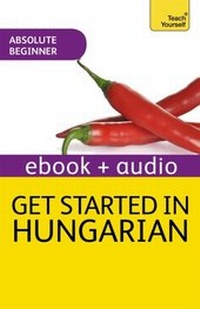
Get Started in Hungarian Absolute Beginner Course
Enhanced Edition
Published on 28. November 2014
208 pages
978-1-4441-8318-4 (ISBN)
Description

If you are an absolute beginner or simply looking for a solid foundation to your Hungarian language studies for school, work or travel, this engaging course will help get you on your way to speaking, writing, reading and understanding Hungarian in no time.
Get Started in Beginner's Hungarian maps from A1 to A2 of the Common European Framework of Reference (CEFR) for Languages.
Through culture notes, clear language presentations, and extensive practice and review, you will pick up the Hungarian you need to communicate naturally in everyday situations - from shopping and travelling to food and daily life.
Engaging with our interactive Discovery Method, you'll absorb language rules faster, remember what you learn easily, and put your Hungarian into use with confidence.
Get Started in Beginner's Hungarian has a learner-centered approach that incorporates the following features:
-Outcomes-based approach - focus your learning with clear goals
-Learn to learn - tips and skills on how to be a better language learner
-Discovery method - figure out rules and patterns for yourself to make the language stick
-Self-check and test yourself - see and assess your own progress
-Personalization - use the language in real situations
Rely on Teach Yourself, trusted by language learners for over 70 years.
Get Started in Beginner's Hungarian maps from A1 to A2 of the Common European Framework of Reference (CEFR) for Languages.
Through culture notes, clear language presentations, and extensive practice and review, you will pick up the Hungarian you need to communicate naturally in everyday situations - from shopping and travelling to food and daily life.
Engaging with our interactive Discovery Method, you'll absorb language rules faster, remember what you learn easily, and put your Hungarian into use with confidence.
Get Started in Beginner's Hungarian has a learner-centered approach that incorporates the following features:
-Outcomes-based approach - focus your learning with clear goals
-Learn to learn - tips and skills on how to be a better language learner
-Discovery method - figure out rules and patterns for yourself to make the language stick
-Self-check and test yourself - see and assess your own progress
-Personalization - use the language in real situations
Rely on Teach Yourself, trusted by language learners for over 70 years.
More details
Edition
Digital original
Language
English
Place of publication
United Kingdom
Publishing group
John Murray Press
Target group
College/higher education
Professional and scholarly
ISBN-13
978-1-4441-8318-4 (9781444183184)
Copyright in bibliographic data and cover images is held by Nielsen Book Services Limited or by the publishers or by their respective licensors: all rights reserved.
Schweitzer Classification
Person
Zsuzsa Pontifex was born in Hungary and runs Pontifex Language School, her own Hungarian school in Budapest. She has been teaching Hungarian to diplomats, business people and private individuals since 1989.
