

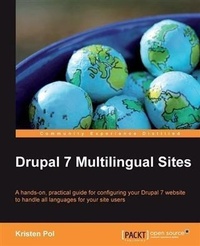
Drupal 7 Multilingual Sites
A hands-on, practical guide for configuring your Drupal 7 website to handle all languages for your site users with this book and ebook
1st Edition
Published on 13. January 2025
140 pages
978-1-84951-819-2 (ISBN)
Description

A hands-on, practical guide for configuring your Drupal 7 website to handle all languages for your site users with this book and ebookKey Features - Prepare your Drupal site to handle content in different languages easily
- Apply the numerous multilingual modules to your Drupal site and configure it for any number of different languages
- Organize the multilingual pieces into logical areas for easier handling
Book DescriptionDrupal is one of the most powerful and popular PHP Content Management Systems at the moment. By making your site multilingual, you are opening the door to a whole new user base, in as many countries as you like. Use the localization and internationalization features of Drupal 7 to automatically detect where your site users are visiting from and select the content appropriate to them. The world is your oyster!Drupal 7 Multilingual Sites guides you through the wild world of localization and internationalization with practical and real-world exercises that you can apply to your own website. You will go from theory to practice and acquire the skills you need to make a user-friendly Drupal 7 site that supports multiple languages.You will follow focused chapter exercises to add multiple-language support for your user interface, content, and various parts of your site's configuration such as system variables, menus, and blocks.The latter half of the book fills in the details with step-by-step exercises for localizing the interface, the content, and the configuration. Drupal 7 Multilingual Sites will give you the knowledge and the skills necessary to configure your site to support your language needs.What you will learn - Understand the Drupal 7 localization structure and process
- Enable your Drupal UI to display in different languages
- Localize users based on language and country
- Employ effective search engine optimization (SEO) techniques for your multilingual site
- Update blocks, menus, views, and panels to work with multiple languages
- Set up language detection based on URLs, sessions, cookies, or domains
- Create translatable content types to support multilingual content
Who this book is forAny Drupal users who know the basics of building a Drupal site and are familiar with the Drupal UI, will benefit from this book. No previous knowledge of localization or internationalization is required.
- Apply the numerous multilingual modules to your Drupal site and configure it for any number of different languages
- Organize the multilingual pieces into logical areas for easier handling
Book DescriptionDrupal is one of the most powerful and popular PHP Content Management Systems at the moment. By making your site multilingual, you are opening the door to a whole new user base, in as many countries as you like. Use the localization and internationalization features of Drupal 7 to automatically detect where your site users are visiting from and select the content appropriate to them. The world is your oyster!Drupal 7 Multilingual Sites guides you through the wild world of localization and internationalization with practical and real-world exercises that you can apply to your own website. You will go from theory to practice and acquire the skills you need to make a user-friendly Drupal 7 site that supports multiple languages.You will follow focused chapter exercises to add multiple-language support for your user interface, content, and various parts of your site's configuration such as system variables, menus, and blocks.The latter half of the book fills in the details with step-by-step exercises for localizing the interface, the content, and the configuration. Drupal 7 Multilingual Sites will give you the knowledge and the skills necessary to configure your site to support your language needs.What you will learn - Understand the Drupal 7 localization structure and process
- Enable your Drupal UI to display in different languages
- Localize users based on language and country
- Employ effective search engine optimization (SEO) techniques for your multilingual site
- Update blocks, menus, views, and panels to work with multiple languages
- Set up language detection based on URLs, sessions, cookies, or domains
- Create translatable content types to support multilingual content
Who this book is forAny Drupal users who know the basics of building a Drupal site and are familiar with the Drupal UI, will benefit from this book. No previous knowledge of localization or internationalization is required.
More details
Other editions
Additional editions
Person
Pol Kristen :
Kristen Pol grew up the youngest sister to five brothers in a small town in rural Central California. After high school and a few community colleges, Kristen earned a BA degree in mathematics and physics at UC Santa Cruz in 1994 and an MSEE at Stanford University in 1995. After college, Kristen worked as a Systems Engineer at Hewlett Packard and then as a Java application architect at a web consulting company in downtown Santa Cruz, California, during the dot-com boom. Kristen started her own software business in 2001. Initially, she focused on Java applications, but, in 2004, Drupal changed her life. Starting with version 4, Kristen got hooked on Drupal development and now she focuses pretty much exclusively on Drupal and search engine optimization (SEO). Kristen works with a wide variety of clients throughout North America. She enjoys working on challenging websites that require custom programming. Some of her more notable Drupal projects include boomboomcards.com (social kindness game), naturebridge.org (non-profit bringing kids to nature), thesoundpost.com (Canadian classical instrument shop), and boomerangproject.com (school transition programs). Kristen is very active in the Drupal community. She has authored contributed modules including Featured Content and SEO Friend, regularly attends the Santa Cruz Drupal user group, improves drupal.org documentation, gives talks at Drupal camps and meetings, and helps out on the Drupal forums and issue queues. When she's not doing Drupal, Kristen enjoys photography, travel, hiking, and spending time with her husband and two sons in beautiful Santa Cruz. Feel free to contact Kristen at kristen.org/contact.
Kristen Pol grew up the youngest sister to five brothers in a small town in rural Central California. After high school and a few community colleges, Kristen earned a BA degree in mathematics and physics at UC Santa Cruz in 1994 and an MSEE at Stanford University in 1995. After college, Kristen worked as a Systems Engineer at Hewlett Packard and then as a Java application architect at a web consulting company in downtown Santa Cruz, California, during the dot-com boom. Kristen started her own software business in 2001. Initially, she focused on Java applications, but, in 2004, Drupal changed her life. Starting with version 4, Kristen got hooked on Drupal development and now she focuses pretty much exclusively on Drupal and search engine optimization (SEO). Kristen works with a wide variety of clients throughout North America. She enjoys working on challenging websites that require custom programming. Some of her more notable Drupal projects include boomboomcards.com (social kindness game), naturebridge.org (non-profit bringing kids to nature), thesoundpost.com (Canadian classical instrument shop), and boomerangproject.com (school transition programs). Kristen is very active in the Drupal community. She has authored contributed modules including Featured Content and SEO Friend, regularly attends the Santa Cruz Drupal user group, improves drupal.org documentation, gives talks at Drupal camps and meetings, and helps out on the Drupal forums and issue queues. When she's not doing Drupal, Kristen enjoys photography, travel, hiking, and spending time with her husband and two sons in beautiful Santa Cruz. Feel free to contact Kristen at kristen.org/contact.
Content
- Intro
- Drupal 7 Multilingual Sites
- Table of Contents
- Drupal 7 Multilingual Sites
- Credits
- About the Author
- Acknowledgement
- About the Reviewers
- www.PacktPub.com
- Support files, eBooks, discount offers and more
- Why Subscribe?
- Free Access for Packt account holders
- Preface
- What this book covers
- What you need for this book
- Who this book is for
- Before you start
- Exercise workflow tips
- Working with modules
- Extra topics
- Conventions
- Reader feedback
- Customer support
- Errata
- Piracy
- Questions
- 1. Multilingual Overview, Use Cases, and Modules
- Considerations and use cases
- Different types of language support
- Some things to think about
- Example use cases
- Simple blog site
- Consulting company site
- E-commerce site
- Our demo site
- Multilingual Drupal overview
- Speaking the same language... terminology
- Pieces of the multilingual puzzle
- Interface
- Content
- Configuration
- A look at the modules
- Summary
- 2. Setting up the Basics: Languages, UI Translation, and System Settings
- Getting up and running
- Using your own site
- Using the demo site
- Roles, users, and permissions
- Working with languages
- Adding languages with the Locale module
- Detecting languages
- URL
- Session
- User
- Browser
- Default
- Detection method order
- Our choice
- Switching between languages
- Interface and string translations
- Translating the interface
- Automatic translation updates
- Adding and fixing interface translations
- Contributing translations back to the community
- Translating English strings
- Modifying the settings.php file
- Using the String Overrides module
- Creating a custom English language
- Reusing custom translated strings
- General system configuration
- Updating regional settings
- Date and time formats
- Translating site variables
- Customizing the contact form
- Summary
- 3. Working with Content
- Nodes
- Enabling multilingual support
- Node translation model
- Configuring node translation
- Content type settings
- Node display options
- New and existing translations
- Synchronizing shared fields
- Extra content type options
- Field translation model
- Configuring field translation
- Entity settings
- Content type settings
- Translating content
- Using the language switcher
- Non-node entities
- Comments
- Language assignment
- Comment display
- Users
- Taxonomy terms
- Custom entities
- Node listing and search pages
- Home page
- Taxonomy term pages
- Search
- Summary
- 4. Configuring Blocks, Menus, Taxonomy, and Views
- Blocks
- Language-specific blocks
- Translating blocks
- Blocks provided by modules
- Menus
- Language-specific menus
- Multilingual menus
- Node pages
- Pages with the same link
- Pages with different links
- Taxonomy terms
- Taxonomy translation module
- Language-independent terms
- Language-specific terms
- Localized terms
- Mixed-language vocabulary
- Updating the field label
- Views
- Multilingual views
- Language-specific views
- Nodes using field translation
- Non-node views
- Comments
- Taxonomy terms
- Users
- Views text
- Summary
- 5. Panels, SEO, and More!
- Panels
- Panel panes
- Language-specific panel pages
- SEO
- Multilingual and international SEO
- Friendly URLs
- Removing special characters from path aliases
- Page title and meta tags
- Meta Tags module
- Meta Tags Quick module
- Page Title module
- Home page optimization
- Duplicate pages
- Translation management and workflow
- Who can translate?
- Content administration
- Contributed modules
- Lingotek Collaborative Translation module
- Translation Management Tool module
- Custom workflow
- Theming and module development
- RTL support
- Interface and content languages
- Custom CSS
- String translation functions
- Summary
- A. Modules, Resources, and Getting Involved
- Modules used in the book
- Chapter 2
- Chapter 3
- Chapter 4
- Chapter 5
- Module usage
- More multilingual modules
- Interface
- Content
- Configuration
- Admin tools
- Finding multilingual modules
- Community resources
- Groups, forums, and IRC
- Documentation and guides
- Articles, videos, and more
- Getting involved
- What's up for Drupal 8?
- Want more?
- Index
