

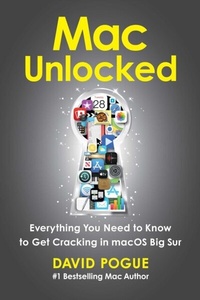
Mac Unlocked
Everything You Need to Know to Get Cracking in macOS Big Sur
1st Edition
Published on 24. November 2020
608 pages
978-1-9821-7668-6 (ISBN)
Description

Make the most of your Mac with this witty, authoritative guide to macOS Big Sur.
Apple updates its Mac operating system every year, adding new features with every revision. But after twenty years of this updating cycle without a printed user guide to help customers, feature bloat and complexity have begun to weigh down the works.
For thirty years, the Mac faithful have turned to David Pogue's Mac books to guide them. With Mac Unlocked, New York Times bestselling author Pogue introduces readers to the most radical Mac software redesign in Apple history, macOS Big Sur. Beginning Mac users and Windows refugees will gain an understanding of the Mac philosophy; Mac veterans will find a concise guide to what's new in Big Sur, including its stunning visual and sonic redesign, the new Control Center for quick settings changes, and the built-in security auditing features.
With a 300 annotated illustrations, sparkling humor, and crystal-clear prose, Mac Unlocked is the new gold-standard guide to the Mac.
Apple updates its Mac operating system every year, adding new features with every revision. But after twenty years of this updating cycle without a printed user guide to help customers, feature bloat and complexity have begun to weigh down the works.
For thirty years, the Mac faithful have turned to David Pogue's Mac books to guide them. With Mac Unlocked, New York Times bestselling author Pogue introduces readers to the most radical Mac software redesign in Apple history, macOS Big Sur. Beginning Mac users and Windows refugees will gain an understanding of the Mac philosophy; Mac veterans will find a concise guide to what's new in Big Sur, including its stunning visual and sonic redesign, the new Control Center for quick settings changes, and the built-in security auditing features.
With a 300 annotated illustrations, sparkling humor, and crystal-clear prose, Mac Unlocked is the new gold-standard guide to the Mac.
More details
Other editions
Additional editions
Book
02/2021
Simon & Schuster
€28.50
Article not available at the moment
Person
David Pogue is a seven-time Emmy Award winner for his stories on CBS Sunday Morning, a five-time TED speaker, host of twenty NOVA specials on PBS, and a New York Times bestselling author. He's written about Apple for his entire career, including thirteen years as a Macworld columnist, thirteen more as tech columnist for The New York Times, and twenty years as the #1 bestselling author of books about Macs and iPhones. He lives with his family in New York.
Content
- Intro
- Title Page
- Introduction
- A Little History
- How This Book Was Born
- Eight Principles of the Mac
- What's New in Big Sur
- Part One: Meet the Machine
- Chapter 1: The Mechanics of the Mac
- On, Off, and Asleep
- The Mouse/Trackpad
- The Keyboard
- The Screen
- Speakers and Microphones
- What to Plug In Where
- Chapter 2: Sixteen Settings to Change Right Now
- Fix the Scrolling Direction
- Bring Back the Scroll Bars
- Set Up Your Control Center
- Design Your Menu Bar
- Set Your Notification Tolerance
- Arrange Your Widgets
- Design the Clock
- Auto-Type Your Email Address
- Get Your Languages Ready
- Pick Out Your Wallpaper
- Set Up a Screen Saver
- Try Dark Mode
- Turn On Insta-Zoom
- Adjust Screen Locking
- Set Up Auto-Sleep
- Create Backups
- Chapter 3: Laptop Life
- The Trackpad
- The Touch Bar
- The Long-Lived Battery
- Personal Hotspot
- Part Two: Welcome to Big Sur
- Chapter 4: Home Base: The Finder
- Menulets
- The Dock
- How to Work Windows
- Four Views
- Previews and Quick Looks
- iCloud Drive
- Chapter 5: Finding and Organizing Your Stuff
- How the Mac's Folders Are Set Up
- Aliases
- Tagging Your Files
- The Trash
- Searching for Stuff
- Chapter 6: Apps and Docs
- Where to Get Apps
- Opening an App
- Switching Apps
- More Ways to Hide Windows
- Quitting and Force-Quitting
- Save and Open Sheets
- Printing
- Eleven Keystrokes Worth Learning
- Chapter 7: All About iCloud
- The iCloud Account (Apple ID)
- Synchronized Data
- Continuity
- Family Sharing
- Everything Else
- Part Three: macOS Piece by Piece
- Chapter 8: Mail
- Mail Setup
- Mail Basics
- Composing Messages
- Reading Email
- Surviving Email
- VIPs
- Dealing with Spam Mail
- Chapter 9: Safari
- Five Ways to Start Out
- Three Ways to Magnify a Page
- Autofill
- Tabbed Browsing
- Ten Safari Specials
- Privacy and Security
- Chapter 10: Messages and FaceTime
- Welcome to Messages
- Group Chats
- Sharing Your Screen
- FaceTime
- Chapter 11: Apple's Five Multimedia Stores
- Books
- Music
- News
- Podcasts
- TV
- Chapter 12: The Other Free Apps
- Calculator
- Calendar
- Chess
- Contacts
- Dictionary
- Find My
- Font Book
- Home
- Image Capture
- Keynote
- Maps
- Notes
- Numbers
- Pages
- Photo Booth
- Photos
- Preview
- QuickTime Player
- Reminders
- Stickies
- Stocks
- TextEdit
- Voice Memos
- The Utilities Folder
- Part Four: Beyond the Basics
- Chapter 13: Accounts and Security
- Introducing Accounts
- Security, Privacy, and You
- Chapter 14: Networks and File Sharing
- Joining the Network
- Three Ways to Share Files
- Networking with Windows
- Chapter 15: Fourteen Mac Annoyances
- Lockups and Freezes
- Screen Brightness Keeps Wobbling
- Nutty Things Happen When You Click
- Phantom Clicks on the Trackpad
- Sound Keeps Playing from Somewhere
- An Open App Goes Missing
- You Can't Open a New App
- Some App Auto-Launches Every Day
- The Wrong App Opens
- Notification Bombs
- Running Out of Disk Space
- Apps Reopen Unbidden
- Losing Your Downloads
- The Mac Won't Start Up
- Chapter 16: Eight Cool Features You Didn't Know You Had
- Siri
- Two Ways to Dictate
- The Mac Reads to You
- Your Mac on TV
- Make a PDF
- Capture the Screen
- Screen Time: Protect Your Kids
- Adapt the Mac
- Appendix A: Installing macOS Big Sur
- Horsepower Requirements
- The Standard Installation
- The Setup Assistant
- About the Author/Illustrator
- About the Creative Team
- Acknowledgments
- Index
- Copyright
