

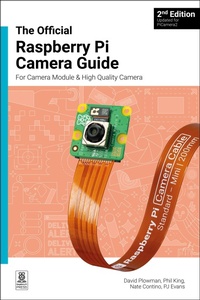
The Official Raspberry Pi Camera Guide
2nd Edition
Published on 26. November 2024
144 pages
978-1-916868-11-3 (ISBN)
Description

Add the power of HDR photography, Full HD video, and AI image recognition to your Raspberry Pi projects with Camera Modules.
Give intelligence and depth to your creations, making your projects smarter and more responsive. Plus, the new AI Kit supercharges your Raspberry Pi Camera Module with image recognition, enabling it to act and react to the world around it.
This book is your step-by-step guide to adding a Camera Module to your Raspberry Pi board. You'll master still images, capture video clips as digital files, and control the camera with shell commands and Python code.
Discover the numerous modes and effects available, and use the camera in a variety of exciting projects across 18 packed chapters:
- Getting started.
- Capturing photos and videos.
- Control the camera with precision.
- Add artificial intelligence with the AI Kit.
- Time-lapse photography.
- Selfies and stop-motion video.
- Build a bird box camera.
- Live-stream video and stills.
- ...and much more!
More details
Other editions
Additional editions
David Plowman
The official Raspberry Pi Camera Module guide, 2nd Edition
For Raspberry Pi Camera Modules
Book
11/2024
2nd Edition
Raspberry Pi Press
€19.00
Shipment within 3-4 weeks
Person
David Plowman is an engineer at Raspberry Pi with a special interest in camera software and algorithms, and image processing hardware.
