

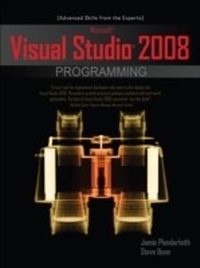
Microsoft Visual Studio 2008 Programming
1st Edition
Published on 23. March 2009
470 pages
978-0-07-160409-3 (ISBN)
Available for download
Description

Take your Microsoft Visual Studio 2008 programming skills to the top tier",A must-read for experienced developers who want to dive deeply into Visual Studio 2008. The authors provide practical guidance combined with real-world applicability. The best of Visual Studio 2008 uncovered-buy this book!", --Michelle Clarke, Program Manager, Microsoft IrelandMaximize every powerful programming feature available in Visual Studio 2008 with expert instruction from two Microsoft MVPs. Through clear explanations and real-world code samples, Microsoft Visual Studio 2008 Programming reveals how to develop innovative, high-performance applications with C# and VB.NET. Learn how to deploy ADO.NET and WCF services, incorporate XML and Ajax scripts, build hack-resistant code, and much more. The latest security tools, visualizers, and debuggers are also covered in detail.Work with WinForms, JavaScript, and Windows ServicesUse extension methods, partial classes, and XML literalsHandle database transactions with XSLT, ADO.NET, and LINQBuild mobile-ready and offline applications using Sync ServicesManage Active Directory and Internet Information Services from codeDefend against SQL injection and cross-site scripting attacksLearn from secure code guru Michael Howard how to take advantage of the security defenses in Visual C++Construct setup packages using ClickOnce and Windows InstallerCut development time using Visual Studio Team System and WPF
More details
Other editions
Additional editions
Jamie Plenderleith | Steve Bunn
Microsoft Visual Studio 2008 Programming
Book
05/2009
Osborne/McGraw-Hill
€60.50
Article not available at the moment
Content
- Cover Page
- Microsoft® Visual Studio® 2008 Programming
- Copyright Page
- Dedication
- Contents
- Acknowledgments
- Introduction
- 1 New Language Features
- Extension Methods
- Partial Methods
- Nullable Value Types
- Member Initialization
- Collection Initialization
- XML Literals
- LINQ
- Anonymous Types
- Lambda Expressions
- Implicitly Typed Variables
- 2 New Development Tools
- .NET Framework 3.5 and Visual Studio 2008
- ADO.NET 3.5 and Visual Studio 2008
- Silverlight 1.1 and Visual Studio 2008
- SQL Server 2008 and Visual Studio 2008
- Windows Vista and Visual Studio 2008
- ASP.NET 3.5 and Visual Studio 2008
- ListView Control
- DataPager Control
- LinqDataSource Control
- 3 Windows Presentation Framework
- Basic WPF Applications
- XAML
- WPF Browser Applications
- WPF Panels
- Using the Grid Panel
- Using the DockPanel Panel
- Using the StackPanel Panel
- Using the WrapPanel Panel
- Using the UniformGrid Panel
- Using the Canvas Panel
- WPF Controls
- Customizing WPF Controls
- Using the Button Control
- Using the GroupBox Control
- Using the ListView Control
- Using the TreeView Control
- Using the Menu and ContextMenu Controls
- Using the ToolTip Control
- Handling Events
- Handling Data
- Binding Data
- Resources
- Working with Windows
- 4 XML and XSLT
- Benefits of Using XML
- Manipulating XML Programmatically
- Enumerating XML Documents
- Transforming XML Using XSLT
- Measuring XML and XSLT Performance
- Using XSLT to Transform XML into HTML
- Using XSLT for XML Structure Conversion
- 5 LINQ to XML
- Introducing LINQ to XML
- LINQ to Objects
- LINQ to ADO.NET
- Introducing the Classes of the LINQ to XML API
- XObject Class
- XElement Class
- XDocument Class
- XAttribute Class
- XNode Class
- Other Classes
- Querying with LINQ to XML
- 6 ADO.NET Development
- Building a Database Using Visual Studio 2008
- Installing a Test SQL Server Database
- Creating a Database
- Creating Table Relationships Using the Database Diagram Tool
- Adding Data to the Database
- Developing ADO.NET Applications
- Creating a Sample Application
- Opening a Connection
- Connection Pooling
- Connection Strings Configuration Settings
- Data Providers
- Using Data Factories
- Creating a Simple Data Access Layer Using Provider Factories
- Creating a Working Application
- Reading Data from the Database
- Inserting Data
- Updating Data
- Deleting Data
- Handling Transactions in ADO.NET
- SQL Server Transaction
- System.Transactions Namespace
- 7 Disconnected ADO.NET
- Modifying the UserTasks Application
- Using DataSets
- Using DataTables
- Defining the Schema of a DataTable Using DataColumns
- Adding Constraints to DataTables
- Using DataRows
- Creating a Complete UserTasks DataSet Using Code
- Strongly Typed DataSets
- Filling a DataTable from a Database Using a DataAdapter
- Create a New Offline Task
- Delete an Offline Task
- Updating a Database Using a DataAdapter
- Retrieving Identity Values
- Using a Stored Procedure to Return a New Identity Field Value
- Using Multiple SQL Statements to Return a New Identity Field
- Saving a DataTable to an XML File
- Loading a DataTable from an XML File
- ADO.NET Sync Services
- Tracking Changes to Data
- Local Database Cache Sync File
- Synchronizing with the Central Database
- 8 LINQ to ADO.NET
- LINQ to SQL
- Querying the Database
- Updating the Database
- Inserting and Deleting Data in the Database
- LINQ to Entities
- LINQ to DataSet
- 9 LINQ to Objects
- Sample Queries
- Working with Strings
- Querying a Database
- Querying Collections
- Putting It All Together
- Deferred Execution
- 10 Multithreaded Applications
- Multithreading
- Important Thread Class Methods
- Start()
- Sleep()
- Abort()
- Join()
- Interrupt()
- SpinWait()
- Cross-Thread UI Component Calls and Invoke()
- Deadlocks and Race Conditions
- Asynchronous Database Access
- 11 Active Directory and Directory Services
- Active Directory Service Interfaces
- ADSI and User Account Control in Windows Vista and Windows Server 2008
- Using ADSI Edit to View and Modify Active Directory
- DirectoryServices Namespace
- AccountManagement Namespace
- ActiveDirectory and Protocols Namespaces
- Using DirectoryEntry
- Binding Paths
- Binding to an Active Directory Object
- Checking Whether an Object Exists
- Common and Mandatory Directory Attributes
- Reading a Single-Value Property
- Reading a Multivalued Property
- Setting a Property
- Setting a Multivalued Property
- Refreshing the DirectoryEntry Properties Cache
- Using DirectorySearcher
- Filter Property
- PageSize Property
- SizeLimit Property
- ServerTimeLimit Property
- SearchScope Property
- Tombstone Property
- Common Active Directory Functionality
- System.DirectoryServices.ActiveDirectory Examples
- System.DirectoryServices Examples
- System.DirectoryServices.AccountManagement Examples
- Monitoring Changes in Active Directory
- Using the DirectorySynchronization Class
- Using System.DirectoryServices.Protocols
- IIS and Directory Services
- Common IIS Functionality
- 12 Windows Services
- Managing Windows Services
- Windows Services Lifecycle
- Windows Services Startup Types
- Installing Windows Services
- Creating Windows Services
- Logging Data from Windows Services
- Reacting to Changes in System State
- OnPowerEvent()
- OnPause() and OnContinue()
- OnCustomCommand()
- OnShutDown()
- Communicating with Your Windows Service
- Using a ServiceController Class
- Using Windows Communication Foundation
- Using .NET Remoting
- Saving and Reloading Configuration Settings
- Using a Custom Communications Protocol
- Communicating with Windows Services by Using the ServiceController Class
- Debugging Windows Services
- 13 Visual Studio 2008 Debugging
- Multithreading Debugging
- JavaScript Debugging
- 14 Debug Visualizers
- Example of a Debug Visualizer
- Existing Visualizers
- Text Visualizer
- HTML Visualizer
- XML Visualizer
- DataSet Visualizer
- Installing and Creating Debug Visualizers
- Installing a Debug Visualizer
- Creating a Debug Visualizer
- Caveats and Notes
- 15 Deploying Windows Applications
- Visual Studio Deployment Methods
- ClickOnce Deployment Overview
- Microsoft Windows Installer Overview
- Creating a Simple Application
- Deploying an Application Using ClickOnce Technology
- Application Update Feature
- Application Prerequisites
- Publish Options
- ClickOnce Security
- Configuring the Security Permissions for ClickOnce
- Publishing the Application
- Performing an Update to the Application
- Deploying an Application Using a Windows Installer
- SimpleApplicationInstaller Project Properties
- User Interface Editor
- User Interface Dialog Boxes
- Custom Actions Editor
- Installer Class
- Debugging the Installer Class
- Assembly Signing
- Creating and Installing an Assembly
- Signing an Assembly
- Installing an Assembly into the GAC
- 16 ASP.NET Deployment
- Deployment Methods
- Publish Web Site
- Copy Web Site
- Web Deployment Projects
- Web Setup Project
- Deploying an ASP.NET Website
- Creating a Simple Website
- Publishing the Website
- Copying the Website
- Using Web Deployment Projects
- Creating an Installer Using a Web Setup Project
- 17 Security Vulnerabilities
- SQL Injection Attacks
- Understanding How SQL Injection Attacks Work
- Protecting Against SQL Injection Attacks
- Cross-Site Scripting
- Reflected XSS
- Persistent XSS
- DOM-Based XSS
- Protecting Against XSS Attacks
- Other Security Vulnerabilities
- Exception Management
- HTTP Parameters
- Audit Logs
- 18 C++ Improvements
- Managed C++
- Unmanaged C++
- Improvements to the C Compiler and Linker
- Improvements to the MFC and STL Libraries
- Static Analysis
- Standard Source Code Annotation Language
- Security Improvements to the Compiled Code
- 19 Visual Studio Team System 2008
- Visual Studio Team System Overview
- Visual Studio and Source Code Control
- Team Foundation Server
- Source Code Control
- Project Tracking
- Data Collection and Reporting
- Latest Features of TFS
- VSTS 2008 Development Edition
- VSTS 2008 Test Edition
- VSTS 2008 Architecture Edition
- VSTS 2008 Database Edition
- Upcoming Visual Studio Team System, Codenamed Rosario
- Building Unit Tests
- Index

