

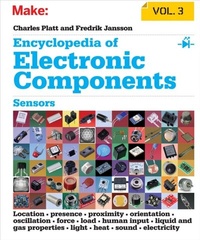
Encyclopedia of Electronic Components Volume 3
Description

Want to know how to use an electronic component? This third book of a three-volume set includes key information on electronics parts for your projects--complete with photographs, schematics, and diagrams. You''ll learn what each one does, how it works, why it''s useful, and what variants exist. No matter how much you know about electronics, you''ll find fascinating details you''ve never come across before.
Perfect for teachers, hobbyists, engineers, and students of all ages, this reference puts reliable, fact-checked information right at your fingertips--whether you''re refreshing your memory or exploring a component for the first time. Beginners will quickly grasp important concepts, and more experienced users will find the specific details their projects require.
Volume 3 covers components for sensing the physical world, including light, sound, heat, motion, ambient, and electrical sensors.
- Unique: the first and only encyclopedia set on electronic components, distilled into three separate volumes
- Incredibly detailed: includes information distilled from hundreds of sources
- Easy to browse: parts are clearly organized by component type
- Authoritative: fact-checked by expert advisors to ensure that the information is both current and accurate
- Reliable: a more consistent source of information than online sources, product datasheets, and manufacturer''s tutorials
- Instructive: each component description provides details about substitutions, common problems, and workarounds
- Comprehensive: Volume 1 covers power, electromagnetism, and discrete semi-conductors; Volume 2 includes integrated circuits, and light and sound sources; Volume 3 covers a range of sensing devices.
More details
Other editions
Additional editions
Content
- Intro
- Copyright
- Table of Contents
- Preface
- Organization
- Exceptions and Conflicts
- Volume Contents
- Volume 1
- Volume 2
- Volume 3
- Method
- Reference Versus Tutorial
- Theory and Practice
- Sensor Output
- Glossary
- Typographical Conventions
- Mathematical Syntax
- Visual Conventions
- Units and Backgrounds
- Component Availability
- Other Information
- Issues and Errata
- Us Informing You
- You Informing Us
- You Asking Us
- Going Public
- Safari® Books Online
- Acknowledgments
- Chapter 1. GPS
- What It Does
- Schematic Symbol
- GPS Segments
- How It Works
- Variants
- Values
- How to Use It
- Pulse per Second Output
- What Can Go Wrong
- Electrostatic Discharge
- Failure to Ground Properly
- Cold Joints
- Restricted Availability
- Inability to Detect Satellites
- Exceeding Maximum Velocity or Altitude
- Chapter 2. magnetometer
- What It Does
- Schematic Symbol
- IMU
- Applications
- How It Works
- Magnetic Fields
- Earth's Axes
- Coil Magnetometer
- Hall Effect and Magnetoresistance
- Variants
- How to Use It
- What Can Go Wrong
- Bias
- Mounting Errors
- Chapter 3. object presence sensor
- What It Does
- Schematic Symbol
- Variants
- Optical Detection
- Transmissive Optical Sensors
- Retroreflective Optical Sensors
- Magnetic Sensors
- Reed Switch
- Reed Switch Variants
- Reed Switch Values
- How to Use a Reed Switch
- Hall-Effect Sensor
- How a Hall-Effect Sensor Works
- Hall-Effect Sensor Variants
- Other Applications
- Values
- How to Use a Hall-Effect Sensor
- Configuration of Object Presence Sensors
- Linear Motion
- Sensing by Interruption
- Angular Motion
- Sensor Comparisons
- Advantages of Optical Presence Sensors
- Disadvantages of Optical Presence Sensors
- Advantages of a Reed Switch
- Disadvantages of a Reed Switch
- Advantages of a Hall Effect Sensor
- What Can Go Wrong
- Optical Sensor Issues
- Reed Switch Issues
- Chapter 4. passive infrared sensor
- What It Does
- Schematic Symbols
- Applications
- How It Works
- Pyroelectric Detector
- Elements
- Lenses
- Variants
- What Can Go Wrong
- Temperature Sensitivity
- Detector Window Vulnerability
- Moisture Vulnerability
- Chapter 5. proximity sensor
- What It Does
- Schematic Symbols
- Applications
- Variants
- Ultrasound
- Infrared
- Relative Advantages
- Ultrasonic Examples
- Imports
- Individual Elements
- Infrared Examples
- Trends in Infrared Proximity Sensing
- Capacitive Displacement Sensor
- Applications
- How It Works
- Sources of Error
- Values
- What Can Go Wrong with Optical and Ultrasound Proximity Sensors
- Object Too Close
- Multiple Signals
- Inappropriate Surfaces
- Environmental Factors
- Deterioration of LEDs
- Chapter 6. linear position sensor
- What It Does
- Applications
- Schematic Symbol
- How It Works
- Linear Potentiometer
- Magnetic Linear Encoders
- Optical Linear Encoders
- Linear Encoder Applications
- Linear Variable Differential Transformers
- What Can Go Wrong
- Mechanical Issues
- LED Longevity
- Chapter 7. rotary position sensor
- What It Does
- Applications
- Schematic Symbol
- Potentiometers
- Arc-Segment Rotary Potentiometer
- End Stops
- Multiturn Rotary Potentiometer
- Magnetic Rotary Position Sensor
- Rotary Position Sensing Chips
- Rotary Encoders
- Optical Rotary Encoders
- Optical Products
- Computer Mouse Principles
- Rotational Speed
- Absolute Position
- The Gray Code
- Magnetic Rotary Encoders
- How to Use It
- What Can Go Wrong
- Wiring Errors
- Coding Errors
- Ambiguous Terminology
- Chapter 8. tilt sensor
- What It Does
- Schematic Symbol
- How It Works
- Simplified Version
- Applications
- Variants
- Mercury Switches
- Pendulum Switch
- Magnetization
- Tilt Sensors
- Two-Axis Tilt Sensors
- Values
- How to Use It
- What Can Go Wrong
- Contact Erosion
- Random Signals
- Environmental Hazard
- Requirement for Gravity
- Requirement for Stability
- Chapter 9. gyroscope
- What It Does
- Schematic Symbol
- IMU
- Applications
- How It Works
- Vibrating Gyroscope
- Variants
- IMUs
- Values
- How to Use It
- What Can Go Wrong
- Temperature Drift
- Mechanical Stress
- Vibration
- Placement
- Chapter 10. accelerometer
- What It Does
- IMU
- Schematic Symbols
- Applications
- How It Works
- Gravity and Free Fall
- Rotation
- Calculation
- Variants
- Values
- What Can Go Wrong
- Mechanical Stress
- Other Problems
- Chapter 11. vibration sensor
- What It Does
- Schematic Symbols
- Variants
- Pin-and-Spring
- Piezoelectric Strip
- Chip-Based Piezoelectric
- "Mousetrap" Type
- Magnetic
- Mercury
- Values
- Primary Variables
- Dynamic Attributes
- How to Use It
- What Can Go Wrong
- Long Cable Runs
- Interference
- Correct Grounding
- Fatigue Failure
- Chapter 12. force sensor
- What It Does
- Applications
- Schematic Symbol
- How It Works
- Strain Gauge
- Wheatstone Bridge Circuits
- Wheatstone Bridge Errors
- Strain-Gauge Amplification
- Other Strain-Gauge Modules
- Plastic-Film Force Sensors
- How to Use It
- Values
- Film-Based Force Sensors for User Input
- Specifications for Film-Based Force Sensors
- Strain Gauges
- What Can Go Wrong
- Soldering Damage
- Bad Load Distribution
- Water Damage
- Temperature Sensitivity
- Leads Too Long
- Chapter 13. single touch sensor
- What It Does
- Applications
- Schematic Symbols
- How It Works
- How to Use It
- Obtaining Touch Pads
- Individual Touch Pad
- Wheels and Strips
- Design Considerations
- What Can Go Wrong
- Insensitive to Gloves
- Stylus Issues
- Conductive Ink
- Chapter 14. touch screen
- What It Does
- Schematic Symbol
- Variants
- Resistive Sensing
- Capacitive Sensing
- Screens Available as Components
- Chapter 15. liquid level sensor
- What It Does
- Schematic Symbols
- Applications
- How It Works
- Binary-Output Float Sensor
- Analog-Output Float Sensor
- Incremental-Output Float Sensor
- Displacement Level Sensors
- Ultrasonic Level Sensors
- Reservoir Weight
- Pressure Sensing
- What Can Go Wrong
- Turbulence
- Tilting
- Chapter 16. liquid flow rate sensor
- What It Does
- Schematic Symbols
- Paddlewheel Liquid Flow Rate Sensors
- Turbine Flow Rate Sensors
- Limitations of Paddlewheels and Turbines
- Thermal Mass Liquid Flow Rate Sensor
- Sliding Sleeve Liquid Flow Switch
- Sliding Plunger Liquid Flow Switch
- Ultrasonic Liquid Flow Rate Sensor
- Magnetic Liquid Flow Sensor
- Differential Pressure Liquid Flow Meter
- What Can Go Wrong
- Vulnerability to Dirt and Corrosive Materials
- Chapter 17. gas/liquid pressure sensor
- What It Does
- Schematic Symbols
- Applications
- Design Considerations
- Units
- How It Works
- Basic Sensing Elements
- Relative Measurement
- Variants
- Ambient Air Pressure
- Altitude
- Gas Pressure
- What Can Go Wrong
- Vulnerability to Dirt, Moisture, and Corrosive Materials
- Light Sensitivity
- Chapter 18. gas concentration sensor
- What It Does
- Schematic Symbol
- Semiconductor Gas Sensors
- Oxygen Sensors
- Humidity Sensors
- Dew-Point Sensor
- Absolute Humidity Sensors
- Relative Humidity Sensors
- Humidity Sensor Output
- Analog Humidity Sensor
- Design Considerations
- Digital Humidity Sensor
- What Can Go Wrong
- Contamination
- Recalibration
- Soldering
- Chapter 19. gas flow rate sensor
- What It Does
- Applications
- Schematic Symbol
- How It Works
- Anemometer
- Mass Flow Rate Sensing
- Applications
- Units
- Measuring Higher Volumes
- Output
- What Can Go Wrong
- Chapter 20. photoresistor
- What It Does
- Schematic Symbol
- How It Works
- Construction
- Variants
- Photoresistors in Optical Isolators
- Values
- Comparisons with a Phototransistor
- How to Use It
- Choosing a Series Resistor
- What Can Go Wrong
- Overload
- Excessive Voltage
- Confusion Among Components
- Chapter 21. photodiode
- What It Does
- Schematic Symbols
- Applications
- How It Works
- Variants
- PIN Photodiodes
- Avalanche Diodes
- Packages
- Wavelength Range
- Photodiode Arrays
- Output Options
- Specific Variants
- Values
- How to Use It
- What Can Go Wrong
- Chapter 22. phototransistor
- What It Does
- Schematic Symbols
- Applications
- How It Works
- Variants
- Optional Base Connection
- Photodarlington
- PhotoFET
- Values
- Behavior Compared to Other Light Sensors
- Binning
- How to Use It
- Output Calculation
- What Can Go Wrong
- Visual Classification Errors
- Output Out of Range
- Chapter 23. NTC thermistor
- What It Does
- Schematic Symbols
- Applications
- How an NTC Thermistor Works
- Output Conversion for Temperature Sensing
- Choosing a Series Resistor
- Wheatstone Bridge Circuit
- Deriving the Temperature Value
- Inrush Current Limiter
- Restart
- Thermistor Values
- Time and Temperature
- Resistance and Response
- Kilohms and Kelvin
- Reference Temperature
- Reference Resistance
- Dissipation Constant
- Temperature Coefficient
- Thermal Time Constant
- Tolerance
- Temperature Range
- Switching Current
- Power Limitations
- Interchangeability
- What Can Go Wrong
- Self-Heating
- Heat Dissipation
- Lack of Heat
- Addendum: Comparison of Temperature Sensors
- NTC Thermistor
- PTC Thermistor
- Thermocouple
- Resistance Temperature Detector
- Semiconductor Temperature Sensor
- Chapter 24. PTC thermistor
- What It Does
- Schematic Symbols
- PTC Overview
- Silistor for Temperature Measurement
- RTDs
- Nonlinear PTC Thermistors
- Over-Temperature Protection
- Over-Current Protection
- PTC Inrush Current Limiting
- PTC Thermistor for Lighting Ballast
- PTC Thermistor as a Heating Element
- What Can Go Wrong
- Self-Heating
- Heating Other Components
- Chapter 25. thermocouple
- What It Does
- Schematic Symbol
- Thermocouple Applications
- How a Thermocouple Works
- Thermocouple Details
- How to Use It
- Types of Thermocouples
- Seebeck Coefficients
- Chips for Output Conversion
- Thermopile
- What Can Go Wrong
- Polarity
- Electrical Interference
- Metal Fatigue and Oxidation
- Using the Wrong Type
- Heat Damage from Creating a Thermocouple
- Chapter 26. RTD (resistance temperature detector)
- What It Does
- RTD Attributes
- Schematic Symbol
- Applications
- How It Works
- Variants
- Wiring
- RTD Probe
- Signal Conditioning
- What Can Go Wrong
- Self-Heating
- Insulation Affected by Heat
- Incompatible Sensing Element
- Chapter 27. semiconductor temperature sensor
- What It Does
- Semiconductor Temperature Sensor Applications
- Schematic Symbol
- Attributes
- How It Works
- CMOS Sensors
- Multiple Transistors
- PTAT and the Brokaw Cell
- Variants
- Analog Voltage Output
- Analog Current Output
- Digital Output
- CMOS Semiconductor Temperature Sensors
- What Can Go Wrong
- Different Temperature Scales
- Interference in Cable Runs
- Latency
- Processing Time
- Chapter 28. infrared temperature sensor
- What It Does
- Applications
- Schematic Symbol
- How It Works
- Thermopile
- Temperature Measurement
- Variants
- Surface-Mount Specifications
- Sensor Arrays
- Values
- Temperature Range
- Field of View
- What Can Go Wrong
- Inappropriate Field of View
- Reflective Objects
- Glass Obstruction
- Multiple Heat Sources
- Thermal Gradients
- Chapter 29. microphone
- What It Does
- Schematic Symbol
- How It Works
- Carbon Microphone
- Moving-Coil Microphone
- Condenser Microphone
- Electret Microphone
- MEMS Microphone
- Piezoelectric Microphone
- Values
- Sensitivity
- Directionality
- Frequency Response
- Impedance
- Total Harmonic Distortion
- Signal-to-Noise Ratio
- What Can Go Wrong
- Cable Sensitivity
- Noisy Power Supply
- Chapter 30. current sensor
- What It Does
- Applications
- Ammeter
- Schematic Symbol
- Ammeter Wiring
- Series Resistor
- Current-Sense Resistors
- Voltage Measurement
- Hall-Effect Current Sensing
- What Can Go Wrong
- Confusing AC with DC
- Magnetic Interference
- Incorrect Meter Wiring
- Current Out of Range
- Chapter 31. voltage sensor
- What It Does
- Applications
- Volt Meter
- Schematic Symbol
- Volt Meter Wiring
- How It Works
- Load-Related Inaccuracy
- Bar Graph
- What Can Go Wrong
- Confusing AC with DC
- High Circuit Impedance
- Voltage Out of Range
- Voltage Relative to Ground
- Appendix A. Sensor Output
- Analog Outputs
- 1. Analog: Voltage
- 2. Analog: Resistance
- 3. Analog: Open Collector
- 4. Analog: Current
- 5. Binary: High/Low
- 6. Binary: PWM
- 7. Binary: Frequency
- 8. Digital: I2C
- 9. Digital: SPI
- Glossary
- Index
- About the Authors
