
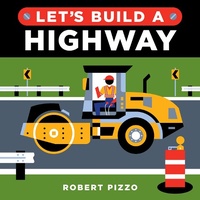
Let's Build a Highway
Description
Alles über E-Books | Antworten auf Fragen rund um E-Books, Kopierschutz und Dateiformate finden Sie in unserem Info- & Hilfebereich.
From the publisher that brought you the bestselling Baby University books comes a brand new board book series of construction books for kids. Join the construction team and help build a highway!
Let's build a highway! Follow along step-by-step as big trucks and machines construct a busy road, from surveying the roadway, to using a bulldozer to clear the path, and so much more. With a simple format and the introduction of new engineering concepts and words, tiny truck lovers will enjoy being a part of the construction crew.
The Let's Build series introduces young readers to engineering, construction, and architecture, helping them imagine what they can build!
More details
Other editions
Additional editions

Person
Robert Pizzo is an author/illustrator based in New Jersey. He began his career as an assistant to the legendary comics artist Will Eisner. Since then, he's produced literally thousands of bold and colorful graphic illustrations for the nation's top magazines, newspapers, book publisher, ad agencies and corporations, as well as releasing several picture books.

System requirements
File format: ePUB
Copy protection: Adobe-DRM (Digital Rights Management)
System requirements:
- Computer (Windows; MacOS X; Linux): Install the free reader Adobe Digital Editions prior to download (see eBook Help).
- Tablet/smartphone (Android; iOS): Install the free app Adobe Digital Editions or the app PocketBook before downloading (see eBook Help).
- E-reader: Bookeen, Kobo, Pocketbook, Sony, Tolino and many more (not Kindle).
The file format ePub works well for novels and non-fiction books – i.e., „flowing” text without complex layout. On an e-reader or smartphone, line and page breaks automatically adjust to fit the small displays.
This eBook uses Adobe-DRM, a „hard” copy protection. If the necessary requirements are not met, unfortunately you will not be able to open the eBook. You will therefore need to prepare your reading hardware before downloading.
Please note: We strongly recommend that you authorise using your personal Adobe ID after installation of any reading software.
For more information, see our ebook Help page.