

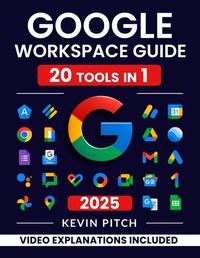
Google Workspace Guide: Unlock Every Google App - Elevate Efficiency with Exclusive Tips, Time-Savers & Step-by-Step Screenshots for Quick Mastery
Published on 7. January 2025
979-8-223-59055-2 (ISBN)
Description

Feeling lost amidst the multitude of Google Workspace tools?
Struggling to streamline your workflow for optimal productivity?
Wish there was a straightforward guide to master Google Workspace from start to finish?
Look no further!
Hello, future Google Workspace enthusiasts! The Google Workspace Guide is designed to be your companion, simplifying your journey and aiding you in not just exploring, but truly understanding and mastering each tool that Google Workspace offers?with ease and confidence.
What's Inside? Here's a Sneak Peek:
- FAST-TRACK INTRODUCTION: Understanding the essence of Google Workspace, its applications, pricing, and planning strategically for businesses of all scales.
- EFFORTLESS COMMENCEMENT: Step confidently into the Google Workspace realm, from account setup to user management and smooth transitioning from other services.
- MASTERFUL COMMUNICATION: Get your hands on the robust communication tools including Gmail, Google Chat, Hangouts, Google Voice, and their advanced and secure features.
- UNPARALLELED CONTENT & MEDIA MANAGEMENT: Command Google Drive, Google One, Google Vault, and more, with insider knowledge to manage content and media like a pro.
- DOCUMENT & FILE CREATION DEMYSTIFIED: Google Docs, Sheets, Slides, Forms - all simplified and explained, with expert tips on real-time editing, data management, and collaboration.
- SCHEDULING & COLLABORATION: Optimize Google Calendar, Meet, and Jamboard for ultimate scheduling and collaboration efficiency.
- ADVANCED FEATURES UNLOCKED: Dive into Google Workspace Marketplace, APIs, Third-Party Integration, Automation, and Mobile Management.
- ROCK-SOLID SECURITY & COMPLIANCE: Secure your digital space with Google Authenticator, Two-Factor Authentication, and compliance know-how.
- BUT WAIT, THERE'S MORE: Tips, tricks, troubleshooting, FAQs, and additional resources for an end-to-end understanding and mastery of Google Workspace.
With every purchase, gain access to exclusive bonus content and resources to keep you updated and ahead in the game!
Click "Buy now" to Unlock the Doors to Unprecedented Productivity and collaboration today!
