

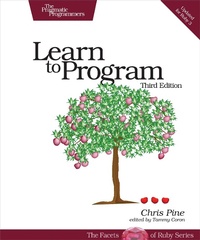
Learn to Program
Description

It''s easier to learn how to program a computer than it has ever been before. Now everyone can learn to write programs for themselves - no previous experience is necessary. Chris Pine takes a thorough, but lighthearted approach that teaches you the fundamentals of computer programming, with a minimum of fuss or bother. Whether you are interested in a new hobby or a new career, this book is your doorway into the world of programming.
Computers are everywhere, and being able to program them is more important than it has ever been. But since most books on programming are written for other programmers, it can be hard to break in.
At least it used to be. Chris Pine will teach you how to program. You''ll learn to use your computer better, to get it to do what you want it to do. Starting with small, simple one-line programs to calculate your age in seconds, you''ll see how to write interactive programs, to use APIs to fetch live data from the internet, to rename your photos from your digital camera, and more. You''ll learn the same technology used to drive modern dynamic websites and large, professional applications.
Whether you are looking for a fun new hobby or are interested in entering the tech world as a professional, this book gives you a solid foundation in programming. Chris teaches the basics, but also shows you how to think like a programmer. You''ll learn through tons of examples, and through programming challenges throughout the book. When you finish, you''ll know how and where to learn more - you''ll be on your way.
What You Need:
All you need to learn how to program is a computer (Windows, macOS, or Linux) and an internet connection. Chris Pine will lead you through setting set up with the software you will need to start writing programs of your own.
More details
Other editions
Additional editions
Content
- Cover
- Table of Contents
- Acknowledgments
- Preface to the Third Edition
- What's New in This Edition
- Introduction
- What Is Programming?
- Programming Languages
- Installation and Setup
- The Art of Programming
- 1. Numbers
- Printing to the Screen
- Integers and Floats
- Simple Arithmetic
- Progress Checkpoint
- 2. Letters
- String Arithmetic
- Numbers vs. Digits
- When Bad Things Happen to Good Programs
- Progress Checkpoint
- 3. Variables and Assignment
- Variables Point to Values
- Progress Checkpoint
- 4. Conversions and Input
- Numbers to Strings and Back Again
- Let Me Tell You a Secret
- Getting Strings from the User
- Cleaning Up User Input
- Good Variable Names
- Progress Checkpoint
- 5. Methods
- Fancy String Methods
- More Arithmetic
- Random Numbers
- The Math Object
- Progress Checkpoint
- 6. Flow Control
- Comparison Methods
- Branching
- Looping
- A Little Bit of Logic
- Progress Checkpoint
- 7. Arrays and Iterators
- My First Iterator
- More Array Methods
- Progress Checkpoint
- 8. Custom Methods
- Method Arguments: What Goes In
- Local Variables: What's Inside
- Experiment: Stuby
- Return Values: What Comes Out
- Progress Checkpoint
- 9. File Input and Output
- Really Doing Something
- The Thing about Computers
- Saving and Loading for Grown-Ups
- JSON
- Back to Our Regularly Scheduled Programming
- Renaming Photos
- Progress Checkpoint
- 10. More Classes and Methods
- The Time Class
- The Hash Class
- The Range Class
- Stringy Superpowers
- Classes and the Class Class
- Progress Checkpoint
- 11. Custom Classes and Class Extensions
- Creating Classes
- Instance Variables
- Methods: new vs. initialize
- The Care and Feeding of Your Baby Dragon
- Progress Checkpoint
- 12. Remote Data and APIs
- Random Internet Jokes
- Respect
- Trivia Database
- Location of the ISS
- Where Did I Put My Keys?
- Movie Search
- Progress Checkpoint
- 13. Blocks and Procs
- Methods That Take Procs
- Methods That Return Procs
- Passing Blocks (Not Procs) into Methods
- Progress Checkpoint
- 14. The Magic of Recursion
- A Method So Easy, It Calls Itself
- Rite of Passage: Sorting
- Progress Checkpoint
- 15. Beyond This Book
- Interactive Ruby (irb)
- The PickAxe: Programming Ruby
- Ruby-Doc.org
- Online Search
- Stack Overflow
- Tim Toady
- You Did It
- A1. Installation and Setup on Windows
- A2. Installation and Setup on macOS
- A3. Installation and Setup on Linux
- A4. A Few Things to Try: Possible Solutions
- Exercises from Chapter 1
- Exercises from Chapter 2
- Exercises from Chapter 3
- Exercises from Chapter 4
- Exercises from Chapter 5
- Exercises from Chapter 6
- Exercises from Chapter 7
- Exercises from Chapter 8
- Exercises from Chapter 9
- Exercises from Chapter 10
- Exercises from Chapter 11
- Exercises from Chapter 12
- Exercises from Chapter 13
- Exercises from Chapter 14
- Index
- - SYMBOLS -
- - DIGITS -
- - A -
- - B -
- - C -
- - D -
- - E -
- - F -
- - G -
- - H -
- - I -
- - J -
- - K -
- - L -
- - M -
- - N -
- - O -
- - P -
- - Q -
- - R -
- - S -
- - T -
- - U -
- - V -
- - W -
- - Y -
- - Z -
