

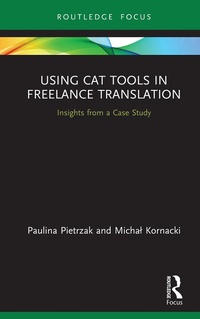
Using CAT Tools in Freelance Translation
Insights from a Case Study
1st Edition
Published on 29. November 2020
126 pages
978-1-000-29557-3 (ISBN)
Description

This book explores the impact of applying computer-assisted (CAT) tools in freelance translation toward better understanding translators' strategies, preferences, and challenges in using new technologies and identifying areas of enhancement in translator training.
The volume offers a brief overview of the latest developments in technology in translation, examining such issues as the effect on the translation process and the dynamics of the translator-technology interaction. Drawing on data from a study with active translators in Poland, Pietrzak and Kornacki examine the underlying factors underpinning translators' lack of engagement with these tools, including such issues as prevailing pre-conceptions around technology and limited knowledge hindering the most efficacious use of these resources and the subsequent impact on translator identity. Taken together, the book brings together these insights to help pinpoint freelance translators' needs more effectively and adapt training programmes accordingly.
The volume will be of interest to scholars in translation studies with an interest in process and technology as well as active translators.
The volume offers a brief overview of the latest developments in technology in translation, examining such issues as the effect on the translation process and the dynamics of the translator-technology interaction. Drawing on data from a study with active translators in Poland, Pietrzak and Kornacki examine the underlying factors underpinning translators' lack of engagement with these tools, including such issues as prevailing pre-conceptions around technology and limited knowledge hindering the most efficacious use of these resources and the subsequent impact on translator identity. Taken together, the book brings together these insights to help pinpoint freelance translators' needs more effectively and adapt training programmes accordingly.
The volume will be of interest to scholars in translation studies with an interest in process and technology as well as active translators.
More details
Edition
1. Auflage
Language
English
Place of publication
London
United Kingdom
Publishing group
Taylor & Francis Ltd
Target group
College/higher education
Product notice
Reflowable
Illustrations
13 Tables, black and white; 6 Line drawings, black and white; 6 Illustrations, black and white
ISBN-13
978-1-000-29557-3 (9781000295573)
Copyright in bibliographic data and cover images is held by Nielsen Book Services Limited or by the publishers or by their respective licensors: all rights reserved.
Schweitzer Classification
Other editions
Additional editions
Paulina Pietrzak | Michal Kornacki
Using CAT Tools in Freelance Translation
Insights from a Case Study
Book
05/2022
1st Edition
Routledge
€36.80
Shipment within 15-20 days
Paulina Pietrzak | Michal Kornacki
Using CAT Tools in Freelance Translation
Insights from a Case Study
Book
11/2020
1st Edition
Routledge
€76.80
Shipment within 15-20 days
Persons
Paulina Pietrzak is Assistant Professor of Linguistics and, since 2008, has been affiliated with the University of Lodz, Poland. She completed her Ph.D. on translator education and developing translation competence. She teaches general and LSP translation and interpreting in the Department of Translation Studies. She is a freelance translator and interpreter. Her main research interests include translator training, medical translation, and metacognitive aspects of translator competence development.
Michal Kornacki is Assistant Professor of Linguistics, affiliated with the University of Lodz, Poland. A translator and an academic teacher, Michal completed his PhD on translator training in a computer-assisted translation (CAT) environment. He teaches general, computer-assisted and audiovisual translation. Michal's research focuses on the use of technology in translator training, as well as metacognitive aspects of translator competence development. He is responsible for CAT programme at the Insitute of English Studies, University of Lodz. Since 2017, he is a Certified Trainer of Memsource.
Michal Kornacki is Assistant Professor of Linguistics, affiliated with the University of Lodz, Poland. A translator and an academic teacher, Michal completed his PhD on translator training in a computer-assisted translation (CAT) environment. He teaches general, computer-assisted and audiovisual translation. Michal's research focuses on the use of technology in translator training, as well as metacognitive aspects of translator competence development. He is responsible for CAT programme at the Insitute of English Studies, University of Lodz. Since 2017, he is a Certified Trainer of Memsource.
Content
Table of contents
List of Tables
List of Figures
Introduction
1. Contemporary freelance translation market
Overview of the chapter
1.1. Freelance translation as a profession
1.2. Forms of employment
2. Application of technology in the process of translation
Overview of the chapter
2.1. Typology of translation technology
2.1.1. Technology in regular translation
2.1.1.1. Word processors
2.1.1.2. CAT (computer-assisted translation) tools
2.1.1.3. Machine Translation (MT)
2.1.1.4. CMS - Content Management Systems
2.1.1.5. TMS - Translation Management Systems
2.1.1.6. Graphics software
2.1.2. Technology in audiovisual translation
2.1.2.1. AVT vs AST tools
2.1.2.2. Localisation tools
2.1.3. Technology in interpreting
2.2. Translator-technology (TT) interaction modes
2.2.1. Basic TT interaction
2.2.2. Extended TT interaction
2.2.3. CAT-inclusive TT interaction
2.2.4. CAT-based TT interaction
2.2.5. Full TT interaction
3. Freelance translator profile
Overview of the chapter
3.1. Freelance translator competence
3.2. Users and non-users of CAT tools
3.3. Technological toolkit
4. Technological evolution in translation
Overview of the chapter
4.1. Key developments in CAT technology and their effects on the translator's work
4.2. Negative impact of CAT technology on the process and product
4.3. Cognitive aspects of TT interaction
4.4. Impact of CAT technology and TT interaction on translator's metacognition
4.5. Technology-related anxiety in freelance translation
4.5.1. Career anxiety
4.5.2. Cognitive friction
4.5.3. Technological anxiety
5. Current trends in the use of CAT tools in freelance translation
Overview of the chapter
5.1. The methodology behind the study on CAT users and non-users
5.1.1. Aim of the study
5.1.2. Tools for data collection and analysis
5.1.3. Participants
5.1.4. Limitations of the study
5.2. Attitudes towards the study
5.2.1. Hostile tone: generation gap
5.2.2. Humorous tone: what about bridging the gap?
5.2.3. Dismissive tone: market-academia gap
6. Research findings
Overview of the chapter
6.1. Sample characteristics
6.2. Usage
6.3. Machine Translation
6.4. Income
6.5. CAT tools evaluation
6.6. Reasons for using or not using CAT tools
7. Discussion
Overview of the chapter
7.1. Analysis of the findings
7.2. Reluctance towards CAT technology
7.3. Implications for translator training
7.4. Implications for translation software developers
8. Conclusion
References
List of Tables
List of Figures
Introduction
1. Contemporary freelance translation market
Overview of the chapter
1.1. Freelance translation as a profession
1.2. Forms of employment
2. Application of technology in the process of translation
Overview of the chapter
2.1. Typology of translation technology
2.1.1. Technology in regular translation
2.1.1.1. Word processors
2.1.1.2. CAT (computer-assisted translation) tools
2.1.1.3. Machine Translation (MT)
2.1.1.4. CMS - Content Management Systems
2.1.1.5. TMS - Translation Management Systems
2.1.1.6. Graphics software
2.1.2. Technology in audiovisual translation
2.1.2.1. AVT vs AST tools
2.1.2.2. Localisation tools
2.1.3. Technology in interpreting
2.2. Translator-technology (TT) interaction modes
2.2.1. Basic TT interaction
2.2.2. Extended TT interaction
2.2.3. CAT-inclusive TT interaction
2.2.4. CAT-based TT interaction
2.2.5. Full TT interaction
3. Freelance translator profile
Overview of the chapter
3.1. Freelance translator competence
3.2. Users and non-users of CAT tools
3.3. Technological toolkit
4. Technological evolution in translation
Overview of the chapter
4.1. Key developments in CAT technology and their effects on the translator's work
4.2. Negative impact of CAT technology on the process and product
4.3. Cognitive aspects of TT interaction
4.4. Impact of CAT technology and TT interaction on translator's metacognition
4.5. Technology-related anxiety in freelance translation
4.5.1. Career anxiety
4.5.2. Cognitive friction
4.5.3. Technological anxiety
5. Current trends in the use of CAT tools in freelance translation
Overview of the chapter
5.1. The methodology behind the study on CAT users and non-users
5.1.1. Aim of the study
5.1.2. Tools for data collection and analysis
5.1.3. Participants
5.1.4. Limitations of the study
5.2. Attitudes towards the study
5.2.1. Hostile tone: generation gap
5.2.2. Humorous tone: what about bridging the gap?
5.2.3. Dismissive tone: market-academia gap
6. Research findings
Overview of the chapter
6.1. Sample characteristics
6.2. Usage
6.3. Machine Translation
6.4. Income
6.5. CAT tools evaluation
6.6. Reasons for using or not using CAT tools
7. Discussion
Overview of the chapter
7.1. Analysis of the findings
7.2. Reluctance towards CAT technology
7.3. Implications for translator training
7.4. Implications for translation software developers
8. Conclusion
References
